Pardot, now officially called Marketing Cloud Account Engagement, is Salesforce’s B2B marketing automation platform. This guide covers everything you need to know about implementing, optimizing, and auditing your Account Engagement instance in 2026.
Marketing Cloud Account Engagement provides lead generation, email marketing, lead nurturing, and marketing analytics capabilities. Originally acquired by Salesforce in 2013, the platform has undergone significant integration with the core Salesforce platform, creating new opportunities and considerations for administrators and developers.
What is Marketing Cloud Account Engagement (Pardot)?
Marketing Cloud Account Engagement is a comprehensive B2B marketing automation solution that helps organizations generate qualified leads, nurture prospects through the sales funnel, and measure marketing ROI. The platform operates on a prospect-centric data model where marketing activities are tracked and scored to identify sales-ready leads.
Key capabilities include:
- Lead capture through forms and landing pages
- Email marketing and drip campaigns
- Lead scoring and grading
- Marketing analytics and reporting
- CRM integration with Salesforce
- Website visitor tracking
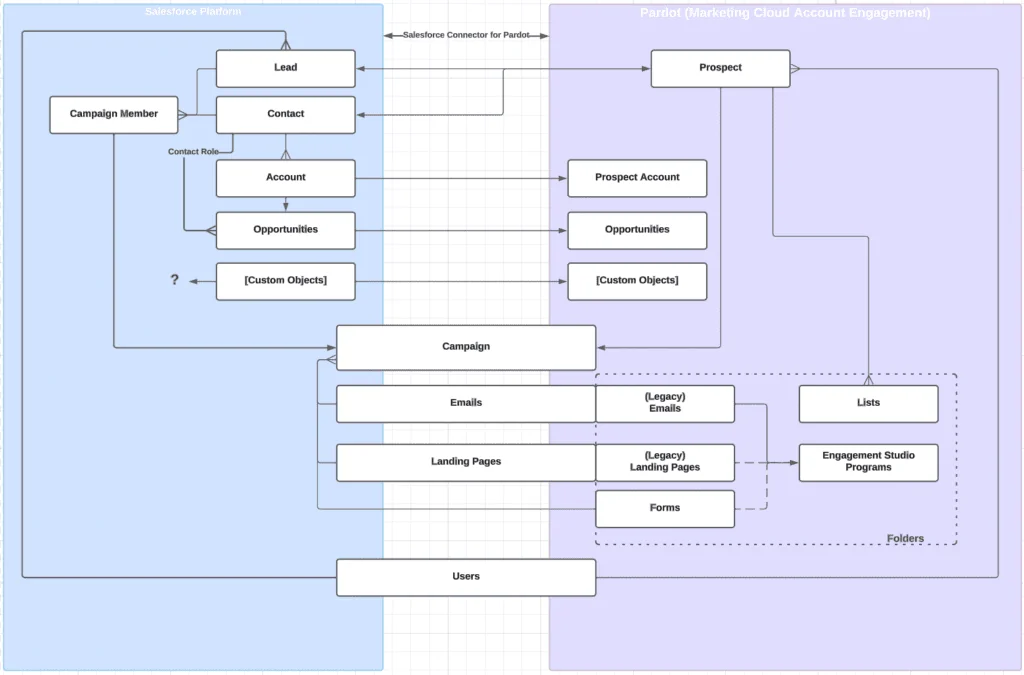
Account Engagement Data Architecture
Understanding the data model is crucial for successful implementation. Account Engagement uses four primary object types:
Prospects
Prospects represent known individuals in your marketing database. Each prospect record contains:
- Contact information (email, name, company)
- Behavioral data (page views, email opens, form submissions)
- Lead scoring and grading information
- Custom field data synced from Salesforce
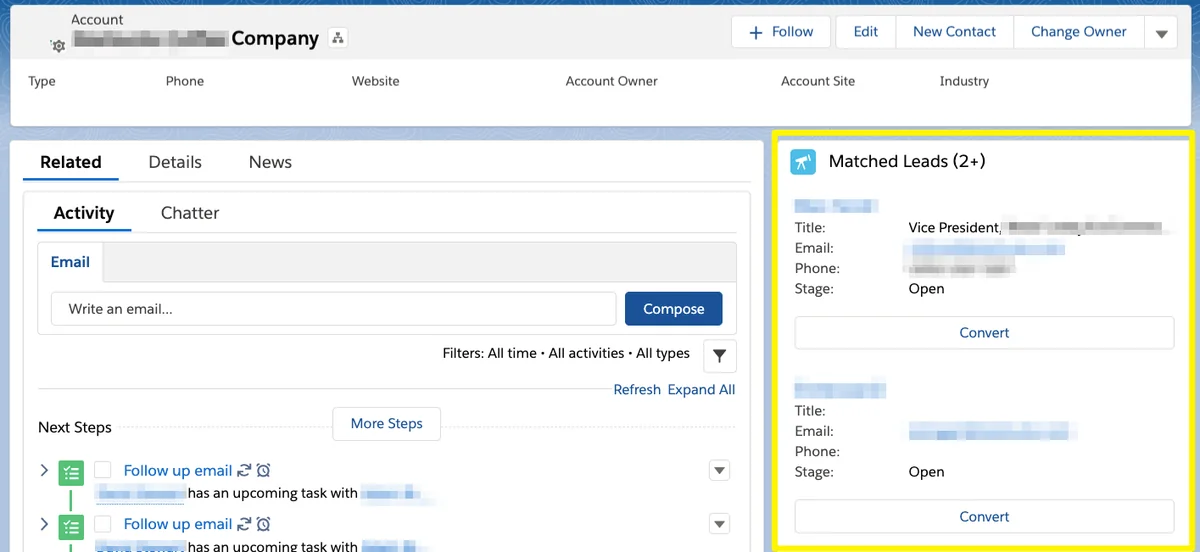
Prospects sync bidirectionally with Salesforce Lead and Contact records through the connector.
Visitors
Visitors are anonymous website sessions tracked by the Account Engagement tracking code. When a visitor converts (submits a form or clicks an email), their anonymous activity merges with a prospect record.
Assets
Assets include all marketing materials that generate prospect activity:
- Email templates and sends
- Forms and form handlers
- Landing pages
- Files and content
Campaigns
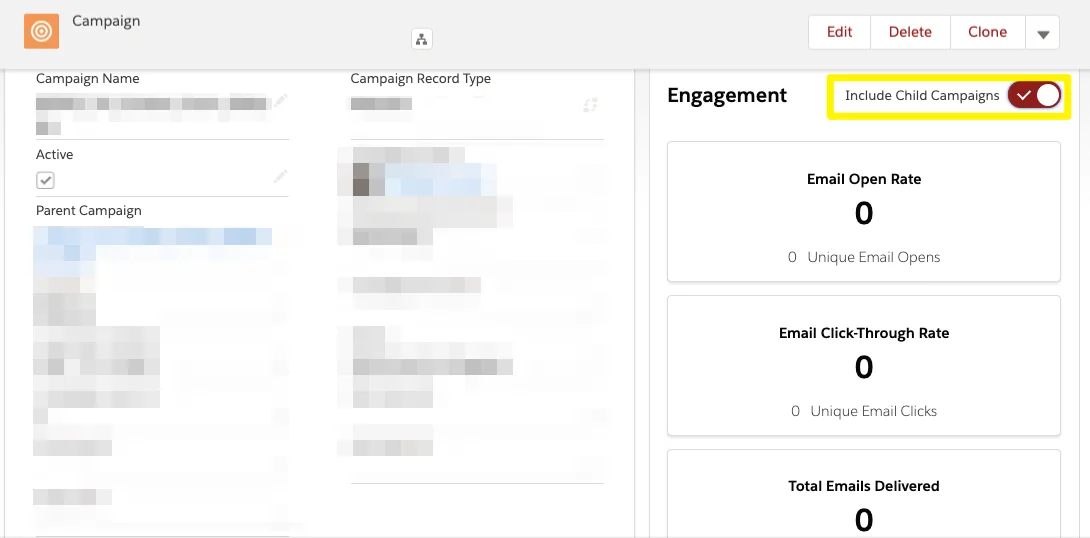
With Connected Campaigns enabled, Account Engagement shares the same Campaign object as Salesforce. This eliminates data duplication and provides unified reporting across marketing and sales activities.
Salesforce Connector Configuration
The Salesforce connector handles data synchronization between Account Engagement and your Salesforce org. Proper configuration is essential for data integrity and performance.
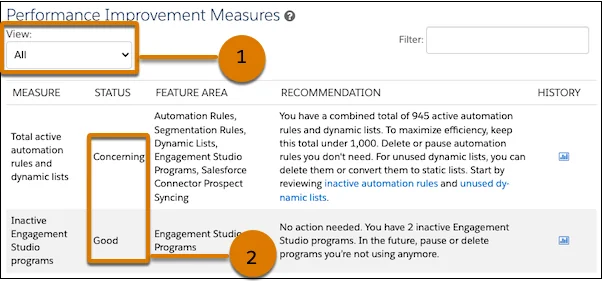
Sync Behavior Settings
For each synced field, you can configure which system wins when data conflicts occur:
- Salesforce wins: Salesforce value always overwrites Account Engagement
- Account Engagement wins: Account Engagement value always overwrites Salesforce
- Most recently updated: The most recently modified record wins (not field-level)
Critical consideration: “Most recently updated” applies to the entire record, not individual fields. Any change to a record makes it the “winner” for all configured fields.
Custom Object Sync
Higher-tier editions support syncing up to four custom objects from Salesforce. Requirements include:
- Custom object must have a lookup relationship to Lead, Contact, or Account
- Maximum of 100,000 records per custom object
- Sync frequency varies based on data volume
Marketing Data Sharing in Pardot
Marketing data sharing controls how prospect and campaign data flows between Account Engagement and Salesforce. This affects visibility, reporting, and automation capabilities.
Business Unit Configuration
Business Units in Account Engagement control data access and sharing:
- Each Business Unit can have its own Salesforce connector
- Prospects can only belong to one Business Unit
- Users inherit Business Unit permissions
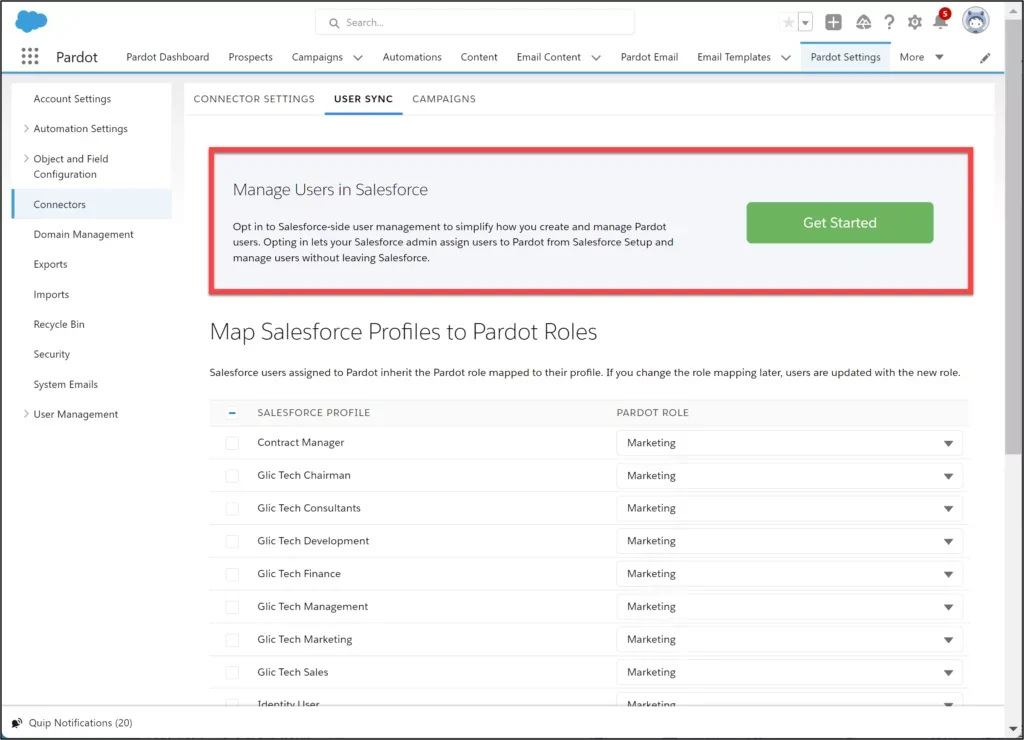
Sharing Rules
Configure sharing rules to control prospect visibility:
- Role-based sharing aligns with Salesforce role hierarchy
- Territory-based sharing uses Salesforce territory management
- Custom sharing rules provide granular control
Performance Optimization
Account Engagement performance depends on several factors including database size, automation complexity, and sync frequency.
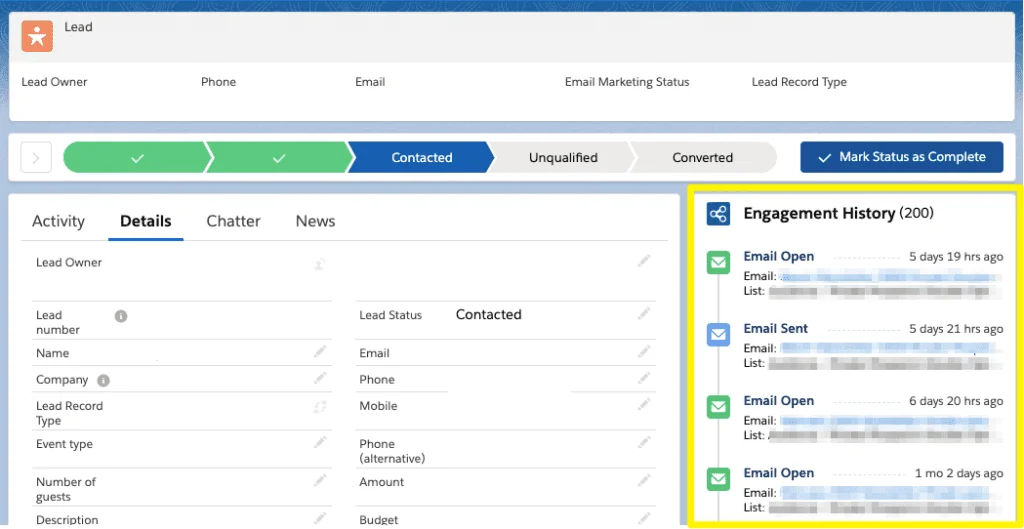
Account Engagement Optimizer
The built-in Optimizer tool identifies performance bottlenecks:
- Redundant active automations
- Resource-intensive Engagement Studio programs
- High-volume prospect data changes
Automation Best Practices
Optimize automation rules and segmentation for better performance:
- Use segmentation rules for one-time heavy processing
- Leverage completion actions for asset-specific automation
- Avoid “contains” operators in large databases
- Archive inactive prospects and campaigns
Pardot Audit Checklist
Regular audits ensure your Account Engagement instance remains optimized and compliant. Focus on these key areas:
Data Quality Audit
- Duplicate prospect records
- Incomplete or outdated prospect data
- Sync errors between Account Engagement and Salesforce
- Orphaned prospects without CRM records
Automation Audit
- Active but unused automation rules
- Overlapping or conflicting automations
- Engagement Studio programs with low completion rates
- Email templates with poor performance metrics
Security and Compliance Audit
- User permissions and role assignments
- GDPR and privacy compliance settings
- Email authentication (SPF, DKIM, DMARC)
- Form and landing page security
Integration Patterns
Account Engagement integrates with Salesforce through multiple touchpoints beyond the standard connector.
Lightning Web Components
Embed Account Engagement functionality in Salesforce Lightning pages:
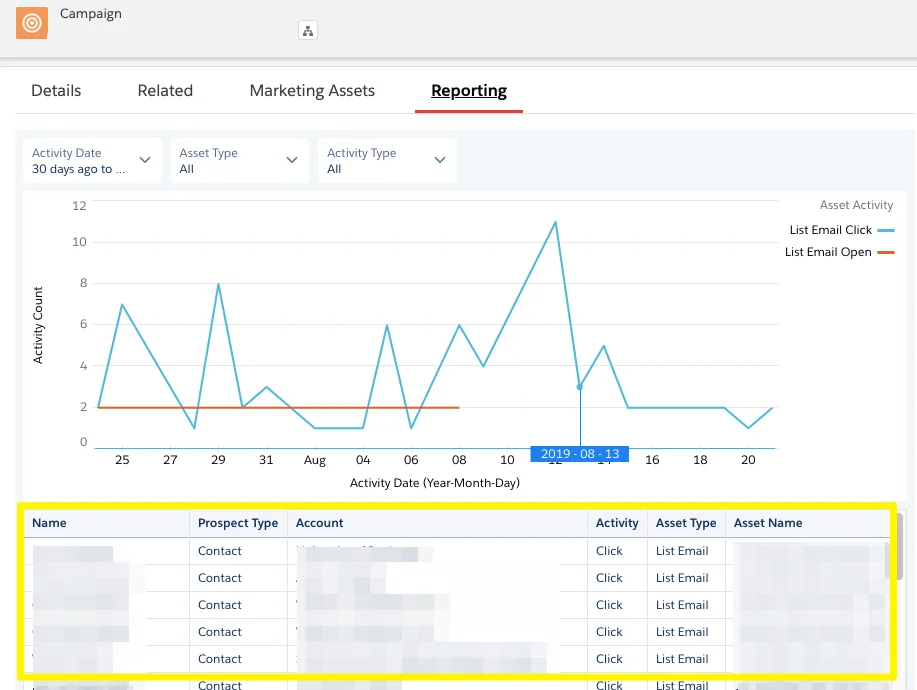
- Prospect activity timeline components
- Email send and template selection
- Campaign member management
API Integration
Use the Account Engagement API for custom integrations:
- REST API for modern applications
- Bulk operations for data migration
- Webhook notifications for real-time updates
Advanced Configuration
Lead Scoring and Grading
Configure scoring to identify sales-ready prospects:
- Behavioral scoring based on website and email activity
- Demographic grading based on prospect attributes
- Custom scoring categories for different buyer personas
Email Deliverability
Maintain high deliverability rates:
- Configure sender authentication
- Monitor bounce and spam complaint rates
- Implement list hygiene practices
- Use dedicated IP addresses for high-volume sending
Troubleshooting Common Issues
Sync Problems
Address common connector sync issues:
- Field mapping conflicts
- Permission errors
- API limit exceeded errors
- Record ownership conflicts
Performance Issues
Resolve performance bottlenecks:
- Slow automation rule processing
- Email send delays
- Report generation timeouts
- Form submission failures
Migration and Upgrade Considerations
When migrating to Account Engagement or upgrading editions:
- Plan data migration strategy
- Test automation rules in sandbox
- Update user training materials
- Review integration dependencies
Frequently Asked Questions
What is the difference between Pardot and Marketing Cloud Account Engagement?
Pardot and Marketing Cloud Account Engagement are the same product. Salesforce rebranded Pardot to Marketing Cloud Account Engagement in 2022 to align with their Marketing Cloud suite of products.
How often does the Salesforce connector sync data?
The connector syncs prospect data in batches of 200 records. Sync frequency depends on data volume and changes, typically occurring every few minutes for active prospects. Asset sync operates on a separate queue with different timing.
What should I include in a Pardot audit?
A comprehensive Pardot audit should cover data quality (duplicates, sync errors), automation efficiency (unused rules, overlapping logic), performance metrics (email deliverability, form conversion), security settings, and user permissions.
How do I optimize marketing data sharing in Pardot?
Optimize marketing data sharing by configuring appropriate Business Unit structures, setting up role-based sharing rules, ensuring proper field-level security, and regularly reviewing user permissions to maintain data governance.
Can I sync custom objects from Salesforce to Account Engagement?
Yes, higher-tier Account Engagement editions support syncing up to four custom objects from Salesforce. The custom objects must have lookup relationships to Lead, Contact, or Account records and are limited to 100,000 records each.