Salesforce Territory Management Setup Guide
Salesforce territory management is the Sales Cloud feature now documented by Salesforce as Sales Territories. Use it when sales coverage, sharing, forecasting, and account assignment must follow territories instead of a single account owner or a simple role hierarchy.
This guide explains how territory management in Salesforce works in production orgs: the territory2 data model, model states, supported records, account assignment rules, opportunity assignment, permissions, reporting, Apex considerations, and rollout checks.
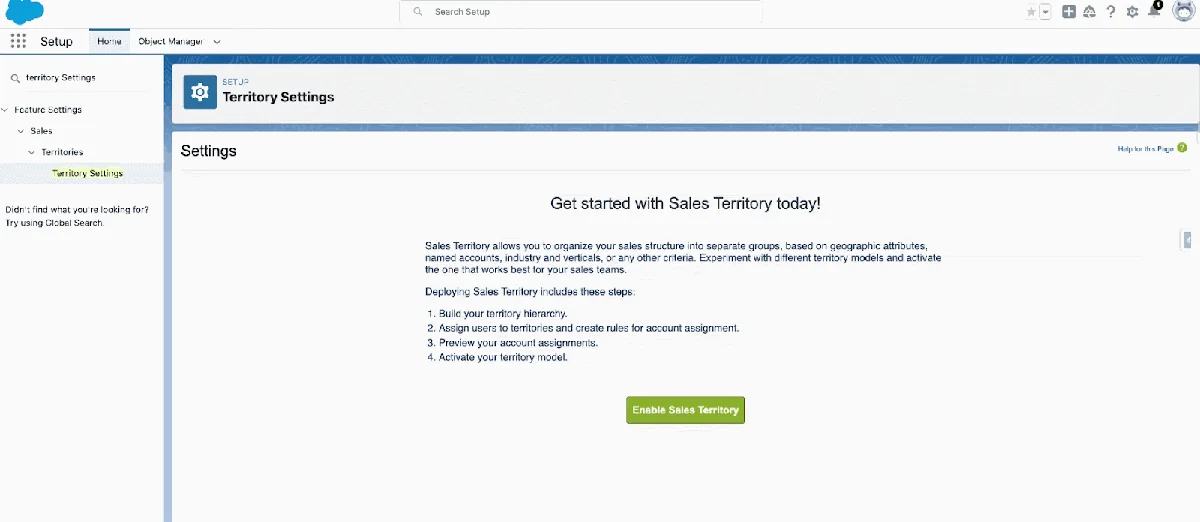
What Is Salesforce Territory Management?
Salesforce Territory Management organizes selling responsibility by territory. A territory can represent a region, product line, industry segment, named-account program, partner channel, or overlay team. The feature affects record access because users assigned to a territory can gain access to records assigned to that territory, based on the model and sharing settings.
Salesforce renamed Enterprise Territory Management to Sales Territories in the Summer ’24 release. The current setup pages and documentation use the Sales Territories name, while many API objects still include Territory2. In this article, salesforce territory management refers to the current Sales Territories feature, not the retired original Territory Management feature.
Use Sales Territories when ownership and coverage are not the same thing. For example, an account may have one legal owner, but a healthcare overlay rep, a strategic-account rep, and a regional account executive all need controlled access. In that case, territory management in Salesforce gives you a standard model instead of custom sharing records and manual spreadsheet routing.
When to use territory management in Salesforce
| Requirement | Better fit | Reason |
|---|---|---|
| One account owner and a few collaborators | Account Teams | Teams are simpler and easier for reps to understand. |
| Access based on management structure | Role hierarchy and sharing rules | Roles match reporting lines, not territory coverage. |
| Accounts assigned by region, segment, or named-account list | Sales Territories | The model can assign accounts to one or more territories and give territory users access. |
| Opportunity routing based on account territory | Sales Territories plus opportunity assignment filter | The standard Territory2Id field stores the opportunity territory. |
| Custom objects need territory-style sharing | Custom sharing design | Sales Territories does not add the same assignment model to every custom object. |
How territory2 Fits the Sales Territories Data Model
The territory2 family of objects is the part developers must understand before they write SOQL, Apex, integrations, or reports. The setup UI hides some complexity, but the API model is what you query when you need evidence of assignments.
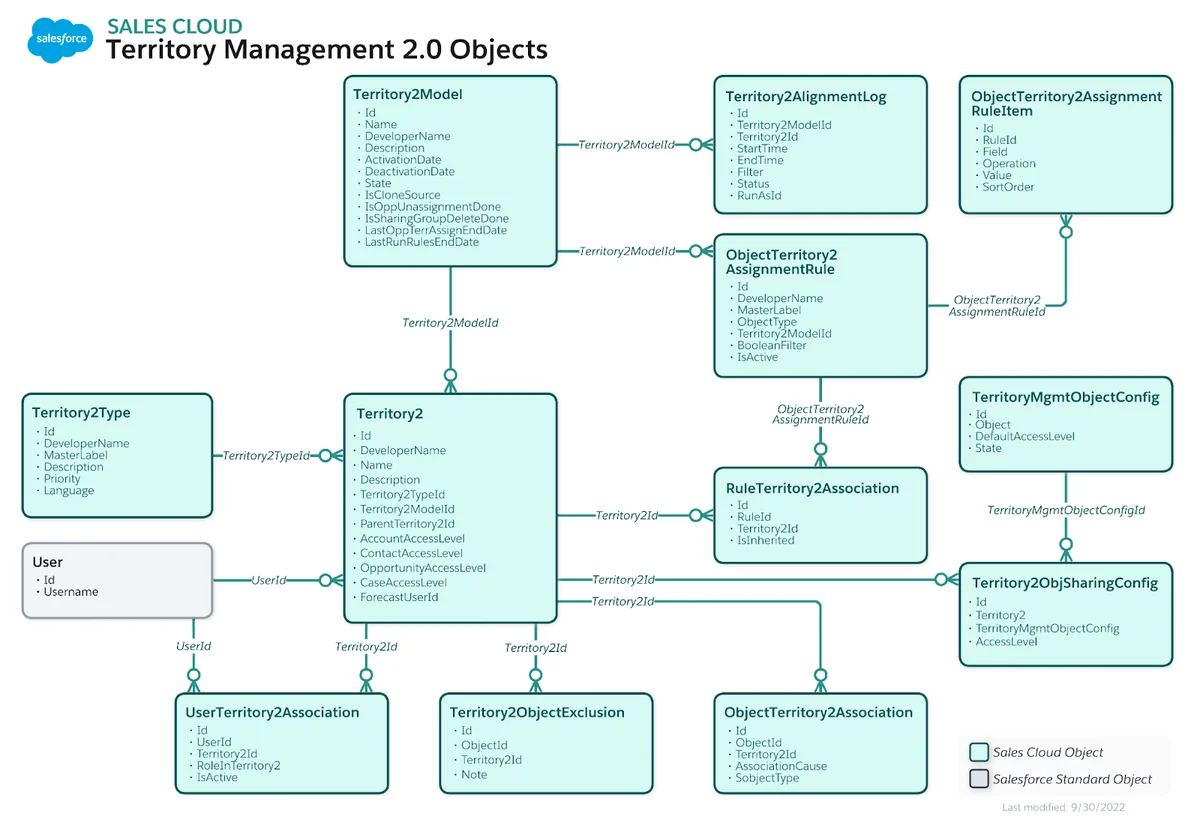
Core territory2 objects
| Object | Purpose | Implementation note |
|---|---|---|
Territory2Model |
Stores the territory model. | Only one model can be active at a time. |
Territory2Type |
Categorizes territories. | Use clear types such as Geographic, Named Account, Industry, or Overlay. |
Territory2 |
Represents a sales territory. | Each territory belongs to a model and a type. |
UserTerritory2Association |
Connects users to territories. | Use RoleInTerritory2 for reporting clarity. |
ObjectTerritory2Association |
Connects records such as accounts or leads to territories. | The ObjectId field is polymorphic; query carefully. |
ObjectTerritory2AssignmentRule |
Stores assignment rule definitions. | Rules support automatic account assignment. |
In enterprise orgs, do not start by drawing the hierarchy in Setup. Start by defining the assignment grain. Decide whether a territory means a sales region, a named-account pod, a product overlay, or a mix. If you mix meanings without a naming pattern, your territory2 reports become hard to audit.
SOQL examples for territory2 reporting
Use selective filters and avoid querying all territory assignments in a large org. These examples assume Sales Territories is enabled.
-- Active territory model
SELECT Id, Name, State
FROM Territory2Model
WHERE State = 'Active'
LIMIT 1
-- Accounts assigned to a known territory
SELECT ObjectId, Territory2Id, Territory2.Name, AssociationCause
FROM ObjectTerritory2Association
WHERE Territory2Id = :territoryId
AND IsDeleted = false-- Users assigned to a territory with their role in the territory
SELECT UserId, User.Name, Territory2Id, Territory2.Name, RoleInTerritory2
FROM UserTerritory2Association
WHERE Territory2Id = :territoryIdFor more on access design, connect this article with Salesforce sharing rules and record access. Territory access still works with your organization-wide defaults, role hierarchy, profiles, permission sets, manual sharing, and sharing recalculation behavior.
Which Records Work with Salesforce Territory Management?
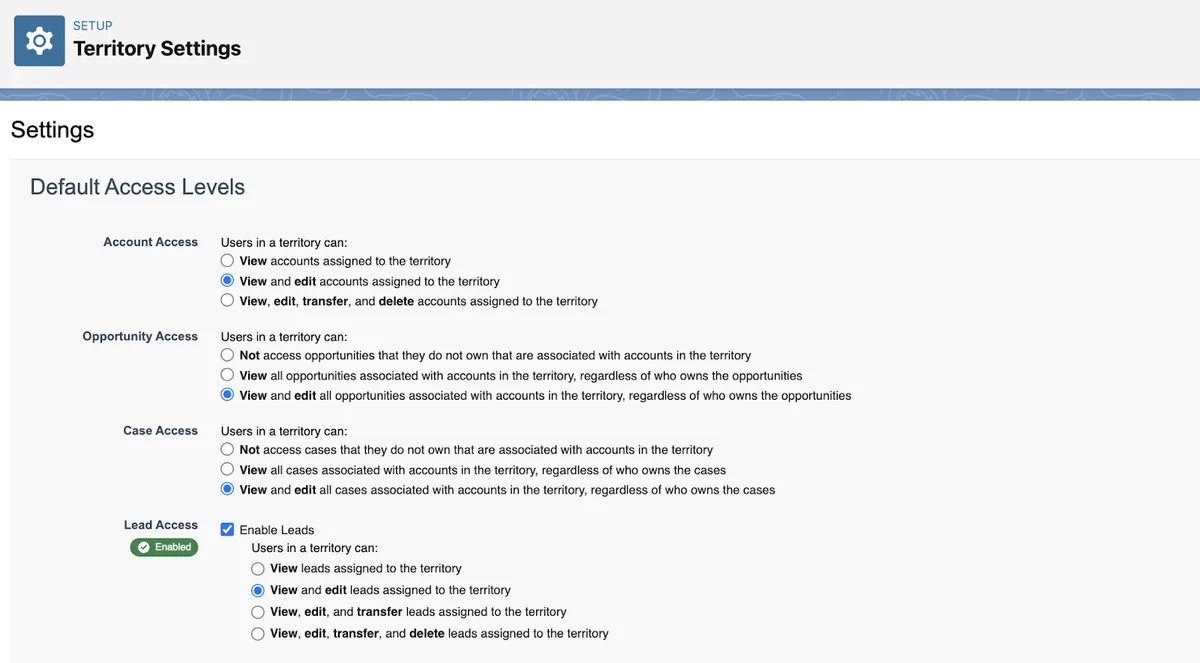
Sales Territories primarily assigns accounts and leads to territories and uses those assignments to drive access and coverage. Opportunities are handled differently: an opportunity has the standard Territory2Id lookup field, so one opportunity is assigned to one territory at a time.
| Record area | How Sales Territories applies | Design warning |
|---|---|---|
| Accounts | Can be assigned manually or by account assignment rules. | Multiple territory assignments can increase sharing volume. |
| Leads | Can be assigned to territories when the lead territory feature is enabled. | Confirm whether your lead process needs manual, import, or automation-based assignment. |
| Opportunities | Use Opportunity.Territory2Id for the assigned territory. |
One opportunity has one territory; define conflict logic for accounts with multiple territories. |
| Contacts, cases, and related records | Access behavior depends on territory settings and the object’s sharing model. | Do not assume territory assignment replaces OWD and sharing rule design. |
| Custom objects | Do not get the same automatic territory assignment model. | Use custom lookups, criteria-based sharing, Apex managed sharing, or a separate routing design. |
How to Set Up Salesforce Territory Management
Build salesforce territory management in a full sandbox before production. Territory activation, assignment rule runs, and archival can trigger sharing changes and long-running jobs, especially in orgs with many accounts, leads, opportunities, teams, and forecast data.
Step 1: Confirm prerequisites and permissions
Sales Territories is available in Performance and Developer Editions and in Enterprise and Unlimited Editions with Sales Cloud. Admins who build and maintain models need Manage Territories and View Setup and Configuration. Users who create account assignment rules also need access to the Account data required by those rules.
Do not assign Manage Territories broadly. It gives access to territory setup operations, not just a single territory branch. Create a permission set for revenue operations admins and audit who can activate, archive, or delete models.
Step 2: Create territory types before territories
Territory types are labels that help you group territories. They do not appear as hierarchy nodes, but they matter because every territory needs a type. In a production rollout, define a naming standard before admins create the first territory2 record.
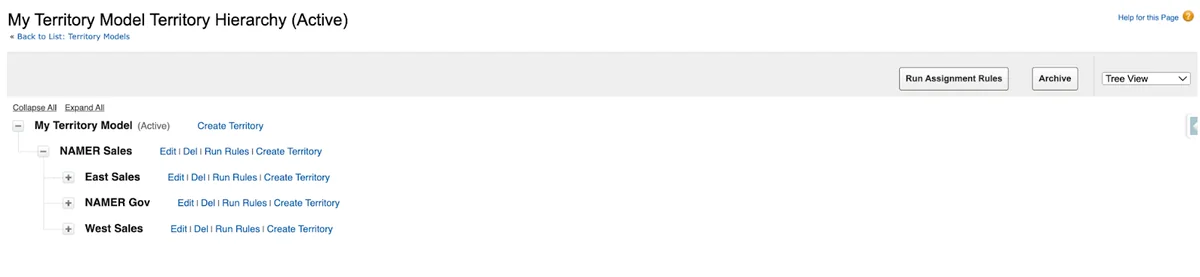
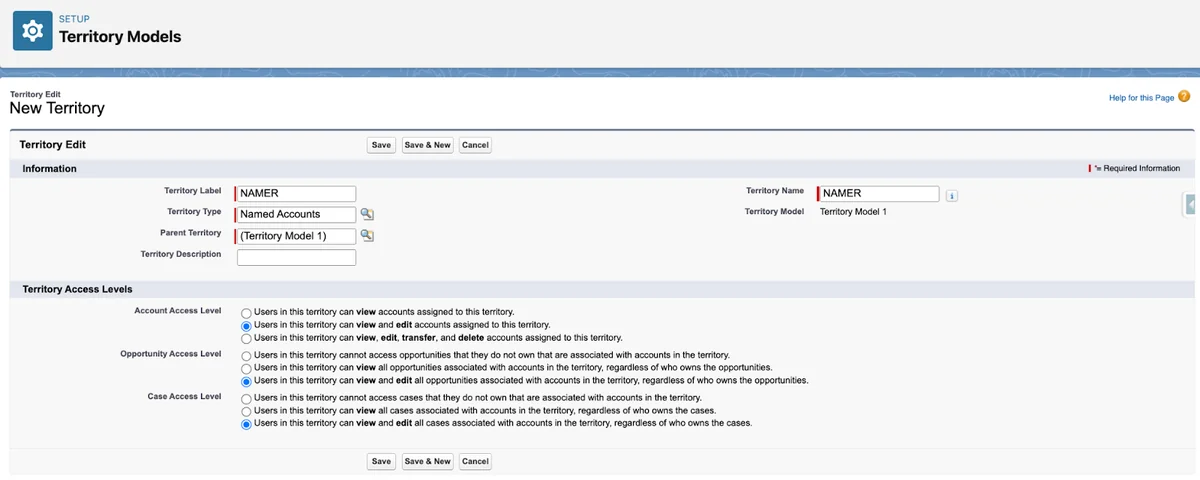
Step 3: Create the territory model and hierarchy
A territory model represents the full territory management system for a company. New models start in Planning state. Use that state to build territories, assign users, test account rules, and review reports without making the model active.
| Model state | Meaning | Production guidance |
|---|---|---|
| Planning | The model is being prepared and tested. | Use for design, rule validation, imports, and UAT. |
| Active | The model controls active territory access and forecasting behavior. | Only one model can be active at a time. |
| Archived | The model is retained for reference after use. | Archived models cannot be reactivated; export data before cleanup. |
Step 4: Assign users and define role names
Assign users to territories through the UI, imports, or automation that follows Salesforce-supported objects and calls. Always populate RoleInTerritory2 when the role matters for reports, compensation, or routing. A user assigned without a role may still have access, but reporting will be unclear.
Use role values such as Account Executive, Sales Manager, Overlay Specialist, Partner Manager, or Renewals Rep. Keep these values stable; changing picklist values after reports and dashboards are live creates cleanup work.
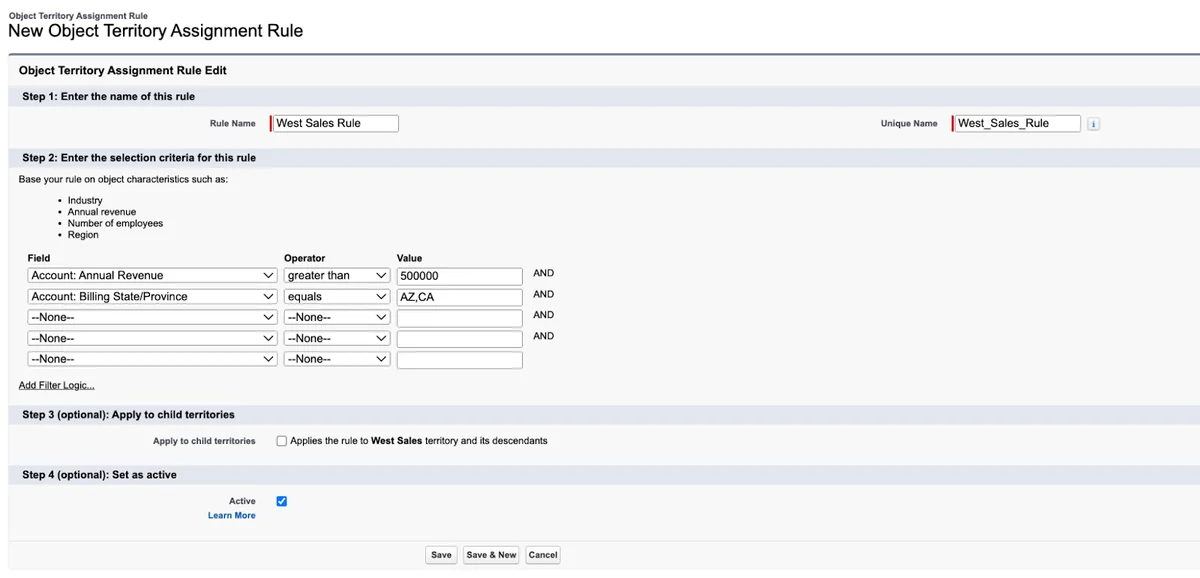
Step 5: Build account assignment rules
Account assignment rules match account fields to territories. A common pattern is Country + State + Segment + Account Tier. Do not use territory rules to clean bad account data. Clean the data first, then run rules; otherwise, the same bad values create wrong assignments at scale.
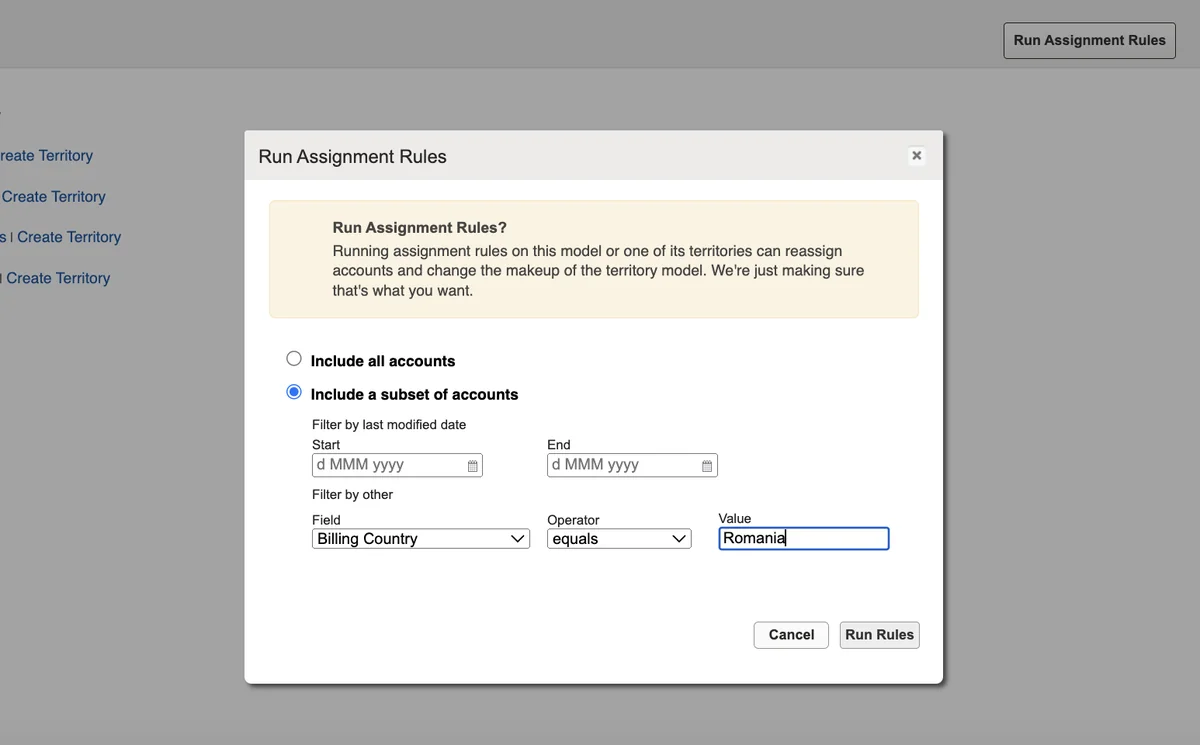
For imports and batch changes, use a repeatable process. Document whether the rule run is model-wide, territory-specific, or limited by account criteria. If your team uses Data Loader for mass updates, review the Salesforce Data Loader guide before production loads.
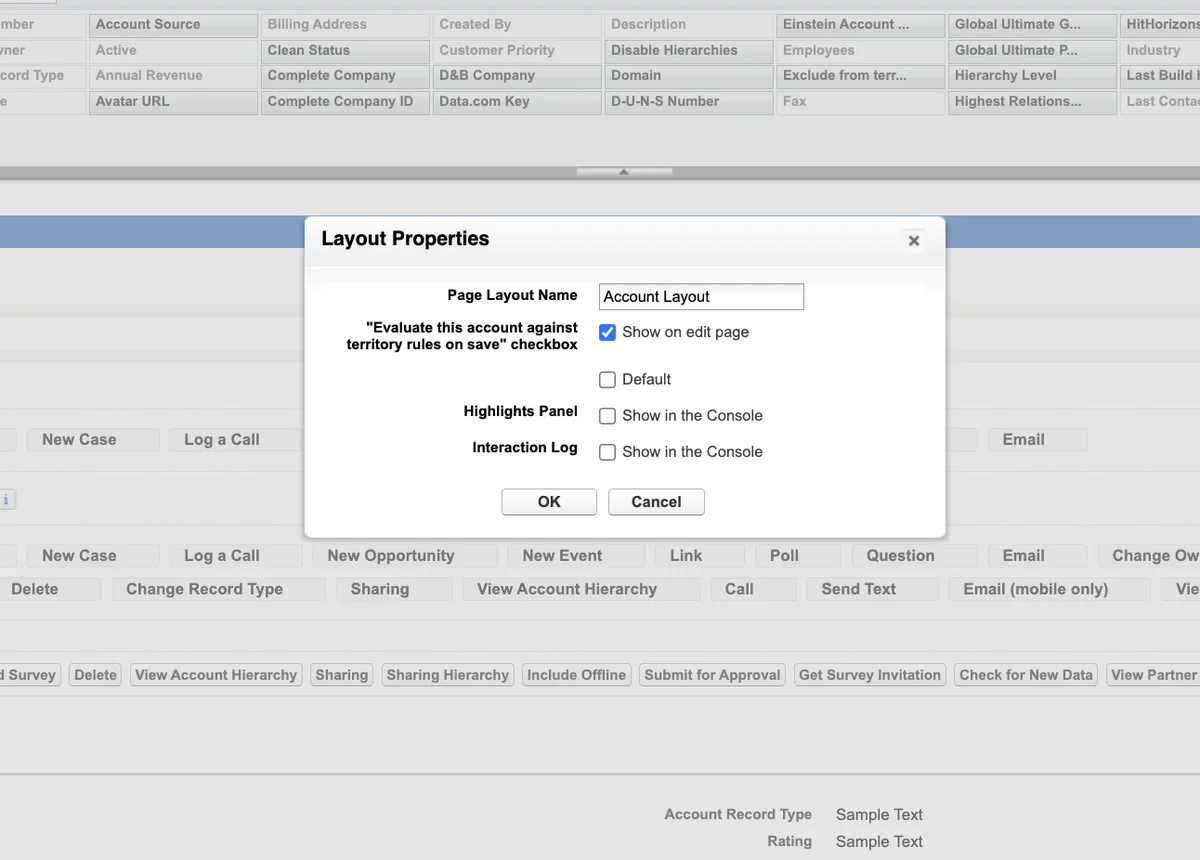
Step 6: Activate the model after validation
Activate the model only after you validate sample accounts, lead assignment behavior, user access, opportunity reports, and forecast impacts. In large orgs, activation and recalculation can take time. Prepare a rollback plan, but remember that archived models cannot simply move back to Active state.
How Opportunity Assignment Works with Territory2
Opportunity territory assignment is separate from account assignment rules. The opportunity stores its chosen territory in Territory2Id. Salesforce provides filter-based opportunity territory assignment through an Apex interface, and admins can configure whether the job runs when opportunities are created.
The key design question is simple: if an account has several territories, which one should the opportunity use? Some orgs choose the territory with the highest territory type priority. Others use opportunity record type, product family, region, channel, or a custom account-to-territory mapping table. Avoid hidden logic. Sales leaders should be able to explain why an opportunity received a specific territory.
For opportunity object basics, see the Salesforce opportunity object tutorial.
Apex Example for Filter-Based Opportunity Territory Assignment
This example shows a bulk-safe skeleton for the TerritoryMgmt.OpportunityTerritory2AssignmentFilter interface. It assigns an opportunity only when its account has exactly one territory in the active model. If the account has no territory or more than one territory, the method returns null for that opportunity so the result stays explicit.
Governor limit note: the code performs one query for the active model, one query for opportunities, and one query for territory associations. It does not query inside loops.
global with sharing class SingleAccountTerritoryOpportunityFilter
    implements TerritoryMgmt.OpportunityTerritory2AssignmentFilter {

    global Map<Id, Id> getOpportunityTerritory2Assignments(List<Id> opportunityIds) {
        Map<Id, Id> resultByOpportunityId = new Map<Id, Id>();

        if (opportunityIds == null || opportunityIds.isEmpty()) {
            return resultByOpportunityId;
        }

        List<Territory2Model> activeModels = [
            SELECT Id
            FROM Territory2Model
            WHERE State = 'Active'
            LIMIT 1
        ];

        if (activeModels.isEmpty()) {
            return resultByOpportunityId;
        }

        List<Opportunity> opportunities = [
            SELECT Id, AccountId
            FROM Opportunity
            WHERE Id IN :opportunityIds
        ];

        Set<Id> accountIds = new Set<Id>();
        for (Opportunity opp : opportunities) {
            if (opp.AccountId != null) {
                accountIds.add(opp.AccountId);
            }
        }

        if (accountIds.isEmpty()) {
            return resultByOpportunityId;
        }

        Map<Id, Id> singleTerritoryByAccountId = new Map<Id, Id>();
        Set<Id> accountsWithMultipleTerritories = new Set<Id>();

        for (ObjectTerritory2Association association : [
            SELECT ObjectId, Territory2Id
            FROM ObjectTerritory2Association
            WHERE ObjectId IN :accountIds
            AND Territory2.Territory2ModelId = :activeModels[0].Id
        ]) {
            Id accountId = (Id) association.ObjectId;

            if (singleTerritoryByAccountId.containsKey(accountId)) {
                accountsWithMultipleTerritories.add(accountId);
            } else {
                singleTerritoryByAccountId.put(accountId, association.Territory2Id);
            }
        }

        for (Opportunity opp : opportunities) {
            if (opp.AccountId == null || accountsWithMultipleTerritories.contains(opp.AccountId)) {
                resultByOpportunityId.put(opp.Id, null);
            } else {
                resultByOpportunityId.put(opp.Id, singleTerritoryByAccountId.get(opp.AccountId));
            }
        }

        return resultByOpportunityId;
    }
}
Before deploying an opportunity filter, write tests that cover no account, no active model, no territory, one territory, and multiple territories. Salesforce requires 75% Apex code coverage for deployment, but production teams should assert the business outcome, not just line coverage. For more patterns, read Apex governor limits and best practices.
Security and Sharing Considerations for Sales Territories
Salesforce territory management is a sharing mechanism, not a replacement for the security model. Profiles and permission sets still control object and field permissions. Organization-wide defaults still define the baseline. Territory membership can extend record access, but it does not grant field-level access that the user lacks.
Run user access tests with real profiles, permission sets, and sample territories. Test these scenarios before go-live:
- A user assigned to a child territory views an assigned account.
- A manager in a parent territory views child territory records, if your settings allow it.
- A user removed from a territory loses access after recalculation.
- An account assigned to two territories appears in expected reports only once or with clear grouping.
- An opportunity with
Territory2Idblank still appears in owner-based pipeline reports.
Reporting on Territory Management in Salesforce
Territory reporting fails when teams keep using owner-only dashboards after the model goes live. Create reports for account territory assignments, users by territory, opportunity pipeline by territory, unassigned records, and accounts with multiple territories. Add filters for active model territory2 records so users do not mix archived assignments with current coverage.
Useful report questions include:
- Which active accounts are not assigned to any territory?
- Which accounts have more than one territory and why?
- Which users are assigned to territories without a role?
- Which open opportunities have blank
Territory2Id? - Which assignment rules changed after the last sales realignment?
For dashboard planning, see Salesforce reports for admins.
Best Practices for Salesforce Territory Management
Keep the model aligned with the sales operating model
A territory model should match how leaders inspect coverage. If leadership reviews pipeline by region and segment, reflect both in the model or in reporting fields. If leaders review by named accounts, avoid forcing every named account into a geographic-only tree.
Use naming standards for territory2 records
Use names that sort well and survive exports. A pattern such as NA - East - Healthcare - AE is easier to audit than a free-text name such as East Team. Keep a separate description field for business context.
Limit overlapping assignments
Multiple territories per account are valid, but too many overlaps make access, pipeline credit, and reporting harder to explain. Require a business reason for overlay territories and document how opportunity territory assignment resolves conflicts.
Plan sharing recalculation windows
Large rule runs, model activation, model archival, and territory imports can trigger access recalculation. Coordinate with sales operations and avoid running these jobs during forecast calls, large data loads, or high-volume integrations.
Version-control custom Apex and metadata
Store opportunity assignment filters, validation rules, permission sets, custom report types, and deployment notes in source control. Territory hierarchy data may still require data deployment or import planning, but the automation around it should follow your release process.
Common Errors with Sales Territories
| Error or symptom | Likely cause | Fix |
|---|---|---|
| Accounts are not assigned after rule creation | The rule exists but has not been run, or the model is not active for automatic save behavior. | Run rules from the territory or model hierarchy and review the confirmation email. |
| Opportunity territory is blank | No filter is configured, the account has no territory, the account has multiple territories, or the opportunity is excluded from the filter. | Review Territory2Id, account assignments, and filter logic. |
| Users see records they did not own | Territory membership is granting access. | Check UserTerritory2Association, territory sharing settings, and OWD. |
| Reports show old territories | Archived model data or old assignment data is included. | Filter reports to the active model and label archived model reports clearly. |
| Deployment fails for Apex filter | Tests do not create valid territory data or coverage is insufficient. | Write isolated tests and cover each assignment outcome. |
Implementation Checklist
- Confirm that Sales Territories is licensed and enabled in the correct sandbox.
- Define territory types, naming standards, and the model owner.
- Build the model in Planning state and import or create territories.
- Assign users and populate
RoleInTerritory2. - Create account assignment rules using clean, governed account fields.
- Test account, lead, opportunity, and report behavior with realistic data.
- Deploy Apex opportunity assignment logic only after tests cover edge cases.
- Schedule activation and sharing recalculation outside peak hours.
- Create monitoring reports for unassigned records and overlapping assignments.
- Document who can change territories, run rules, archive models, and import assignments.
Official Salesforce References
Use these Salesforce sources while validating your implementation: Sales Territories Help, Sales Territories Implementation Guide, Territory Management data model, and OpportunityTerritory2AssignmentFilter Apex reference.
Frequently Asked Questions
What is Salesforce Territory Management used for?
Salesforce territory management is used to group accounts, leads, users, and related selling work into sales territories. It helps sales operations teams manage access and coverage when ownership cannot be represented by account owner, role hierarchy, account teams, or opportunity teams alone.
Is Territory2 the same as a territory in Salesforce?
Territory2 is the API object that represents a sales territory in the current Sales Territories model. Older references to Territory usually refer to the original territory management feature, which Salesforce retired for most orgs. For new automation and reporting, use territory2-related objects when Sales Territories is enabled.
Can an account belong to more than one territory?
Yes. An account can be associated with more than one territory in the active territory model. This is useful for overlay teams, named-account teams, partner teams, or geographic plus product coverage. Test the reporting and sharing impact before you allow many overlapping assignments.
Can a Salesforce opportunity have multiple territories?
An opportunity stores one assigned territory in the standard Territory2Id field. If the related account has multiple territories, your opportunity assignment logic must decide which territory to use or leave the field blank when the result is ambiguous.
Does ObjectTerritory2Association support Apex triggers?
Do not design real-time automation that depends on an ObjectTerritory2Association trigger. Use supported automation points such as Account, Opportunity, Territory2, UserTerritory2Association, scheduled Apex, reports, or integration jobs, and verify trigger support in the current Salesforce Object Reference before deployment.
Do I need Apex for territory management in Salesforce?
Admins can configure models, territories, users, and account assignment rules without Apex. Apex is usually needed when you enable filter-based opportunity territory assignment or when your organization needs custom validation, integration, or scheduled reconciliation logic around territory2 data.