Salesforce Commerce Cloud is the Salesforce commerce product family for building B2C, B2B, and D2C storefronts. It covers storefront experiences, product and catalog data, pricing, cart, checkout, order handoff, service visibility, and integrations with ERP, payment, tax, shipping, and inventory systems.
This guide explains which Commerce product fits which use case, how the architecture works, and what admins, developers, and architects must check before implementation. It focuses on current Salesforce patterns: B2C Commerce, B2B Commerce, D2C Commerce, Commerce APIs, Storefront APIs, Order Management, and Commerce Einstein.
What is Salesforce Commerce Cloud?
Salesforce Commerce Cloud is not one single storefront feature. It is a set of Commerce products that support different selling models. B2C Commerce supports consumer retail storefronts. B2B and D2C Commerce run on the Salesforce platform and use Commerce data, Experience Builder templates, Commerce APIs, and Salesforce records such as products, price books, buyer groups, carts, and order summaries.
In enterprise orgs, the first design decision is the operating model. A retailer with high traffic, merchandising teams, and international catalogs may choose B2C Commerce. A manufacturer that sells contract pricing to account-based buyers may choose B2B Commerce. A brand that wants direct consumer selling on the Salesforce platform may choose D2C Commerce. Some companies use more than one path and connect them through Salesforce Order Management, Data Cloud, MuleSoft, or ERP middleware.
Which Salesforce Commerce Cloud product should you use?
The right product depends on buyer type, catalog complexity, traffic profile, pricing rules, and order operations. Treat Salesforce Commerce Cloud as a product family, not a single tool that fits every ecommerce project.
| Option | Best fit | Technical notes |
|---|---|---|
| B2C Commerce | Retail, consumer brands, seasonal traffic, global storefronts, and merchandising-led teams | Supports B2C storefront development, Storefront Reference Architecture, Composable Storefront, and Salesforce Commerce API for headless scenarios. |
| B2B Commerce | Account-based buying, negotiated pricing, reorder flows, buyer groups, purchase orders, and account switching | Runs on Salesforce org data. The developer guide covers carts, checkout, products, catalogs, pricing, promotions, inventory, stores, and order processing. |
| D2C Commerce | Brands that sell directly to consumers from a Salesforce platform storefront | Often uses LWR storefronts, Commerce APIs, Commerce Einstein components, and Salesforce order records. Confirm license and edition requirements before design. |
| Order Management | Post-purchase order lifecycle, fulfillment, cancellations, returns, and order visibility | Salesforce Order Management can receive orders from commerce channels and manage the lifecycle after order capture. |
| Composable Storefront and SCAPI | Headless B2C builds where the frontend is decoupled from the commerce backend | SCAPI provides REST APIs for B2C storefronts, merchant tools, and integrations. |
For foundational admin training, Salesforce Trailhead provides a B2B Commerce Basics module that introduces store setup and the Commerce data model.
How does Salesforce Commerce Cloud architecture work?
A Salesforce Commerce Cloud architecture normally has four layers: storefront experience, commerce services, system integrations, and operational reporting. Keep these layers separate because each layer has different release, security, and scale requirements.
How sfdc ecommerce maps to Salesforce products
The phrase sfdc ecommerce usually means ecommerce built with Salesforce technologies, but the product path matters. In B2B Commerce and D2C Commerce, web stores sit close to Salesforce platform data and Commerce REST APIs. In B2C Commerce, the storefront runs on the B2C Commerce platform and integrates with Salesforce CRM, Service Cloud, Marketing Cloud, Data Cloud, and Order Management when needed.
For sfdc ecommerce discovery, separate journeys by persona: guest consumer, registered consumer, business buyer, account approver, sales rep ordering on behalf of a customer, and service agent handling a return. Each persona can require a different permission model, cart rule, tax calculation, payment option, and order service path.
How ecommerce in Salesforce works across clouds
Ecommerce in Salesforce becomes valuable when commerce data supports service, marketing, sales, and analytics. A buyer can place an order in a storefront, a service agent can view the order summary, a marketing journey can suppress recently purchased products, and an account team can review buying behavior before a renewal conversation.
This does not happen automatically. Architects must decide which platform owns customer identity, product master data, pricing, consent, payments, inventory, and orders. Document the source of truth for each entity before implementation starts.
When a cloud commerce platform is the right fit
A cloud commerce platform is the right fit when the business wants managed commerce services instead of owning every infrastructure layer. Salesforce Commerce Cloud also fits when the commerce program must connect with Salesforce CRM data, service cases, marketing consent, Data Cloud profiles, and order operations.
It may not fit a small catalog with no Salesforce integration need. Licensing, implementation effort, middleware, testing, and release governance should match the revenue and operational value of the storefront.
How to implement Salesforce Commerce Cloud
- Define channels and buyer types. Confirm B2C, B2B, D2C, mobile, in-store, call-center, and order-on-behalf-of use cases.
- Choose the Commerce product. Decide between B2C Commerce, B2B Commerce, D2C Commerce, or a combined design.
- Map the data model. Identify source systems for products, categories, price books, buyer groups, entitlements, inventory, tax, customers, and orders. B2B teams should review the official B2B Commerce data model.
- Select storefront architecture. For B2B and D2C Commerce, evaluate LWR templates and Storefront APIs. For B2C Commerce, evaluate SFRA, Composable Storefront, and SCAPI.
- Design cart and checkout. Include tax, shipping, payment, coupons, inventory reservation, address validation, fraud review, and async calculation behavior. Salesforce documents separate Cart APIs and Checkout APIs for B2B and D2C Commerce.
- Design order handoff. Decide whether Salesforce Order Management, an ERP, or another OMS owns fulfillment status, returns, refunds, and service visibility.
- Plan security. Validate buyer access, account switching, guest data handling, payment tokenization, consent, and field access. Do not expose internal pricing or account data through custom components that bypass supported Commerce APIs.
- Build release governance. Use sandboxes, source control, automated deployments, regression tests, payment provider test plans, and launch cutover checklists.
Developer examples for Salesforce Commerce Cloud
Developers usually extend Salesforce Commerce Cloud through Storefront APIs, Commerce REST APIs, SCAPI, extension providers, middleware, or managed packages. Pick the supported API for the storefront technology instead of querying lower-level objects unless Salesforce documentation confirms the object is intended for the use case.
Example: add an item to cart in an LWR Commerce component
For B2B and D2C stores built with LWR templates, Salesforce documents Storefront APIs for custom LWCs. The commerce/cartApi bundle includes addItemToCart(productId, quantity) from API version 57.0. Use Storefront APIs before writing custom Apex or direct object DML for cart actions.
import { LightningElement, api } from 'lwc';
import { addItemToCart } from 'commerce/cartApi';

export default class CommerceAddToCartButton extends LightningElement {
  @api productId;
  quantity = 1;
  isSaving = false;
  errorMessage;

  async handleAddToCart() {
    if (!this.productId || this.quantity < 1) {
      this.errorMessage = 'Select a valid product and quantity.';
      return;
    }

    this.isSaving = true;
    this.errorMessage = undefined;

    try {
      await addItemToCart(this.productId, this.quantity);
    } catch (error) {
      this.errorMessage = error?.body?.message || error?.message || 'The item was not added to the cart.';
    } finally {
      this.isSaving = false;
    }
  }
}
Governor limits are less visible in this LWC than in Apex, but the design still needs limit awareness. Do not fire cart API calls repeatedly in browser loops. Disable the button while the request runs, handle duplicate clicks, and let the Storefront API state layer update cart-aware components.
Example: call a Commerce Cart API from middleware
Server-side integrations can call Commerce REST APIs through middleware. The example uses a versioned path pattern and keeps the access token on the server, not in storefront JavaScript. Replace the API version with the version approved for your Salesforce release train.
async function addProductToActiveCart({ instanceUrl, apiVersion = 'v66.0', accessToken, webstoreId, activeCartOrId, productId, quantity, effectiveAccountId }) {
  if (!Number.isInteger(quantity) || quantity < 1) {
    throw new Error('Quantity must be a positive integer.');
  }

  const query = effectiveAccountId ? '?effectiveAccountId=' + encodeURIComponent(effectiveAccountId) : '';
  const endpoint = instanceUrl + '/services/data/' + apiVersion + '/commerce/webstores/' + encodeURIComponent(webstoreId) + '/carts/' + encodeURIComponent(activeCartOrId) + '/cart-items' + query;

  const response = await fetch(endpoint, {
    method: 'POST',
    headers: {
      Authorization: 'Bearer ' + accessToken,
      'Content-Type': 'application/json'
    },
    body: JSON.stringify({ productId: productId, quantity: quantity, type: 'Product' })
  });

  if (!response.ok) {
    const details = await response.text();
    throw new Error('Commerce cart update failed: ' + response.status + ' ' + details);
  }

  return response.json();
}
Do not put OAuth client secrets, refresh tokens, payment credentials, or tax provider keys in client-side code. Use a server-side integration layer, Named Credentials, External Credentials, or Salesforce-supported payment integrations based on the architecture.
Best practices for Salesforce Commerce Cloud data and integrations
| Area | Design question | Implementation risk |
|---|---|---|
| Products and catalog | Which system owns products, variants, categories, images, and search facets? | Duplicate product IDs, broken redirects, stale images, and poor search filters. |
| Pricing and promotions | Are prices public, account-specific, buyer-group-based, contract-based, or calculated by ERP? | Incorrect prices, cart recalculation errors, and promotion conflicts. |
| Inventory | Does the storefront need real-time availability, safety stock, location inventory, or backorder rules? | Overselling during traffic spikes or blocking valid orders because inventory feeds lag. |
| Checkout | Which systems calculate shipping, tax, fraud checks, payment authorization, and order validation? | Slow checkout, failed payment retries, and inconsistent totals. |
| Orders | Where does the order go after placement, and which system owns status changes? | Service agents cannot answer order questions, returns become manual, and customers see stale status. |
How Commerce Einstein and search fit into Salesforce Commerce Cloud
Commerce Einstein can support search and product recommendation use cases, but it needs the right activity signals. If you replace standard product, search, or recommendation components with custom LWCs, include documented activity tracking calls where required.
For B2B and D2C Commerce, Salesforce documents Commerce Einstein and AI-powered search in Help. Treat these features as configuration and data-quality work. Product names, categories, attributes, availability, and buyer entitlements affect what shoppers can find and buy.
Common errors with Salesforce Commerce Cloud implementations
- Choosing the wrong product path. B2C Commerce, B2B Commerce, and D2C Commerce solve different problems.
- Bypassing Commerce APIs. Custom code that manipulates carts, checkout, or pricing outside supported APIs can miss entitlement, pricing, promotion, and state behavior.
- Ignoring account context in B2B. B2B buyers often act under an effective account. Custom components must respect buyer group, entitlement, price book, and account context.
- Treating checkout as one synchronous call. Tax, shipping, payment, inventory, and fraud systems can add async behavior and retry needs.
- Skipping launch rehearsal. Commerce launches need catalog freeze windows, payment test cards, search indexing checks, CDN validation, analytics checks, and order reconciliation.
How to evaluate a cloud commerce platform against Salesforce Commerce Cloud
When comparing any cloud commerce platform with Salesforce Commerce Cloud, use a decision matrix rather than a feature checklist. The strongest factor is how the commerce platform will work with the rest of the business stack.
| Evaluation area | Question to ask |
|---|---|
| Salesforce fit | Do sales, service, marketing, analytics, or Data Cloud teams need commerce data inside Salesforce? |
| Storefront control | Does the business need a managed storefront template, a headless frontend, or both? |
| Integration depth | How many systems participate in pricing, inventory, tax, payment, fulfillment, and returns? |
| Operating model | Can merchandisers, admins, developers, and release managers support the platform after launch? |
| Total cost | Does the business case include licenses, implementation, support, middleware, data migration, testing, and future releases? |
Where AppExchange and partner integrations fit
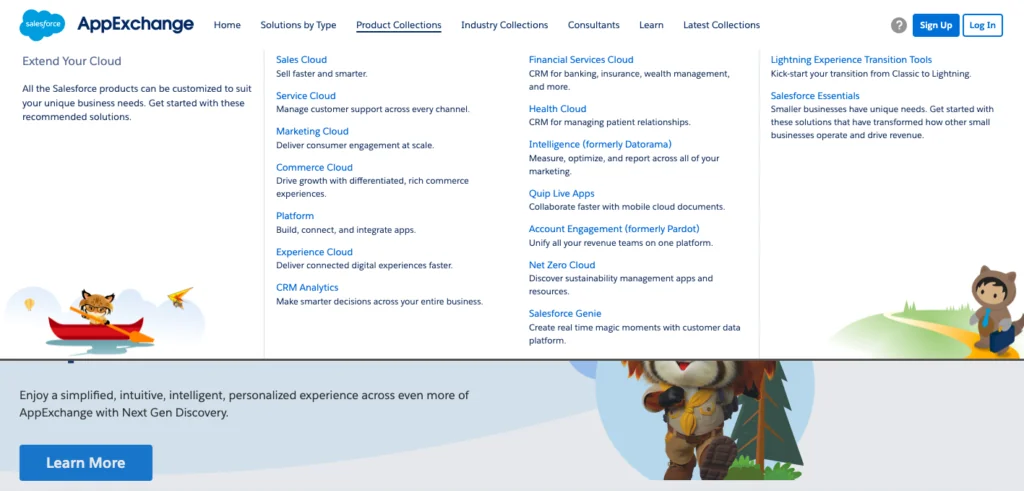
AppExchange packages can reduce custom build effort for payment, tax, reviews, search, address validation, fraud, loyalty, subscriptions, order operations, and service workflows. Use them only after you confirm data ownership, security review status, supported Commerce product, and upgrade process.
Salesforce Commerce Cloud launch checklist
- Confirm license, edition, sandbox, and release version assumptions with Salesforce documentation and your account team.
- Validate product, category, price book, buyer group, inventory, and promotion data loads.
- Run cart and checkout tests for guest users, registered consumers, business buyers, account switchers, coupon users, and failed payments.
- Test APIs with retry, timeout, rate, and error-handling scenarios.
- Verify accessibility, SEO metadata, redirects, canonical URLs, analytics tags, consent behavior, and page performance.
- Reconcile placed orders between storefront, Salesforce, OMS, ERP, payment gateway, tax provider, and fulfillment systems.
Frequently Asked Questions
What is Salesforce Commerce Cloud used for?
Salesforce Commerce Cloud is used to build and operate ecommerce storefronts for B2C, B2B, and D2C selling. Teams use it for product discovery, catalogs, pricing, cart, checkout, order handoff, personalization, and integrations with service, marketing, ERP, payment, tax, shipping, and inventory systems.
Is Salesforce Commerce Cloud the same as sfdc ecommerce?
Not exactly. Sfdc ecommerce is a broad phrase people use for ecommerce built with Salesforce. Salesforce Commerce Cloud is the actual Salesforce commerce product family, and the implementation can be B2C Commerce, B2B Commerce, D2C Commerce, or a combined architecture.
Can I build ecommerce in Salesforce without B2C Commerce?
Yes, ecommerce in Salesforce can be built with B2B Commerce or D2C Commerce when the use case fits those products. B2C Commerce is common for consumer retail storefronts, especially when merchandising, traffic scale, or headless B2C architecture drives the decision.
Does Salesforce Commerce Cloud support headless commerce?
Yes. B2C Commerce supports headless use cases through Salesforce Commerce API, also called SCAPI. B2B and D2C Commerce expose Commerce APIs and Storefront APIs for custom experiences. The correct API depends on the Commerce product, storefront template, and release version.
How do developers customize Salesforce Commerce Cloud?
Developers customize Salesforce Commerce Cloud with supported storefront frameworks, Storefront APIs, Commerce REST APIs, SCAPI, extension providers, middleware integrations, and managed packages. For B2B and D2C LWR stores, Storefront APIs should be considered before custom Apex because they preserve commerce context such as cart state, buyer entitlement, and pricing behavior.
Summary
Salesforce Commerce Cloud is a strong fit when commerce needs to connect with Salesforce customer data, service workflows, marketing journeys, order operations, and enterprise integrations. The implementation succeeds when architects choose the right Commerce product, define data ownership, use supported APIs, and test the full order lifecycle before launch.