Superbatch is a common search phrase people use when they are looking for Salesforce Trailhead Superbadges, Superbadge Units, Super Sets, and related Trailhead credentials. Salesforce does not currently list an official credential named “Superbatch”; the practical search intent is usually to understand which hands-on Salesforce badge to earn, how Trailhead challenge checks work, and how those credentials appear on a Trailblazer profile.
This superbatch guide explains the official terms, shows where a salesforce badge fits in Trailhead, and gives a safe study plan for topics such as data protection superbadge unit challenge 2 without giving answer keys or bypassing Trailhead assessment rules.
What is superbatch in Salesforce Trailhead?
In day-to-day searches, superbatch usually points to one of four Trailhead credential types: a Superbadge, a Superbadge Unit, a Super Set, or a Trailhead Journey. The official Trailhead navigation describes Superbadges as hands-on work where you apply skills to solve real-world challenges, while badges, trails, journeys, and trailmixes serve different learning goals. Use the term superbatch for search discovery if needed, but use the official names when you update a resume, Trailblazer profile, or internal enablement plan. A clean superbatch plan maps the search phrase to the exact Trailhead credential you intend to earn.
For admins and developers, the main value is assessment context. A module quiz checks recall. A project gives guided steps. A Superbadge gives requirements and asks you to build the solution in a Trailhead Playground or a specially configured Developer Edition org. That difference matters in enterprise orgs because the same reading-and-build discipline applies to access design, data quality rules, report setup, Flow, Apex, and Agentforce configuration.
How do Superbadges, Superbadge Units, Super Sets, and Journeys differ?
The superbatch search intent often mixes several Trailhead items. Treat superbatch as a planning label, then verify each official Trailhead credential name before you start. The table below separates them so you can choose the right learning path instead of opening every credential that mentions the same product area.
| Trailhead item | What it tests | Typical use | What to watch |
|---|---|---|---|
| Badge | Knowledge from a module, project, or other Trailhead learning item | Build baseline product knowledge and earn points | A badge alone does not prove implementation judgment |
| Superbadge Unit | A focused skill area, often one part of a larger domain | Practice one topic such as access, authentication, Flow, reports, or data quality | Prerequisites and org setup must match the instructions |
| Superbadge | Scenario-based build work from business requirements | Show hands-on skill for admin, app builder, developer, analytics, security, or AI work | Challenge checks are strict about names, labels, records, and configuration state |
| Super Set | A grouped credential path made from related Superbadges or units | Map learning to a role or specialist track | Complete prerequisites before expecting the capstone or final credential to unlock |
| Trailhead Journey | A guided sequence of modules, projects, Superbadge Units, and Superbadges | Follow a longer path when the domain needs ordered practice | Plan time and use a clean org when a challenge requires special data |
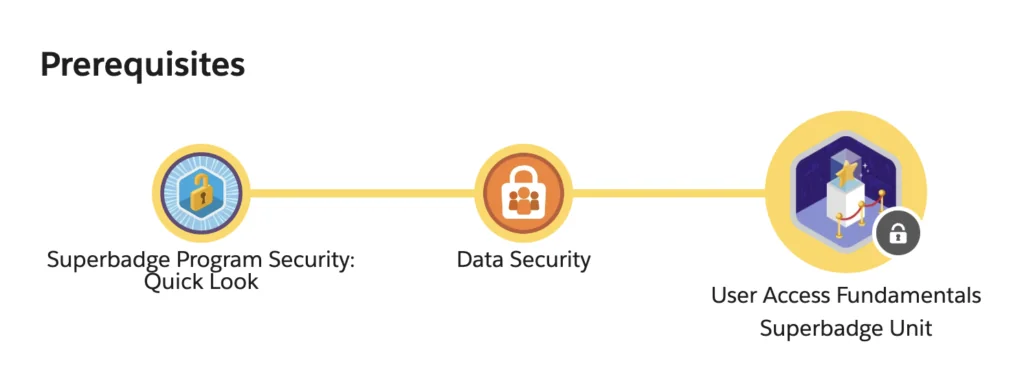
Superbadge Units
Superbadge Units break a domain into smaller assessments. For example, security-related units may test record access, object access, field access, authentication, or governance as separate skills. This makes the superbatch learning path easier to manage because you can finish a focused unit before moving to a specialist Superbadge. It also keeps the superbatch backlog small enough for weekly study.
Superbadges
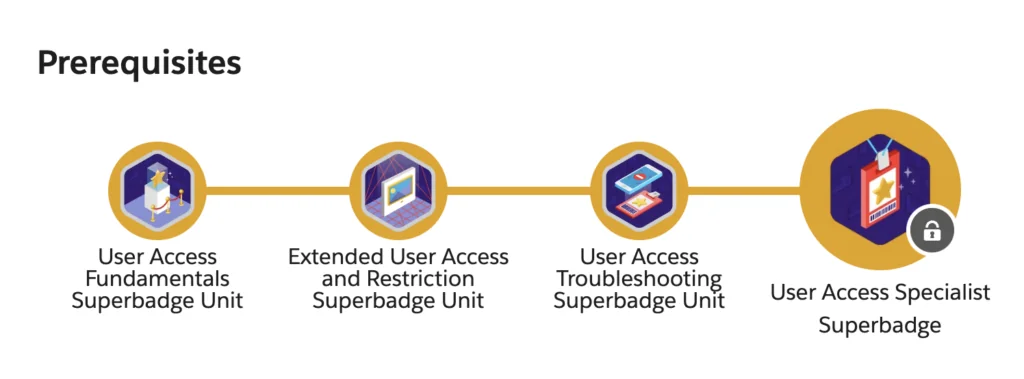
A Superbadge is closer to implementation work than a normal Trailhead module. Salesforce’s Superbadge pages describe the format as a hands-on technical skills assessment where you receive business requirements and build without step-by-step guidance. Some Superbadges require a new Trailhead Playground. Others require a Developer Edition org with sample data or special configuration. Read the “Prework and Notes” section before you click the challenge check.
Use this sequence for a clean superbatch study workflow. The same superbatch checklist works for admin, developer, and security credentials:
- Finish the recommended learning and prerequisite badges.
- Create the exact org type requested by the Superbadge page.
- Connect only that org to Trailhead for the challenge.
- Read all business requirements before building the first field, permission set, report, or automation.
- Save object labels, API names, and record names in a scratch note so spelling stays consistent.
- Run the challenge check only after you verify data, access, and automation behavior as the expected user.
Super Sets
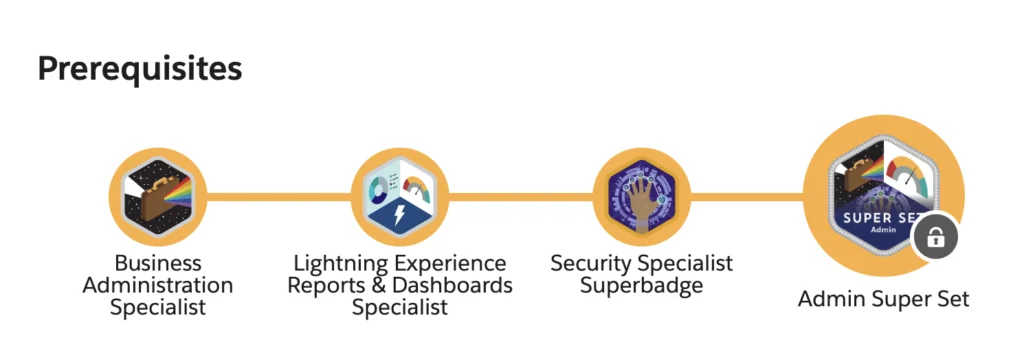
A Super Set groups related Superbadges and units into a credential path. Treat it as a role-based plan rather than a single badge. In a team setting, an admin might use a Super Set to plan quarterly practice around access, data quality, reports, and Flow. A developer might use one to validate Apex, integration, and LWC fundamentals before taking a certification exam.
Trailhead Journeys
Trailhead Journeys are ordered learning paths. They can include modules, projects, Superbadge Units, and Superbadges. Use a Journey when you need a sequence, not just a badge list. This is useful for domains where the order affects understanding, such as automation before approval process design or security fundamentals before access governance.
How do badges in Salesforce affect a Trailblazer profile?
Badges in Salesforce Trailhead appear on your Trailblazer profile and contribute points toward trailblazer ranks. The Trailhead profile page can show achievements, superbadges, skills, badges, rank, points, and certifications depending on your visibility settings. Recruiters and project leads should read those items as learning evidence, not as a replacement for project delivery history.
Salesforce badge versus Superbadge
A salesforce badge can come from a module, project, superbadge, event, or other Trailhead activity. A Superbadge is a specific kind of credential that assesses applied work. If you are building a resume, write “Superbadge: Data Quality and Validation” or “Superbadge: User Access Fundamentals” instead of writing only “Salesforce badge.” The specific title tells an interviewer which skills were tested.
Trailblazer ranks
Trailblazer ranks are based on badges and points. Salesforce’s rank guidance states that learners start as Scout, become Hiker after earning the first badge, and reach Ranger at 100 badges and 50,000 points. Higher Ranger ranks were added later, with each rank adding another badge-and-point threshold. That means a superbatch plan should not chase points alone. A useful superbatch plan connects rank progress to role skills.
How to prepare for data protection superbadge unit challenge 2
The phrase data protection superbadge unit challenge 2 usually means the learner is stuck on a specific Trailhead validation step. This article will not provide challenge answers because Superbadges are assessments. Instead, use the checklist below to study the underlying Salesforce security model and find your own configuration gap.
Data protection superbadge unit challenge 2 study approach
Before changing anything, identify which layer the requirement is testing. Salesforce access decisions often involve several layers at once: organization-wide defaults, role hierarchy, sharing rules, profiles, permission sets, permission set groups, object permissions, field-level security, record types, page layouts, and sometimes restriction rules. A challenge can fail when the feature exists but the wrong user receives the wrong access path.
Use this diagnostic order in a practice org or your own sandbox, not as an answer script for a Trailhead challenge:
- Confirm the user, profile, and permission set assignment named in the requirement.
- Check object permissions before field permissions. A user cannot use a field on an object they cannot access.
- Check field-level security for every sensitive field mentioned by the requirement.
- Check record access separately from object and field access. OWD and sharing decide which records the user can see.
- Check naming. Trailhead validators often compare labels, API names, folders, reports, and records exactly.
- Remove duplicate setup created during trial-and-error unless the requirement asks for it.
SOQL checks for access practice
The following SOQL examples help you audit security configuration in a sandbox or training org. They do not solve a Superbadge for you. They show how to inspect the same setup objects that admins often review manually. PermissionSetAssignment is available from API v22.0 and represents a user’s assignment to a permission set or permission set group. FieldPermissions and ObjectPermissions are available from API v24.0.
-- List direct permission set and permission set group assignments.
-- Use in Developer Console Query Editor, Salesforce CLI, or VS Code SOQL Builder.
SELECT Assignee.Name,
       Assignee.Username,
       PermissionSet.Label,
       PermissionSet.Name,
       PermissionSet.IsOwnedByProfile
FROM PermissionSetAssignment
WHERE PermissionSet.IsOwnedByProfile = false
ORDER BY Assignee.Name, PermissionSet.Label
LIMIT 200
-- Review object permissions granted by permission sets for common objects.
SELECT Parent.Label,
SobjectType,
PermissionsRead,
PermissionsCreate,
PermissionsEdit,
PermissionsDelete,
PermissionsViewAllRecords,
PermissionsModifyAllRecords
FROM ObjectPermissions
WHERE SobjectType IN ('Account', 'Contact', 'Case')
ORDER BY Parent.Label, SobjectType
LIMIT 200-- Review field permissions for fields that may contain protected data.
SELECT Parent.Label,
SobjectType,
Field,
PermissionsRead,
PermissionsEdit
FROM FieldPermissions
WHERE SobjectType IN ('Account', 'Contact', 'Case')
ORDER BY Parent.Label, Field
LIMIT 200Keep governor limits in mind when you move from ad hoc queries to Apex. Salesforce documents SOQL and Apex limits separately, including query runtime and transaction limits. In production code, never place SOQL inside a loop, filter by specific objects or users, and enforce object and field permissions when your code returns user-visible data. For Apex, Salesforce documents user-mode database operations and security-enforced SOQL patterns for CRUD and field-level security checks.
How to troubleshoot Superbadge validation errors?
Most superbatch troubleshooting starts with the same question: did the org state match the validator’s expected state? Challenge checks do not grade your explanation. They inspect configuration, data, metadata, names, and sometimes user context.
| Symptom | Likely cause | What to check |
|---|---|---|
| Challenge says a record, report, or field is missing | Label, API name, folder, or record value differs from the requirement | Copy names from the instructions when possible and check capitalization |
| Access challenge fails even though the user can see the page | Page layout access exists, but object, field, or record access is wrong | Test object permissions, field-level security, and record sharing separately |
| Challenge fails after several attempts | Duplicate configuration was created during troubleshooting | Remove extra permission sets, records, folders, reports, or automation not requested |
| Required sample data is missing | The wrong org type was used | Create the special Developer Edition org from the Superbadge page when required |
| Automation works for an admin but not for the target user | User context, permissions, or record access differs | Log in as the test user when permitted, or compare assigned permissions and sharing |
For official guidance, start with the Trailhead Superbadges page, the specific Superbadge page, and the related Salesforce Help challenge article. Useful Salesforce references include Trailhead Superbadges, Trailblazer Ranks, and the Salesforce Developer documentation for PermissionSetAssignment, FieldPermissions, and ObjectPermissions.
Best practices for using Superbadges in career planning
A good superbatch plan is role-based. Review the superbatch list each month and remove credentials that do not support your role target. Do not earn random badges in Salesforce just to increase your count. Pick credentials that support a path and then write down what each superbatch credential proves.
- Admin path: start with user access, data quality, reports, Flow, and security governance. Pair this with Salesforce Admin Certification preparation.
- Developer path: add Apex, asynchronous processing, integration, LWC, and testing. Review Lightning Web Components tutorials when a credential requires front-end implementation skills.
- Data path: practice data quality, validation rules, reporting, and governance before moving into analytics or Data Cloud. Use Salesforce reports examples to strengthen report and dashboard basics.
- Security path: focus on profiles, permission sets, permission set groups, role hierarchy, OWD, sharing, MFA, and privileged access monitoring.
- Tooling path: learn how to inspect org metadata safely with admin tools. The Salesforce Inspector guide can help with read-only inspection and data review in training orgs.
In enterprise orgs, a Superbadge does not replace project references, design reviews, or code review history. It does give a structured way to practice requirement analysis. Keep a portfolio note for each credential: problem domain, objects configured, security layers touched, test users used, validation errors fixed, and what you would do differently in a production org.
What should admins and developers avoid?
A superbatch shortcut can create bad habits. A rushed superbatch attempt usually fails because the learner skips prerequisites, org setup, or naming checks. Avoid copying answer keys, building in a reused org, ignoring prerequisites, and changing settings without understanding the requirement. These behaviors may pass a small task in a practice org but fail during production delivery.
Developers should also avoid treating setup-object SOQL as application code without guardrails. If you expose access audit results in an LWC or integration, design for least privilege, filter queries, handle large orgs with pagination or async processing, and follow Salesforce’s documented security controls for object permissions and field-level security. Admins should document why a permission set exists, who owns the access decision, and when access should be reviewed.
Frequently Asked Questions
Is superbatch an official Salesforce credential?
No. Salesforce Trailhead uses official terms such as Superbadge, Superbadge Unit, Super Set, Journey, badge, and Trailblazer rank. The word superbatch is usually a search typo or shorthand used by learners looking for Superbadge information. Search for superbatch if that is how you found the topic, but use Superbadge in official notes.
How is a Salesforce badge different from a Superbadge?
A Salesforce badge can represent many Trailhead learning activities, including modules and projects. A Superbadge is a hands-on assessment where you apply requirements in an org. That is why a Superbadge usually carries more implementation context than a short quiz badge.
Do badges in Salesforce count toward Trailblazer ranks?
Yes. Badges in Salesforce Trailhead earn points, and those points contribute to Trailblazer ranks. Salesforce rank guidance states that Ranger starts at 100 badges and 50,000 points, with additional Ranger levels above that threshold.
Can you give the answer for data protection superbadge unit challenge 2?
No. Data protection superbadge unit challenge 2 is part of a Trailhead assessment, so the right approach is to study the requirement, inspect your org configuration, and fix the underlying access or data protection issue. Use the superbatch diagnostic checklist in this article to review profiles, permission sets, field-level security, and record access without bypassing the assessment.
Should I use a new org for every Superbadge?
Use the org type requested by the Superbadge page. Some Superbadges work in a new Trailhead Playground. Others require a special Developer Edition org with sample data and configuration. Reusing an old org can leave duplicate metadata or missing sample data that causes validation errors.