Tableau Public is a free data visualization platform that allows users to create interactive dashboards and share them with a global community. For Salesforce professionals looking to enhance their analytics skills, Tableau Public provides an accessible entry point into advanced data visualization without the cost barrier of enterprise licenses.
This comprehensive guide covers everything you need to know about using Tableau Public effectively, from initial setup to publishing professional-quality visualizations that can advance your career in the Salesforce ecosystem.
What is Tableau Public?
Tableau Public is the free version of Tableau’s data visualization software, designed specifically for public sharing and community learning. Unlike Tableau Desktop or Tableau Cloud, all visualizations created in Tableau Public must be published publicly, making it an ideal platform for building your professional portfolio and contributing to the data visualization community.
The platform provides nearly identical functionality to paid Tableau versions, including drag-and-drop interface design, calculated fields, parameters, and advanced chart types. The primary difference lies in data source connectivity and privacy options rather than visualization capabilities.
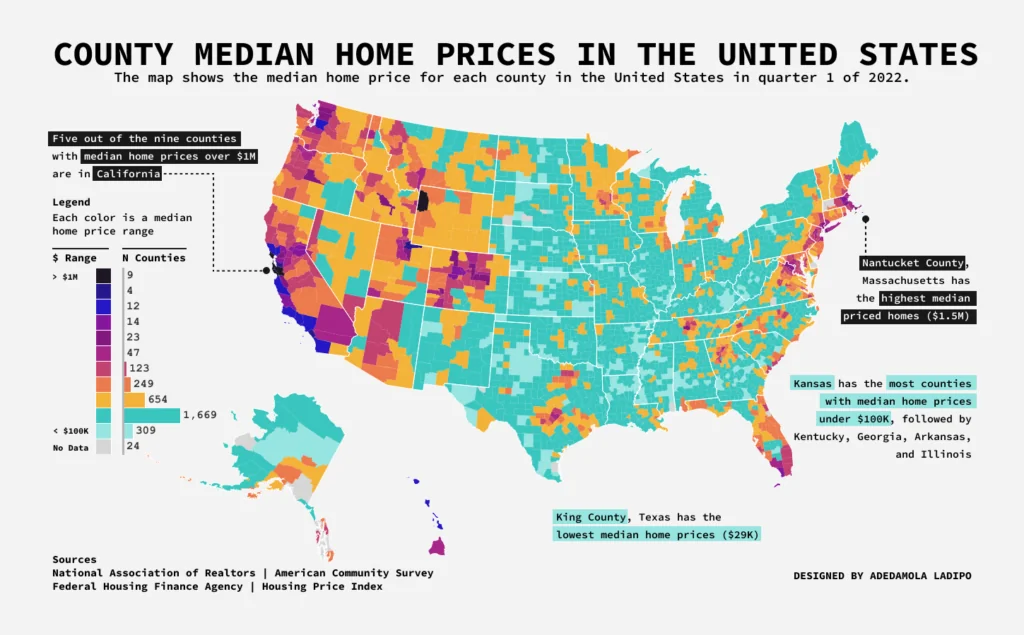
Key Benefits of Using Tableau Public
Zero Cost Learning Platform
Tableau Public eliminates the financial barrier to learning professional data visualization. Users can access the full desktop application and web-based editor without subscription fees, making it perfect for Salesforce administrators and developers who want to expand their analytics capabilities.
Portfolio Development
Every published visualization becomes part of your professional portfolio. Salesforce professionals can showcase their ability to transform complex data into actionable insights, a skill highly valued in roles involving Einstein Analytics, Reports and Dashboards, or data-driven decision making.
Community Learning
The Tableau Public community includes millions of visualizations across industries. Users can examine workbooks, download data sources, and learn advanced techniques by reverse-engineering published dashboards. Popular community challenges like Makeover Monday and Workout Wednesday provide structured learning opportunities.
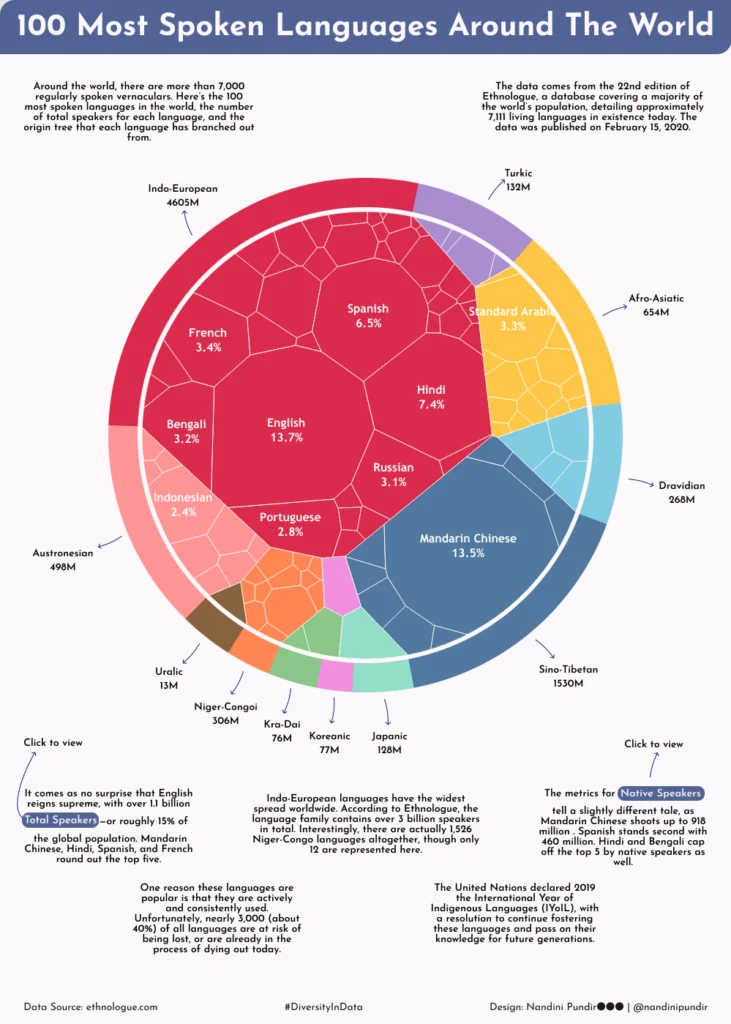
Getting Started with Public.Tableau
Creating your public.tableau account requires only an email address and password. Once registered, you can access both the web-based editor and download Tableau Public Desktop for offline work.
Account Setup Process
- Navigate to public.tableau.com and click “Sign Up”
- Provide email address and create a secure password
- Verify your email address through the confirmation link
- Complete your profile with professional information
- Download Tableau Public Desktop if preferred
Profile Optimization
Your Tableau Public profile serves as a professional showcase. Include a clear headshot, concise bio highlighting your Salesforce experience, and links to your LinkedIn profile or personal website. The “Hire Me” button allows recruiters to contact you directly about opportunities.

Tableau Public Data Analysis Capabilities
Tableau Public data analysis encompasses the full range of visualization types and analytical functions available in enterprise Tableau versions. Users can create calculated fields, implement table calculations, build parameters for interactivity, and design complex dashboard layouts.
Supported Chart Types
The platform supports all standard visualization types including bar charts, line graphs, scatter plots, heat maps, treemaps, and geographic maps. Advanced chart types like bullet graphs, waterfall charts, and Sankey diagrams are also available through custom calculations and formatting.
Analytical Functions
Tableau Public includes comprehensive analytical capabilities:
- Statistical functions (correlation, regression, forecasting)
- Date calculations and time series analysis
- Geographic analysis with built-in mapping
- Cohort analysis and customer segmentation
- Performance benchmarking and variance analysis
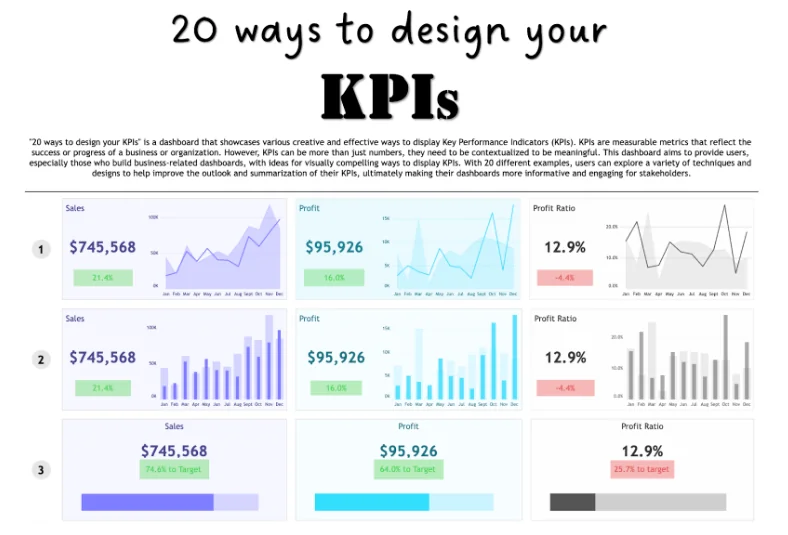
Data Source Limitations and Workarounds
Tableau Public restricts data source connectivity to maintain the free service model and ensure public accessibility of all visualizations. Understanding these limitations helps plan effective projects within the platform’s constraints.
Supported Data Sources
Tableau Public accepts the following data source types:
- Microsoft Excel files (.xlsx, .xls)
- Text files (.csv, .txt)
- JSON files
- Statistical files (.sas7bdat, .sav, .rdata)
- Tableau Data Extracts (.hyper, .tde)
- Web data connectors
- Google Sheets (with public sharing enabled)
Salesforce Data Integration
While direct Salesforce connectivity is not available, Salesforce users can export data through reports or Data Loader, then import the resulting CSV files into Tableau Public. For recurring analysis, consider using Salesforce’s scheduled report exports to maintain data freshness.
Privacy and Security Considerations
All Tableau Public visualizations are publicly accessible by default, making data security a critical consideration for business users. Understanding privacy implications prevents accidental exposure of sensitive information.

Data Visibility Rules
Every dataset uploaded to Tableau Public becomes downloadable by any user. This includes:
- All data rows and columns in your visualization
- Calculated fields and their formulas
- Data source metadata and field descriptions
- Any comments or annotations within the workbook
Best Practices for Data Security
To maintain data security while using Tableau Public:
- Use only publicly available datasets or anonymized data
- Remove personally identifiable information before upload
- Aggregate sensitive metrics to prevent individual identification
- Create synthetic datasets that maintain statistical properties without real values
- Review all calculated fields for embedded sensitive information
Publishing and Sharing Workflows
Tableau Public requires all completed visualizations to be published to the public gallery. Understanding the publishing process ensures your work reaches the intended audience while maintaining professional standards.
Publication Process
- Complete your visualization in Tableau Public Desktop
- Click “Server” > “Tableau Public” > “Save to Tableau Public”
- Sign in to your account if prompted
- Add title, description, and relevant tags
- Choose appropriate categories for discoverability
- Click “Save” to publish publicly
Optimization for Discovery
Well-optimized Tableau Public visualizations gain more views and engagement:
- Write descriptive titles that include relevant keywords
- Add comprehensive descriptions explaining the data story
- Use relevant tags for categorization
- Include data sources and methodology notes
- Respond to comments and questions from viewers
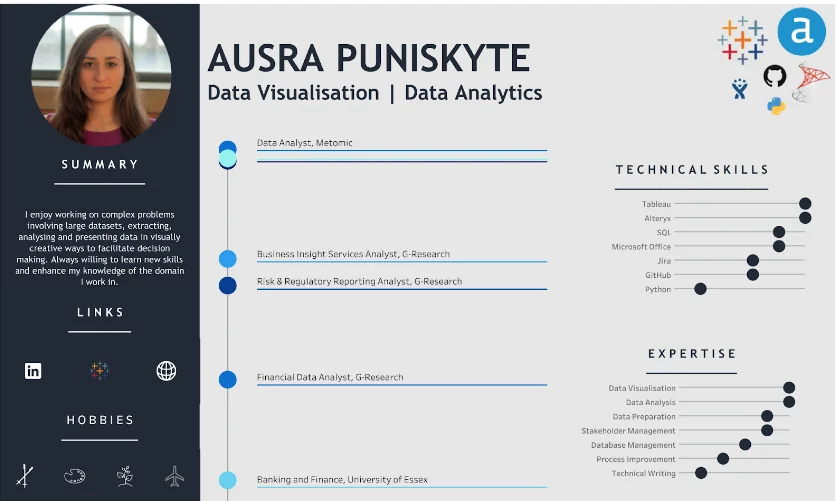
Advanced Techniques for Salesforce Professionals
Salesforce professionals can leverage advanced Tableau Public techniques to create visualizations that demonstrate enterprise-level analytical thinking and technical proficiency.
Dashboard Design Principles
Professional dashboards follow established design principles:
- Maintain consistent color schemes aligned with corporate branding
- Use white space effectively to reduce cognitive load
- Implement logical information hierarchy through size and positioning
- Provide clear navigation and filtering options
- Include context and explanatory text where needed
Performance Optimization
Large datasets can impact visualization performance. Optimization techniques include:
- Pre-aggregate data before importing to Tableau Public
- Use data extracts instead of live connections where possible
- Limit the number of marks displayed simultaneously
- Implement efficient filtering to reduce data processing
- Optimize calculated fields for performance
Career Development Through Tableau Public
Tableau Public serves as a powerful career development tool for Salesforce professionals, demonstrating analytical capabilities that complement CRM expertise.
Building a Professional Portfolio
A strong Tableau Public portfolio should include:
- Diverse visualization types showcasing technical range
- Business-focused dashboards relevant to your industry
- Clear storytelling that guides viewers through insights
- Clean, professional design aesthetic
- Regular updates demonstrating continuous learning
Networking and Community Engagement
Active participation in the Tableau Public community creates networking opportunities:
- Participate in weekly challenges and community projects
- Comment thoughtfully on others’ visualizations
- Share your work on professional social media platforms
- Attend virtual Tableau User Group meetings
- Contribute to data visualization discussions and forums
Frequently Asked Questions
Can I use Tableau Public for business presentations?
Yes, but with important caveats. Since all Tableau Public visualizations are publicly accessible, only use data that your organization is comfortable sharing publicly. Many businesses create anonymized or aggregated versions of their data specifically for public visualization while keeping sensitive details private.
How do I connect Salesforce data to Tableau Public?
Tableau Public doesn’t support direct Salesforce connectivity. Export your Salesforce data through reports (Data Export or scheduled exports) or Data Loader, then import the resulting CSV files. For recurring analysis, set up scheduled report exports in Salesforce to maintain data freshness.
What’s the difference between Tableau Public and Tableau Desktop?
The main differences are data source connectivity and privacy options. Tableau Desktop connects to enterprise databases and allows private saving, while Tableau Public only accepts file-based data sources and requires public publishing. The visualization capabilities are nearly identical.
Can I hide my Tableau Public visualizations from search engines?
You can hide visualizations from your public profile, but they remain accessible via direct URL and may still appear in search results. For truly private visualizations, you need Tableau Desktop or Tableau Cloud with appropriate licensing.
How large can my dataset be in Tableau Public?
Tableau Public supports up to 10 million rows per data source and 10GB total storage per account. For larger datasets, consider pre-aggregating your data or using sampling techniques to stay within these limits while maintaining analytical value.