Webassessor is Salesforce’s official exam scheduling platform for all certification tests. This system handles registration, proctoring options, and certification tracking for every Salesforce credential from Administrator to Technical Architect. Understanding how to navigate webassessor efficiently saves time and prevents common scheduling mistakes that delay your certification journey.
What is Webassessor
Webassessor serves as the centralized portal for Salesforce certification exam management. The platform connects directly to Salesforce’s certification database and integrates with Trailhead profiles to track your progress across multiple credentials.
Key functions include:
- Exam registration and payment processing
- Online and onsite proctoring scheduling
- Certification history and maintenance tracking
- Integration with Trailblazer.me profiles
- Accommodation request processing
Web Assessor Salesforce Login Process
Access webassessor through the official Salesforce certification portal. First-time users must create a test taker profile before scheduling any exams.
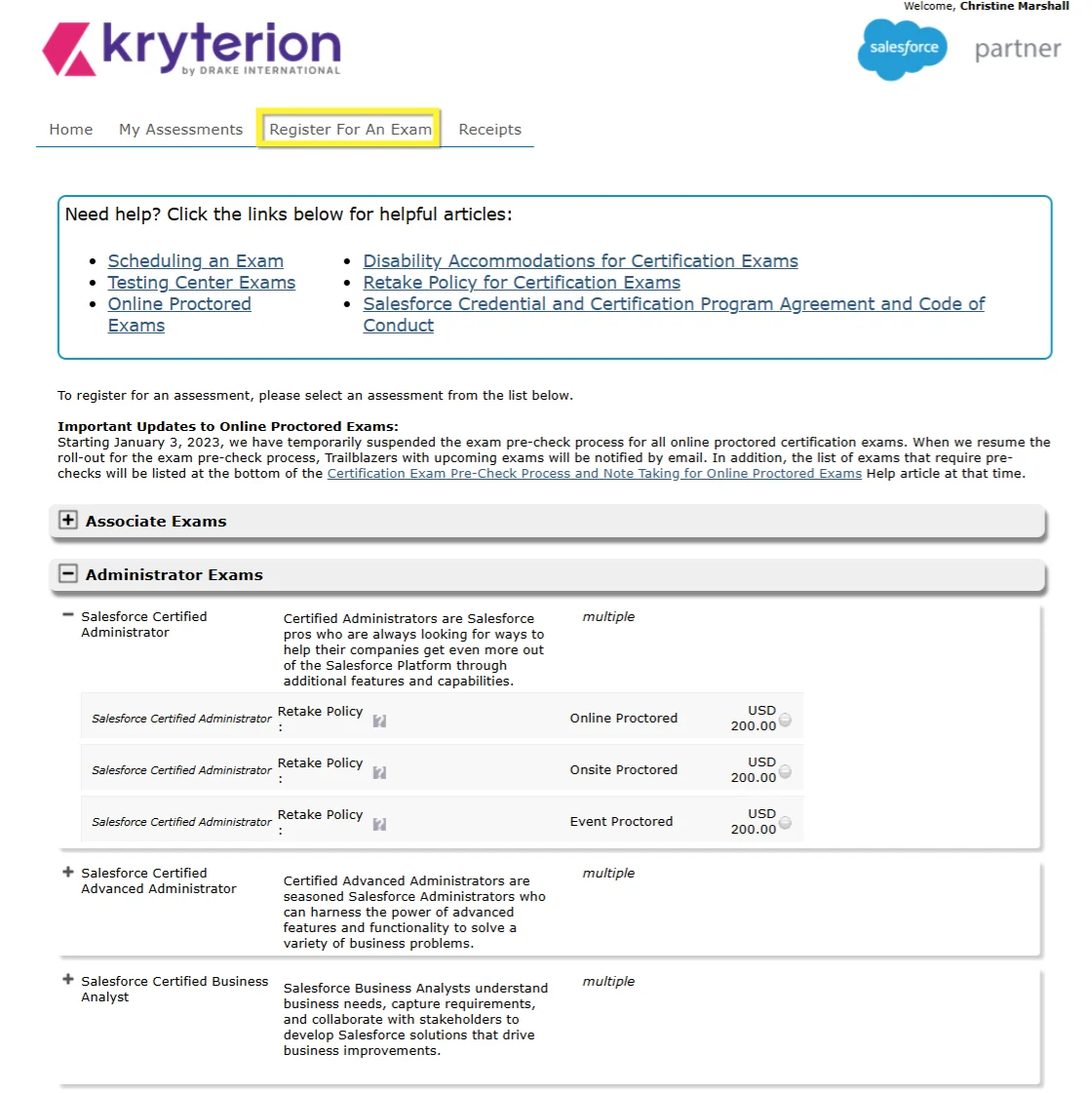
To create your account:
- Navigate to webassessor.com
- Click “Create a new WebAssessor™ login now”
- Complete the registration form with accurate personal information
- Verify your email address through the confirmation link
- Log in and navigate to “Register For An Exam”
Your login credentials remain active across all Salesforce certifications, so you only need to register once.
How to Register for Salesforce Exam
Registration requires meeting specific prerequisites and selecting appropriate proctoring options. Each certification has different requirements that webassessor validates before allowing registration.
Checking Prerequisites
Before registering, verify you meet all certification requirements. Webassessor grays out certifications when prerequisites aren’t satisfied.
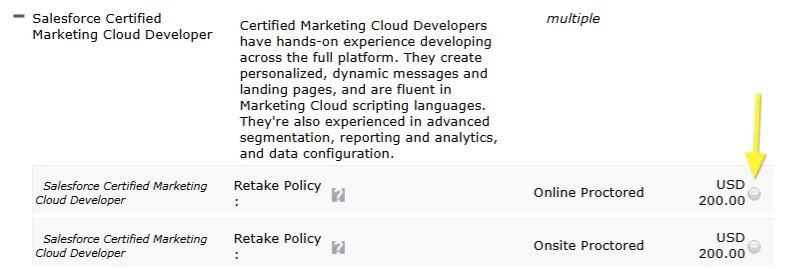
Common prerequisites include:
- Prior certification completion (e.g., Administrator before Advanced Administrator)
- Minimum experience requirements
- Completed Trailhead modules or Superbadges
- Active maintenance status on prerequisite certifications
Check the official Salesforce certification guide for your target credential to confirm all requirements.
Selecting Proctoring Options
Webassessor offers two proctoring methods:
| Online Proctoring | Onsite Testing |
|---|---|
| Take exam from home or office | Visit authorized testing center |
| Requires webcam and microphone | Equipment provided by center |
| Install Kryterion Secure Browser | No software installation needed |
| 24-hour cancellation policy | 72-hour cancellation policy |
| Available 24/7 in most time zones | Limited to center operating hours |
Online testing requires a system check before exam day. Run the Kryterion System Check tool to verify your computer meets technical requirements.
Schedule Salesforce Exam Best Practices
Effective scheduling prevents delays and reduces exam anxiety. Follow these practices when booking through webassessor:
Book Early
Schedule your exam immediately after completing preparation. This creates accountability and prevents procrastination. Popular time slots fill quickly, especially for newer certifications.
Choose Optimal Timing
Consider these factors when selecting exam dates:
- Personal energy levels (morning vs. afternoon performance)
- Work schedule conflicts
- Maintenance exam deadlines for existing certifications
- Seasonal availability at testing centers
Prepare Required Documentation
Gather necessary items before exam day:
- Test Taker Authorization Code (emailed after registration)
- Two forms of government-issued photo ID
- Credit card used for payment (for verification)
Linking Trailhead and Webassessor Accounts
Connect your accounts to display certifications on your Trailblazer.me profile and receive maintenance notifications.
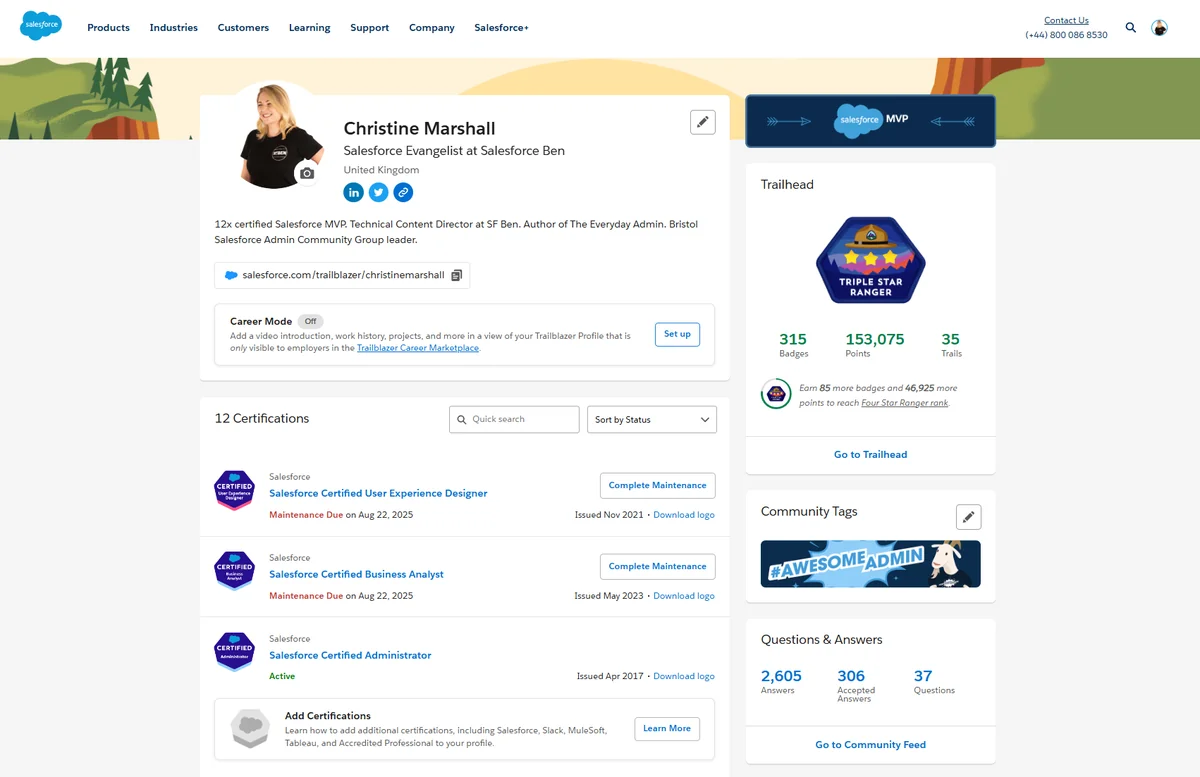
To link accounts:
- Log into your Trailhead account
- Navigate to Profile Settings
- Select “Link Certification Account”
- Enter your webassessor credentials
- Confirm the connection
Linked accounts automatically sync new certifications and display maintenance requirements on your Trailblazer profile.
Exam Accommodations Through Webassessor
Webassessor processes accommodation requests for candidates with documented disabilities or medical conditions. Common accommodations include:
- Extended testing time
- Separate testing room
- Screen reader compatibility
- Frequent breaks
- Large print materials
Submit accommodation requests at least 30 days before your desired exam date. Include medical documentation and specific accommodation details in your request.
Managing Certification Maintenance
Webassessor tracks maintenance requirements for all active certifications. Most Salesforce certifications require annual maintenance through Trailhead modules or maintenance exams.
The platform displays:
- Current certification status
- Maintenance due dates
- Required modules or exams
- Completion tracking
Set calendar reminders for maintenance deadlines to avoid certification expiration.
Troubleshooting Common Webassessor Issues
Login Problems
If you cannot access your account:
- Verify email address spelling
- Check spam folder for password reset emails
- Clear browser cache and cookies
- Try a different browser or incognito mode
Payment Processing Errors
Payment failures often result from:
- Expired credit card information
- Billing address mismatches
- International payment restrictions
- Browser security settings blocking transactions
Contact webassessor support if payment issues persist after verifying card details.
Technical Requirements for Online Exams
Before scheduling online proctoring, ensure your system meets these requirements:
- Windows 10+ or macOS 10.14+
- Chrome, Firefox, or Edge browser
- Stable internet connection (minimum 1 Mbps upload/download)
- Working webcam and microphone
- Administrative rights to install Kryterion Secure Browser
Exam Results and Next Steps
Webassessor provides immediate pass/fail results upon exam completion. Detailed score reports show performance in each exam section, helping identify areas for improvement if retaking is necessary.
Passing candidates receive:
- Digital certificate within 24 hours
- Updated Trailblazer profile (if accounts are linked)
- Maintenance schedule information
- Next certification pathway recommendations
Failed attempts include section-by-section scoring to guide future study efforts.
Frequently Asked Questions
How do I access webassessor for Salesforce certification exams?
Visit webassessor.com and create a test taker profile if you’re a first-time user. Existing users can log in directly with their credentials. Navigate to “Register For An Exam” to schedule Salesforce certification tests.
Can I reschedule my Salesforce exam through webassessor?
Yes, you can reschedule through your webassessor account. Online exams require 24-hour notice to avoid fees, while onsite exams need 72-hour notice. Log into your account and select “Modify Registration” to change dates or proctoring options.
What happens if I don’t meet certification prerequisites in webassessor?
Webassessor grays out certifications when prerequisites aren’t met. You cannot register for these exams until completing required certifications or meeting experience requirements. Check the official Salesforce certification guide for specific prerequisites.
How do I link my Trailhead account to webassessor?
Log into Trailhead, go to Profile Settings, and select “Link Certification Account.” Enter your webassessor credentials to connect the accounts. This displays certifications on your Trailblazer.me profile and enables maintenance notifications.
What technical requirements are needed for online proctored exams?
Online exams require Windows 10+ or macOS 10.14+, a supported browser (Chrome, Firefox, or Edge), stable internet connection, working webcam and microphone, and administrative rights to install the Kryterion Secure Browser. Run the system check before scheduling.