Salesforce certification verification is the official process to confirm and validate your earned credentials through Trailhead Academy. This system allows certified professionals to share their achievements publicly while enabling employers to verify credentials salesforce candidates claim to hold. The verification system also tracks maintenance requirements to keep certifications active.
This guide covers the complete salesforce certification verification process, from enabling public visibility to checking maintenance status and helping others validate salesforce certification credentials.
How Salesforce Certification Verification Works
The Salesforce certification verification system operates through Trailhead Academy and integrates with your Trailblazer.me profile. When you earn a certification, it appears in your account with specific privacy controls that determine public visibility.
The verification process serves three primary functions:
- Public credential validation – Employers can verify claimed certifications
- Maintenance tracking – Monitors required maintenance modules and deadlines
- Professional networking – Displays achievements on your Trailblazer profile
Setting Up Certification Privacy in Trailhead Academy
Before others can verify credentials salesforce professionals hold, you must configure privacy settings in Trailhead Academy. Navigate to your account settings and locate the Certification Privacy section.
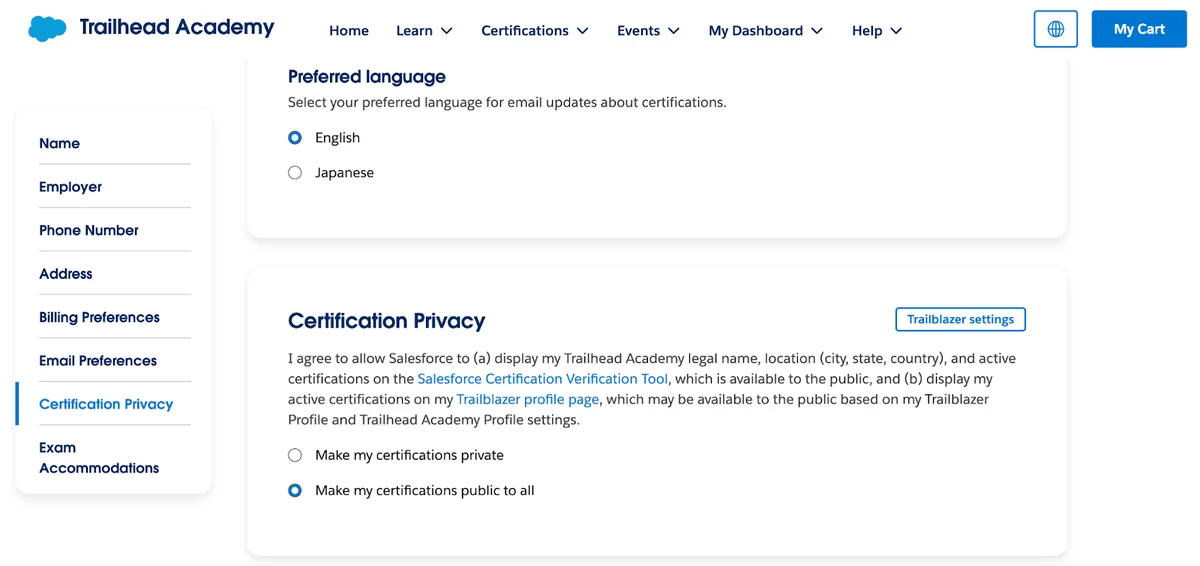
The privacy toggle controls whether your certification information appears in public searches. When enabled, the following details become publicly searchable:
- First name and last name
- City, state, and country
- Certification name and credential type
- Date earned
- Current status (active, maintenance due, expired)
You can modify this setting at any time. If you previously configured visibility in the legacy Webassessor system, those settings should transfer automatically to Trailhead Academy.
Managing Certifications on Your Trailblazer.me Profile
Your Trailblazer.me profile displays all earned certifications, including Salesforce, Slack, MuleSoft, Tableau, and Accredited Professional credentials. This profile serves as your professional showcase within the Salesforce ecosystem.

The profile includes search and filtering capabilities, allowing visitors to locate specific certifications quickly. Each certification entry provides options to:
- Download the official certificate PDF
- Share the credential via email
- View detailed certification information
- Check maintenance requirements (visible only to the credential holder)
Maintenance Status Indicators
When maintenance modules become available, your certification status updates with clear indicators. The system displays maintenance deadlines and provides direct links to required modules.
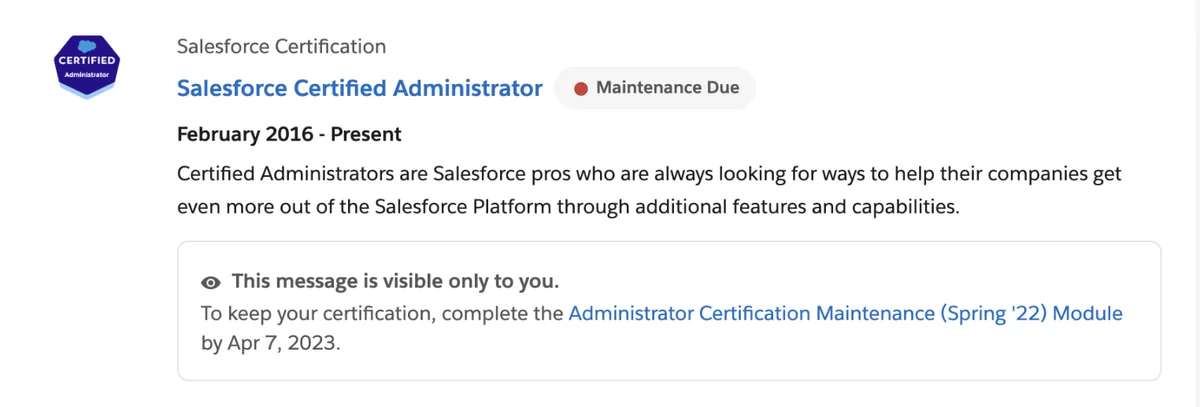
Maintenance requirements vary by certification type:
| Certification Level | Maintenance Frequency | Requirements |
|---|---|---|
| Administrator | Annual | Complete maintenance module by release deadline |
| Advanced Administrator | Annual | Complete maintenance module by release deadline |
| Platform Developer I/II | Annual | Complete maintenance module by release deadline |
| Architect Certifications | Annual | Complete maintenance module by release deadline |
Using the Official Verification Page
The Trailhead verification page at trailhead.salesforce.com/credentials/verification provides two verification methods for different use cases.
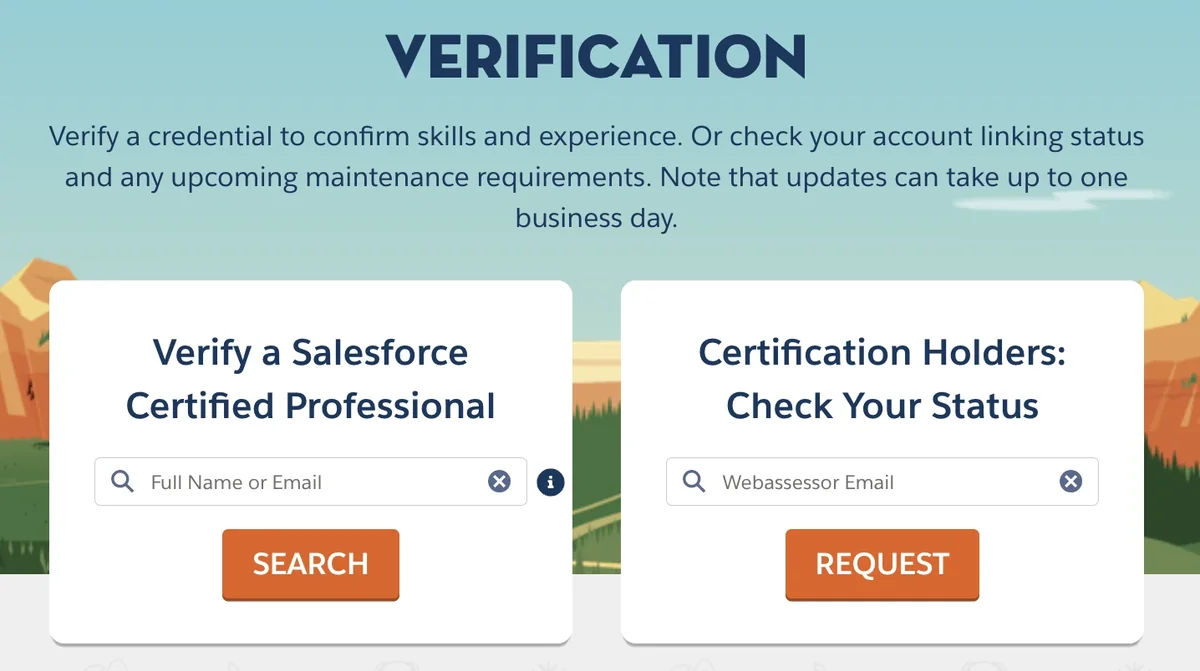
Verify Credentials Salesforce Professionals Hold
To validate salesforce certification credentials for hiring or partnership purposes:
- Navigate to the verification page
- Select “Verify a Certified Professional”
- Enter the candidate’s full name (including middle name if applicable)
- Alternatively, use their email address if known
- Review the returned certification details
The search returns active certifications with earned dates and current status. Expired or lapsed certifications may not appear in results depending on privacy settings.
Check Your Own Certification Status
Certified professionals can verify their own credentials and maintenance status:
- Select “Check Your Status” on the verification page
- Enter your registered email address
- Check your email for the verification report
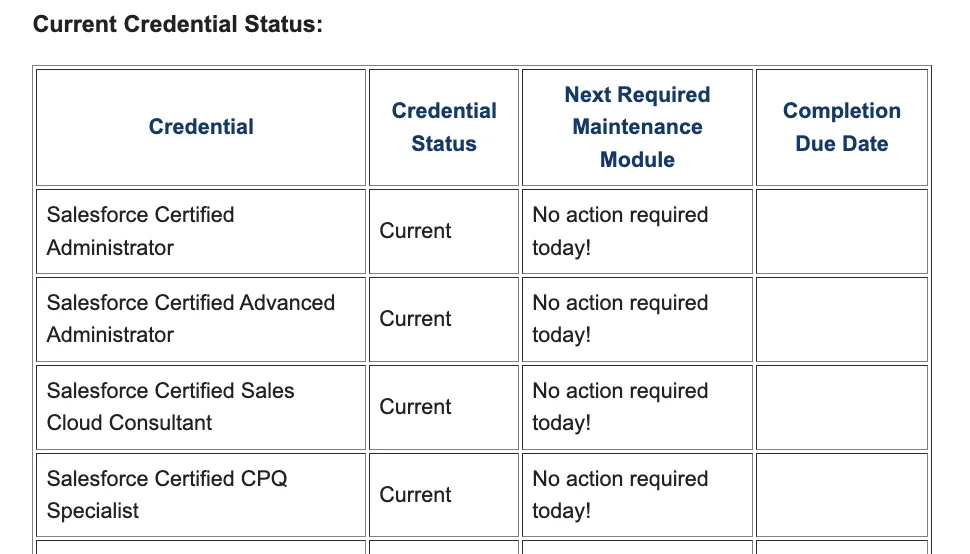
The email report includes:
- Complete list of active certifications
- Maintenance due dates
- Links to required maintenance modules
- Certification expiration warnings
Certification Updates and Changes
Salesforce regularly updates certification content to reflect platform changes and new features. These updates can affect existing credential holders through:
- Content updates – Exam objectives align with current functionality
- Name changes – Certifications may be renamed to reflect evolving roles
- Retirement notices – Older certifications may be phased out
- New requirements – Additional maintenance or upgrade paths
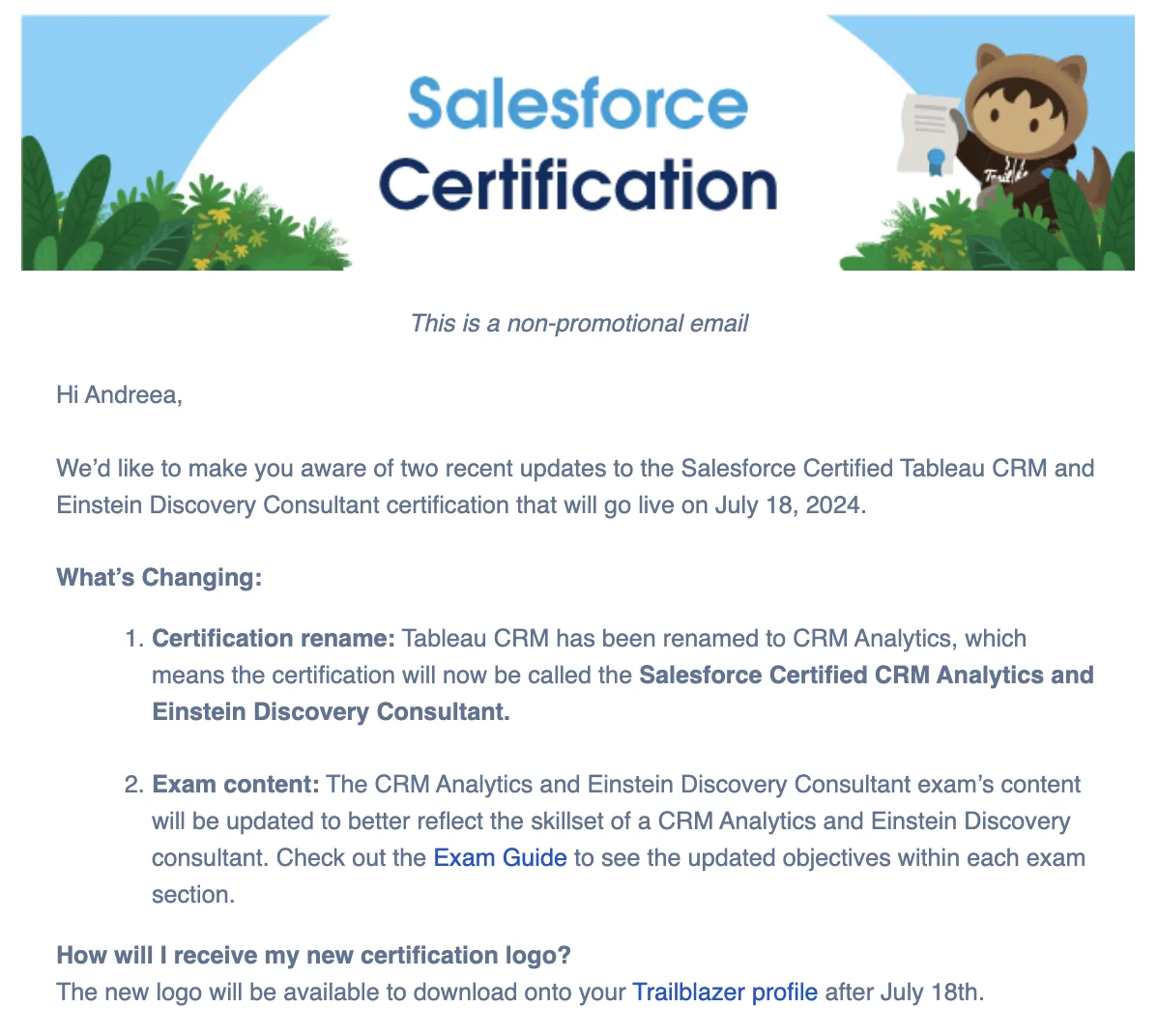
Salesforce communicates changes through:
- Email notifications to certified professionals
- Trailhead announcements
- Updated exam guides
- Release notes documentation
Best Practices for Certification Verification
To maintain professional credibility and ensure smooth verification processes:
For Certified Professionals
- Keep contact information current – Update email addresses in Trailhead Academy
- Monitor maintenance deadlines – Set calendar reminders for due dates
- Maintain privacy settings – Review visibility preferences regularly
- Complete maintenance early – Don’t wait until the last minute
For Employers and Verifiers
- Use official verification only – Don’t rely on screenshots or PDFs alone
- Check multiple name variations – Include middle names or initials
- Verify current status – Ensure certifications haven’t lapsed
- Understand maintenance cycles – Know when credentials require renewal
Common Verification Issues and Solutions
Several issues can prevent successful certification verification:
Name Mismatch Problems
If verification searches return no results:
- Try different name combinations (with/without middle names)
- Check for maiden names or legal name changes
- Verify spelling accuracy
- Use the email address search instead
Privacy Setting Conflicts
When certifications don’t appear publicly:
- Confirm privacy settings are enabled in Trailhead Academy
- Allow 24-48 hours for settings to propagate
- Check if certifications have expired or lapsed
Maintenance Status Confusion
To clarify maintenance requirements:
- Use the “Check Your Status” email verification
- Review Trailhead Academy maintenance notifications
- Consult the official certification maintenance calendar
Integration with Professional Profiles
Verified Salesforce certifications integrate with professional networking platforms:
LinkedIn Integration
Add verified certifications to your LinkedIn profile by:
- Including the official certification name
- Linking to your Trailblazer.me profile
- Adding the verification URL for employers
- Updating when maintenance is completed
Resume and CV Inclusion
When listing certifications on professional documents:
- Use exact certification names from Trailhead
- Include earned dates and current status
- Provide the verification page URL
- Note any specializations or tracks completed
Frequently Asked Questions
How long does salesforce certification verification take?
Verification searches return results immediately if the certification is active and privacy settings allow public visibility. Email status checks typically arrive within 5-10 minutes.
Can employers verify credentials salesforce professionals earned years ago?
Yes, as long as the certification remains active through completed maintenance. Lapsed or expired certifications may not appear in verification searches depending on the credential holder’s privacy settings.
What happens if I don’t complete certification maintenance on time?
Certifications become inactive if maintenance isn’t completed by the deadline. Inactive certifications may not appear in public verification searches and cannot be used to meet job requirements until reactivated.
How do I validate salesforce certification for someone who changed their name?
Try searching with both current and previous names. If unsuccessful, ask the individual to update their name in Trailhead Academy or use their registered email address for verification instead.
Can I verify multiple certifications at once using SFDC certification check?
The verification page shows all active certifications for a person in a single search. Use either their full name or email address to see their complete certification portfolio.