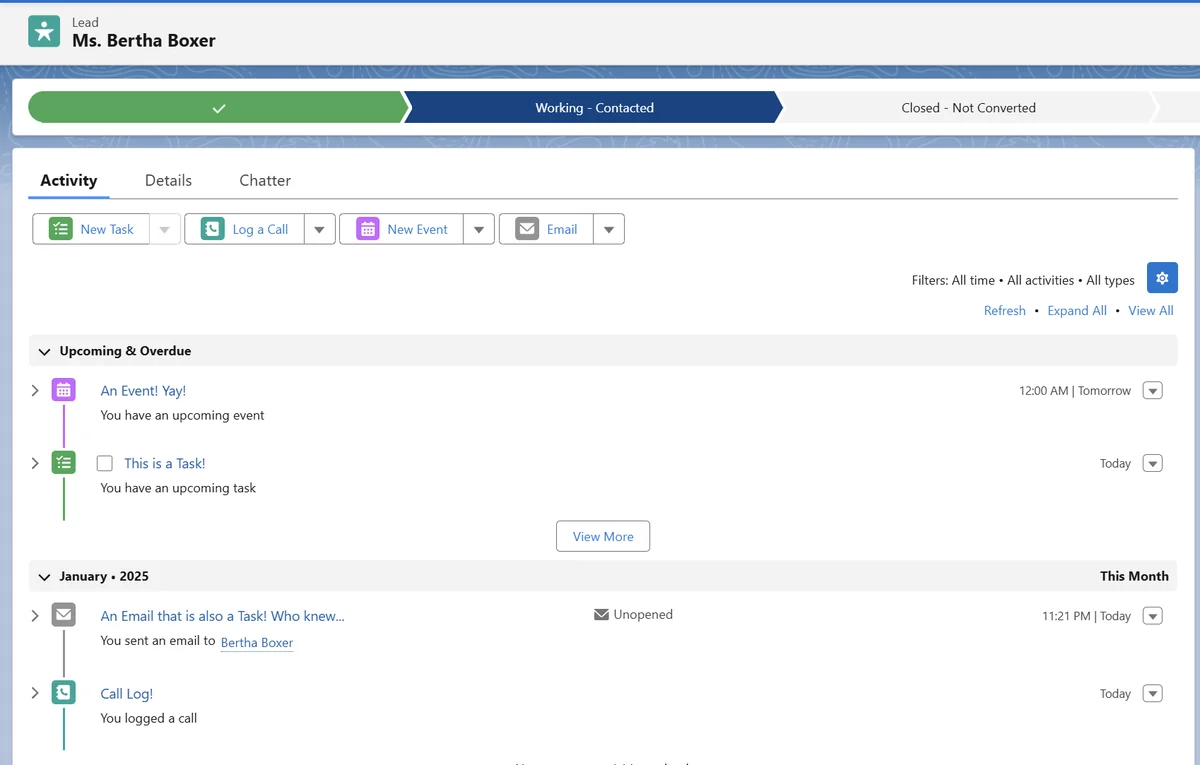
The internal activity feed Salesforce users see on a Lightning record page is the Activity Timeline. It combines tasks, logged calls, emails, and calendar events associated with the record, while the underlying data remains distributed across objects such as Task, Event, and EmailMessage.
This distinction matters when you build reports, Flow automation, Apex services, integrations, or a Salesforce to do list. The timeline is a presentation layer; developers normally query and update the underlying records rather than treating the displayed feed as one writable object.
What Is the Internal Activity Feed Salesforce Users See?
On supported Lightning record pages, the Activity Timeline provides an expandable view of past and upcoming interactions. Salesforce supports the timeline on records including accounts, contacts, leads, opportunities, cases, contracts, and activity-enabled custom objects. The exact records shown depend on relationships, user access, timeline filters, activity settings, and the record page configuration.
The timeline can include:
- Tasks: Follow-ups, reminders, logged calls, and other action items.
- Events: Meetings and calendar entries with a start and end.
- Emails: Email activity represented by a task summary, an
EmailMessage, or both, depending on how the email was created and the org configuration. - Related activities: Records connected through the Name and Related To relationships.
Salesforce documents the Activity Timeline as a Lightning Experience interface for reviewing tasks, events, and emails. See the official Activity Timeline documentation and the Trailhead unit on Salesforce activities.
How Does the Activity Object in Salesforce Work?
Activity object in Salesforce versus Task and Event
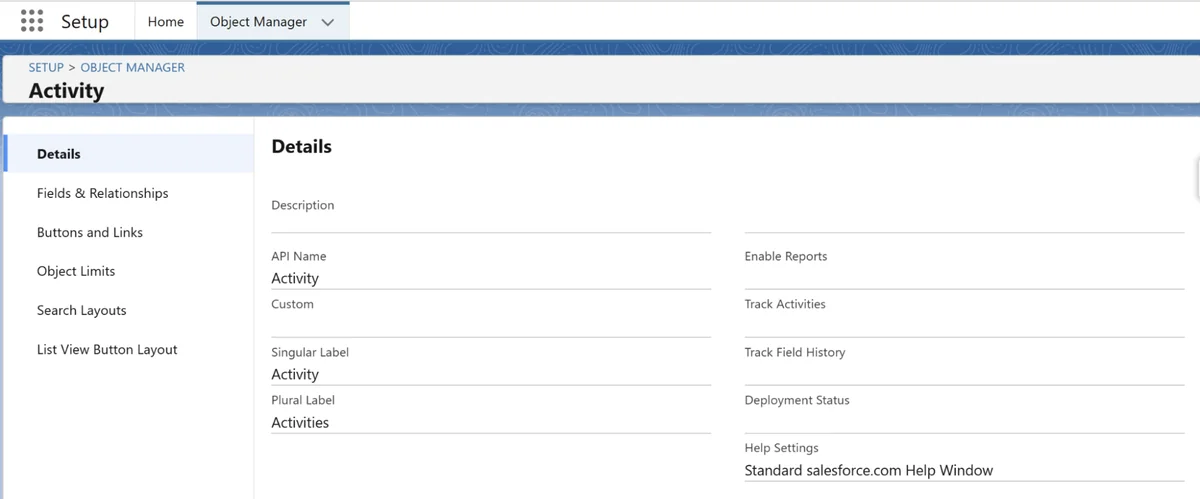
The phrase activity object in Salesforce can cause confusion because administrators see Activity in Setup, while API clients commonly work with Task and Event. Activity acts as a shared configuration and metadata surface for fields and behavior common to tasks and events. It is not a substitute for selecting the concrete Task or Event object in every API operation.
For example, a custom field created under Activity can be available on both tasks and events. In Apex, SOQL, REST API, and integrations, you should still decide whether the business process creates a task, creates an event, or reads both object types.
Activity Salesforce object comparison
| Object or interface | Purpose | Typical fields | Developer use |
|---|---|---|---|
| Activity | Shared configuration layer for tasks and events | Shared custom fields and activity settings | Configure common fields; use concrete objects for most data operations |
| Task | Action item or completed interaction | Subject, ActivityDate, Status, Priority, WhoId, WhatId |
To-dos, reminders, logged calls, and some email summaries |
| Event | Calendar-based interaction | StartDateTime, EndDateTime, Location, WhoId, WhatId |
Meetings, appointments, and scheduled calls |
| EmailMessage | Email content and message metadata | Subject, FromAddress, ToAddress, TextBody, HtmlBody, Incoming |
Email reporting, service conversations, and enhanced email processing |
| Activity Timeline | Lightning presentation of related activity | Not a standalone writable feed record | User interface rather than a general-purpose DML target |
The official object definitions are available in the Salesforce Developer documentation for Task, Event, and EmailMessage.
How Do WhoId and WhatId Connect Activities to Records?
Tasks and events use polymorphic relationship fields. A polymorphic field can reference records from more than one supported object type.
WhoId: The Name relationship. It normally identifies a person, such as a contact or lead.WhatId: The Related To relationship. It can identify a supported business record, such as an account, opportunity, case, campaign, contract, or activity-enabled custom object.
A meeting with a contact about an opportunity can therefore use the contact as WhoId and the opportunity as WhatId. This design lets the Salesforce activity timeline surface the interaction from the relationships Salesforce supports.
// API version: use the current version selected for your Apex class.
// This service creates one follow-up task without performing SOQL in a loop.
public with sharing class OpportunityFollowUpService {
    public static Id createFollowUp(Id opportunityId, Id contactId, Date dueDate) {
        if (opportunityId == null || dueDate == null) {
            throw new IllegalArgumentException('Opportunity and due date are required.');
        }

        Task followUp = new Task(
            Subject = 'Review proposal with customer',
            WhatId = opportunityId,
            WhoId = contactId,
            ActivityDate = dueDate,
            Status = 'Not Started',
            Priority = 'Normal'
        );

        insert followUp;
        return followUp.Id;
    }
}
Governor-limit note: For bulk processing, pass collections into the service and insert a list of tasks once. Do not run one DML statement for every opportunity. Also validate object and field permissions when code executes for users who should not have unrestricted task access.
Shared Activities and TaskRelation
When Shared Activities is enabled, an activity can be associated with multiple contacts within Salesforce limits. Salesforce exposes relationship records such as TaskRelation for supported task relationships. The primary person and related-record rules still matter, so test imports and automation against the org’s activity settings instead of assuming that arbitrary additional WhatId relationships are allowed.
Salesforce describes TaskRelation as the relationship between a task and related leads, contacts, or other supported records. Review TaskRelation Object Reference before loading relationship records.
How Does the Salesforce Activity Timeline Organize Records?
Salesforce activity timeline sections and sorting
The Salesforce activity timeline separates work that is due or scheduled from interactions that have already occurred. Users can expand individual entries, apply supported filters, and use activity actions configured on the Lightning record page.
The visible order is not a reliable replacement for a SOQL ORDER BY clause. If an integration, LWC, or Apex service needs deterministic ordering, query the underlying fields and sort explicitly.
Why an activity can appear on more than one record
An activity can be visible from records connected through its Name and Related To fields. For example, an opportunity task related to a contact can appear in contexts where Salesforce rolls up or displays the supported relationship. Custom lookup fields on Task or Event do not automatically behave like WhoId or WhatId in the standard timeline.
How Are Tasks, Logged Calls, and Emails Stored?
Tasks and the Salesforce to do list
A Salesforce to do list is usually based on open Task records assigned to the current user. A task commonly includes a subject, due date, status, priority, owner, Name relationship, and Related To relationship. A completed task remains useful as interaction history, while an open task represents work that still requires action.
Logged calls are also stored as tasks. Fields such as TaskSubtype, call fields, status, and the action used to create the record help Salesforce determine how to display and classify the activity. Do not build automation that relies only on the text in Subject when a structured field is available.
public with sharing class MyTaskListController {
    @AuraEnabled(cacheable=true)
    public static List<Task> getOpenTasks() {
        return [
            SELECT Id, Subject, ActivityDate, Status, Priority,
                   WhoId, WhatId, OwnerId
            FROM Task
            WHERE OwnerId = :UserInfo.getUserId()
              AND IsClosed = false
            WITH USER_MODE
            ORDER BY ActivityDate ASC NULLS LAST, LastModifiedDate DESC
            LIMIT 200
        ];
    }
}
WITH USER_MODE enforces object-level and field-level access for the query. The class also uses with sharing so record-sharing rules apply. For a production LWC, return a dedicated wrapper or DTO when the interface should expose only selected values.
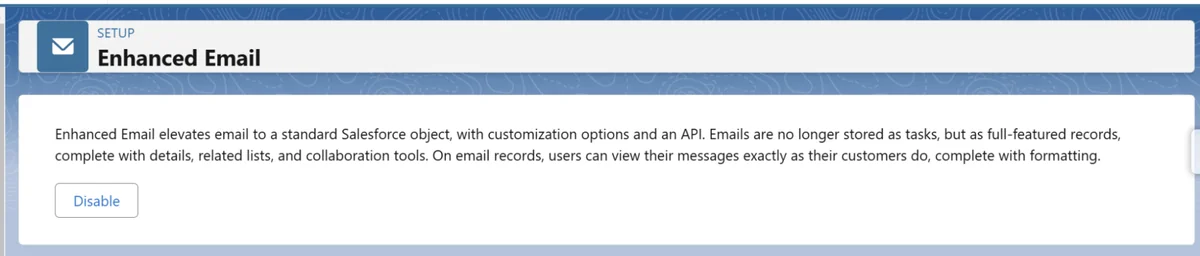
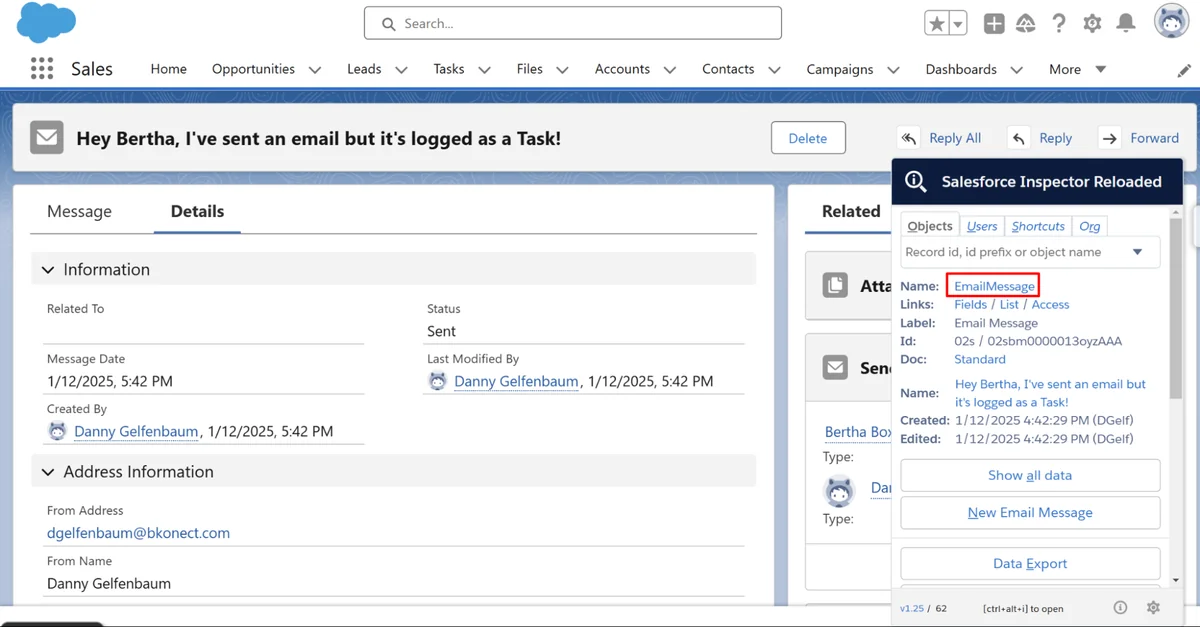
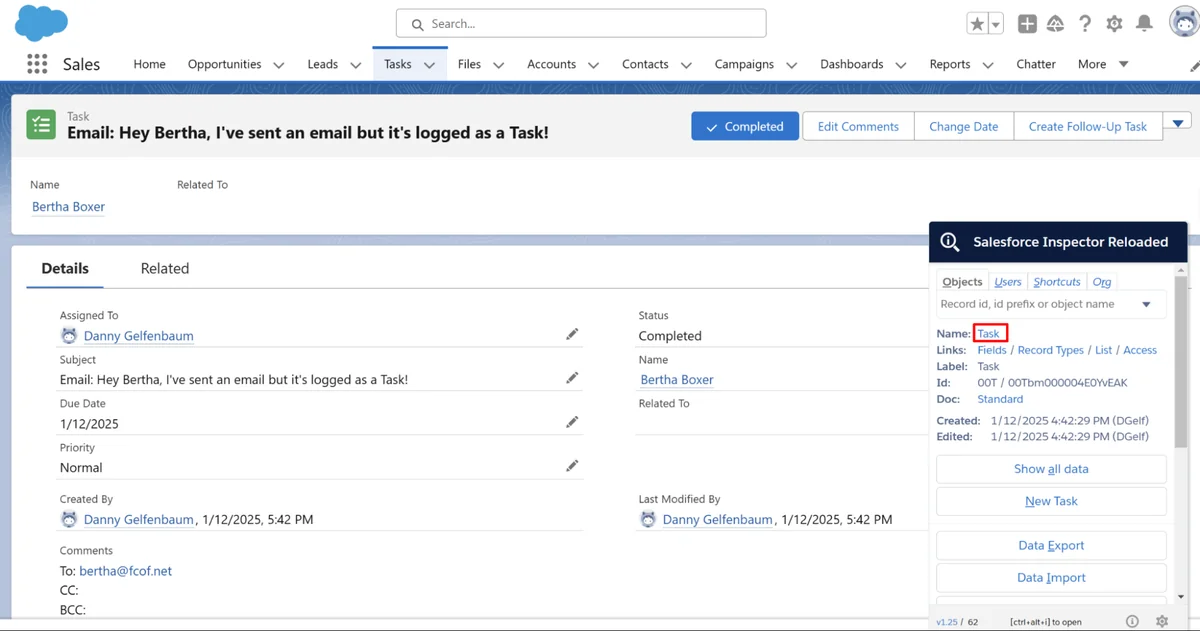
How EmailMessage and Task can represent one email
In orgs and features that use EmailMessage, the email record stores message-specific fields such as sender, recipients, body, direction, and status. A related Task can provide the activity summary used in activity interfaces. Salesforce documents that EmailMessage.ActivityId identifies a related Task when that relationship exists, with additional restrictions depending on how the email is created and which parent record is involved.

How Are Salesforce Events Different from Tasks?
An Event represents time reserved on a calendar. It normally has a start, an end, an owner, optional invitees, and Name or Related To relationships. A Task has a due date but does not represent a calendar duration in the same way.
| Requirement | Use Task | Use Event |
|---|---|---|
| Follow up by Friday | Yes | No |
| Customer meeting from 10:00 to 10:30 | No | Yes |
| Log a completed phone call | Yes | Usually no |
| Reserve time on a user’s calendar | No | Yes |
| Track an action without a fixed start time | Yes | No |
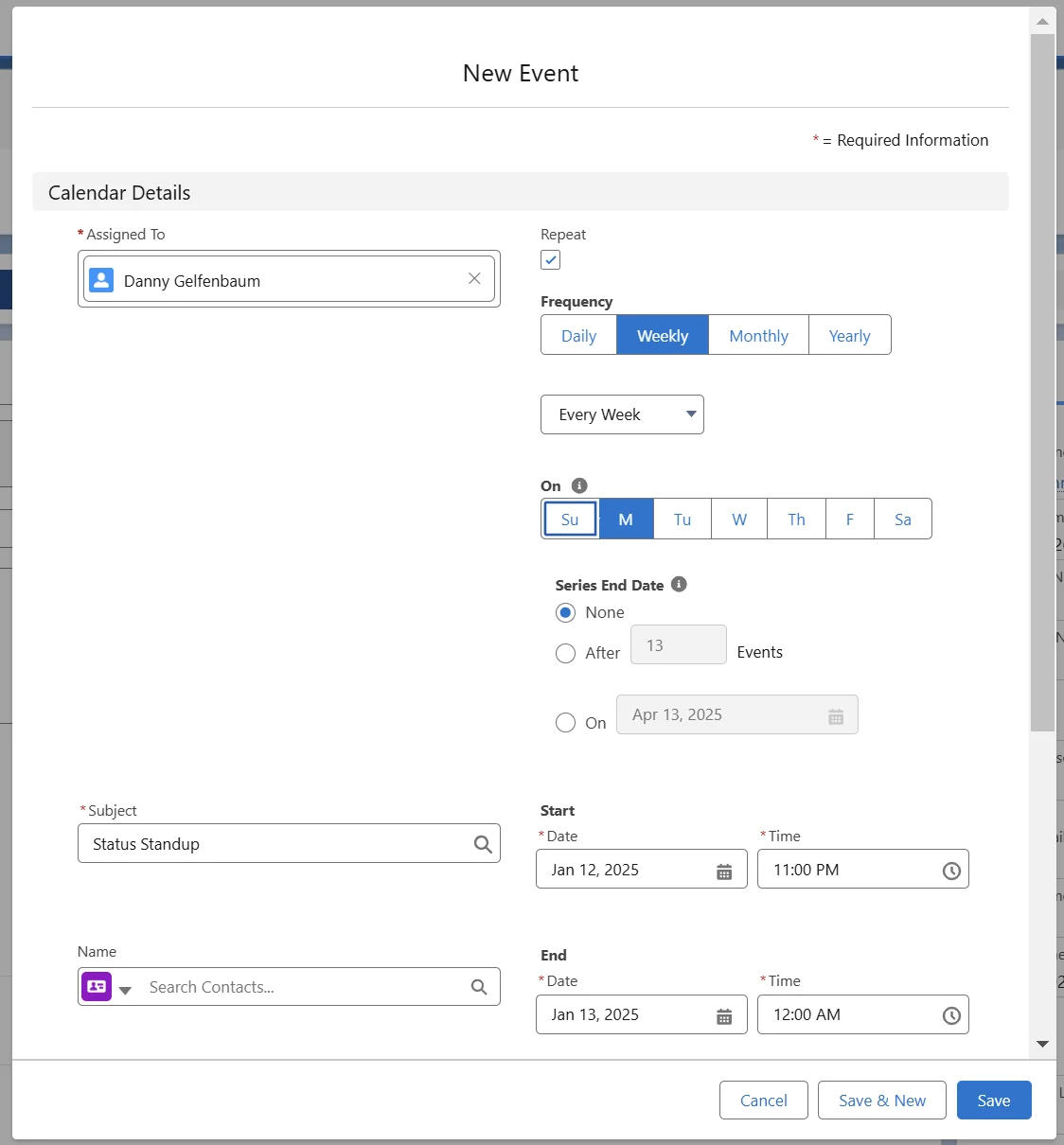
Recurring-event considerations
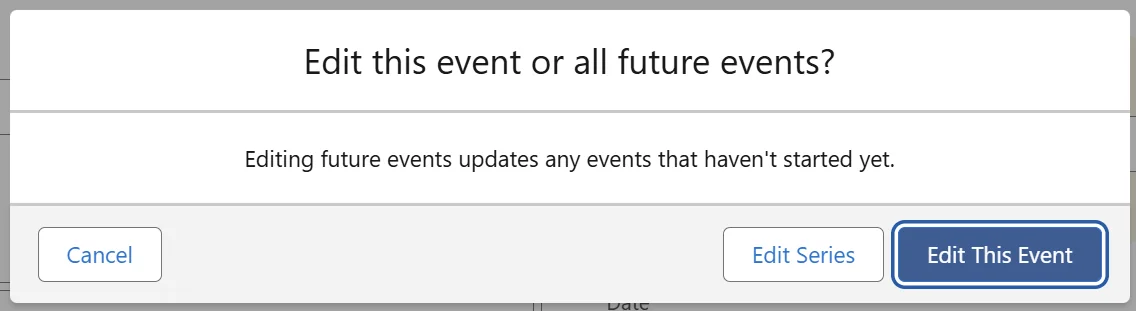
Recurring-event behavior depends on the series model, client, and fields used by the org. Before updating recurring events through Apex or an API, review the current Event object documentation and test whether the intended operation targets one occurrence or the series. Do not infer series membership from matching subjects and dates.
How Do You Query an Internal Activity Feed in Apex?
There is no universal SOQL query that reproduces every visual decision made by the standard internal activity feed Salesforce interface. A service normally queries Task and Event separately, applies the required security, converts the results into a common wrapper, and sorts them by an agreed timestamp.
public with sharing class RecordActivityService {
    public class ActivityItem {
        @AuraEnabled public Id recordId;
        @AuraEnabled public String activityType;
        @AuraEnabled public String subject;
        @AuraEnabled public Datetime sortDate;
    }

    @AuraEnabled(cacheable=true)
    public static List<ActivityItem> getActivities(Id parentId) {
        if (parentId == null) {
            return new List<ActivityItem>();
        }

        List<ActivityItem> items = new List<ActivityItem>();

        for (Task taskRecord : [
            SELECT Id, Subject, ActivityDate, CreatedDate
            FROM Task
            WHERE WhatId = :parentId
            WITH USER_MODE
            ORDER BY ActivityDate DESC NULLS LAST
            LIMIT 250
        ]) {
            ActivityItem item = new ActivityItem();
            item.recordId = taskRecord.Id;
            item.activityType = 'Task';
            item.subject = taskRecord.Subject;
            item.sortDate = taskRecord.ActivityDate == null
                ? taskRecord.CreatedDate
                : Datetime.newInstance(taskRecord.ActivityDate, Time.newInstance(0, 0, 0, 0));
            items.add(item);
        }

        for (Event eventRecord : [
            SELECT Id, Subject, StartDateTime
            FROM Event
            WHERE WhatId = :parentId
            WITH USER_MODE
            ORDER BY StartDateTime DESC
            LIMIT 250
        ]) {
            ActivityItem item = new ActivityItem();
            item.recordId = eventRecord.Id;
            item.activityType = 'Event';
            item.subject = eventRecord.Subject;
            item.sortDate = eventRecord.StartDateTime;
            items.add(item);
        }

        items.sort(new ActivityDateComparator());
        return items;
    }

    public class ActivityDateComparator implements Comparator<ActivityItem> {
        public Integer compare(ActivityItem leftItem, ActivityItem rightItem) {
            if (leftItem.sortDate == rightItem.sortDate) return 0;
            if (leftItem.sortDate == null) return 1;
            if (rightItem.sortDate == null) return -1;
            return leftItem.sortDate > rightItem.sortDate ? -1 : 1;
        }
    }
}
The example uses two bounded queries and performs no SOQL or DML inside a loop. Adjust limits, filters, pagination, and date ranges for the use case. Large enterprise orgs should avoid loading an account’s complete lifetime of activity into one synchronous request.
What Security Controls Apply to Salesforce Activities?
Activity visibility is influenced by the activity sharing model, ownership, access to related records, role hierarchy behavior, permissions, and private-event settings. A user who can open an account does not automatically receive permission to edit every activity displayed in its timeline.
Apply these controls to custom implementations:
- Declare Apex classes
with sharingunless a reviewed system-context requirement says otherwise. - Use user-mode database operations or explicit CRUD and field-level security checks.
- Expose only required fields to an LWC or integration client.
- Check access before displaying email bodies or descriptions that can contain sensitive notes.
- Test as sales users, service users, managers, and integration users rather than only as a System Administrator.
For more background, see the SalesforceTutorial guides to Salesforce security model, Salesforce permission sets, and Salesforce sharing rules.
How Should You Automate Tasks and Events?
Use record-triggered Flow for straightforward field updates and task creation. Use Apex when the process requires complex grouping, reusable transaction logic, integration calls, or processing that cannot be expressed clearly in Flow.
In enterprise orgs, uncontrolled task creation is a common source of duplicate reminders. Before creating a task, define an idempotency rule such as a unique external key, a process-specific reference field, or a query that checks for an existing open task with the same business purpose.
Automation checklist
- Choose Task for an action and Event for calendar time.
- Set
OwnerIdintentionally; do not assume the record owner is always the correct assignee. - Set
WhoIdandWhatIdonly when the target object type is supported. - Use active Task Status values from the target org rather than hardcoding a value that may not exist.
- Bulkify Apex and avoid Get Records elements inside Flow loops.
- Define what happens when the parent record is merged, converted, closed, or deleted.
- Test email-created activities separately from manually created tasks.
Related tutorials include Salesforce Flow automation and bulkified Apex triggers.
Why Are Activities Missing from the Timeline or Reports?
| Symptom | Likely cause | What to check |
|---|---|---|
| Task appears on one record but not another | Relationship does not use the expected Name or Related To field | Inspect WhoId, WhatId, and shared-activity relationships |
| User cannot see an activity | Sharing, ownership, permissions, or private-event behavior | Test access as the affected user |
| Email details are incomplete in a Task query | Detailed content is stored on EmailMessage |
Query the documented EmailMessage relationship |
| Old activities do not appear in a standard report | The records may be archived or excluded by report filters | Check IsArchived, report date filters, and the org archive policy |
| Custom lookup activity is absent from the standard timeline | Standard timeline association uses supported activity relationships | Use a custom component or supported Name/Related To relationship |
| Custom component disagrees with the standard timeline | The component uses different filters, limits, or sorting | Document and align the query rules |
How Does Activity Archiving Affect Queries?
Salesforce can archive older tasks and events according to its activity archive rules. Archived activities are not deleted, but they can behave differently in reports, API queries, automation, exports, and user interfaces. Salesforce documentation describes the default age criteria and provides a process for eligible customers to request a longer archive period.
When historical activity matters:
- Include archive behavior in integration and reporting requirements.
- Check whether the API operation requires an all-rows or archived-record option.
- Do not assume a missing report row means that the activity was deleted.
- Test sandbox and data-migration behavior for archived records before a release.
See Salesforce Help for activity archive-day limits.
Best Practices for an Internal Activity Feed Salesforce Implementation
- Define the interaction model first. Decide which actions become Tasks, Events, EmailMessages, or records on a custom interaction object.
- Standardize subjects and statuses. Reports should use controlled fields instead of trying to interpret free-text subjects.
- Keep the timeline focused. Avoid generating administrative tasks that users cannot act on.
- Use indexed, selective filters where possible. Restrict activity queries by parent, owner, status, and date range.
- Design for high activity volume. Add pagination and bounded date windows to custom components.
- Enforce security in every layer. Sharing, CRUD, field access, and sensitive email content require separate consideration.
- Test every creation channel. Manual actions, Flow, Apex, email integrations, calendar sync, and imports can populate fields differently.
- Document timeline rules. State which records the custom feed includes, how it sorts them, and whether archived records are included.
Frequently Asked Questions
Is there one activity Salesforce object for tasks and events?
Activity provides shared configuration for tasks and events, but developers normally query and update the concrete Task and Event objects. Treat the Activity Timeline as a user interface rather than a single writable feed object.
What is the difference between WhoId and WhatId?
WhoId is the Name relationship and usually points to a contact or lead. WhatId is the Related To relationship and can point to a supported business record such as an account, opportunity, case, or activity-enabled custom object.
Why is an email stored as both Task and EmailMessage?
The Task can act as the activity summary, while EmailMessage stores email-specific information such as addresses, message bodies, direction, and status. The exact records and relationships depend on the Salesforce email feature and parent record involved.
Can SOQL query the Salesforce activity timeline directly?
Not as a general writable timeline object. Query Task, Event, and, where required, EmailMessage, then merge and sort the results according to your application’s rules.
How do I create a Salesforce to do list?
Query open Task records assigned to the current user, filter them by status or IsClosed, and order them by ActivityDate. Enforce sharing and field permissions in Apex, and paginate the results when the list can grow beyond a small working set.
Why are old activities missing from Salesforce reports?
The report can exclude them because of date filters, report-type behavior, permissions, or activity archiving. Check whether the Task or Event has IsArchived set and review the org’s activity archive settings.