Partner relationship management in Salesforce is the design of a controlled partner site, security model, sales process, and reporting layer for external companies that sell, refer, implement, or support your products. A good partner relationship management build lets partners register deals, update shared pipeline, use enablement resources, and get support without receiving internal Salesforce access.
This article explains how to implement partner relationship management for Salesforce admins, developers, and architects. It covers SFDC PRM architecture, PRM Salesforce setup, Salesforce partner management security, Partner Cloud Salesforce terminology, deal registration, Apex security, reports, and Partner Connect.
What is partner relationship management in Salesforce?
Partner relationship management in Salesforce usually runs through an Experience Cloud site connected to Sales Cloud records. Partner users log in as external users, see pages built for their role, and work only with the records, fields, reports, and actions that your sharing model allows. Salesforce Help describes Experience Cloud sites as a way to invite partners and share CRM data for channel sales, and Salesforce PRM documentation notes that required PRM licenses and supported templates must be in place before rollout.
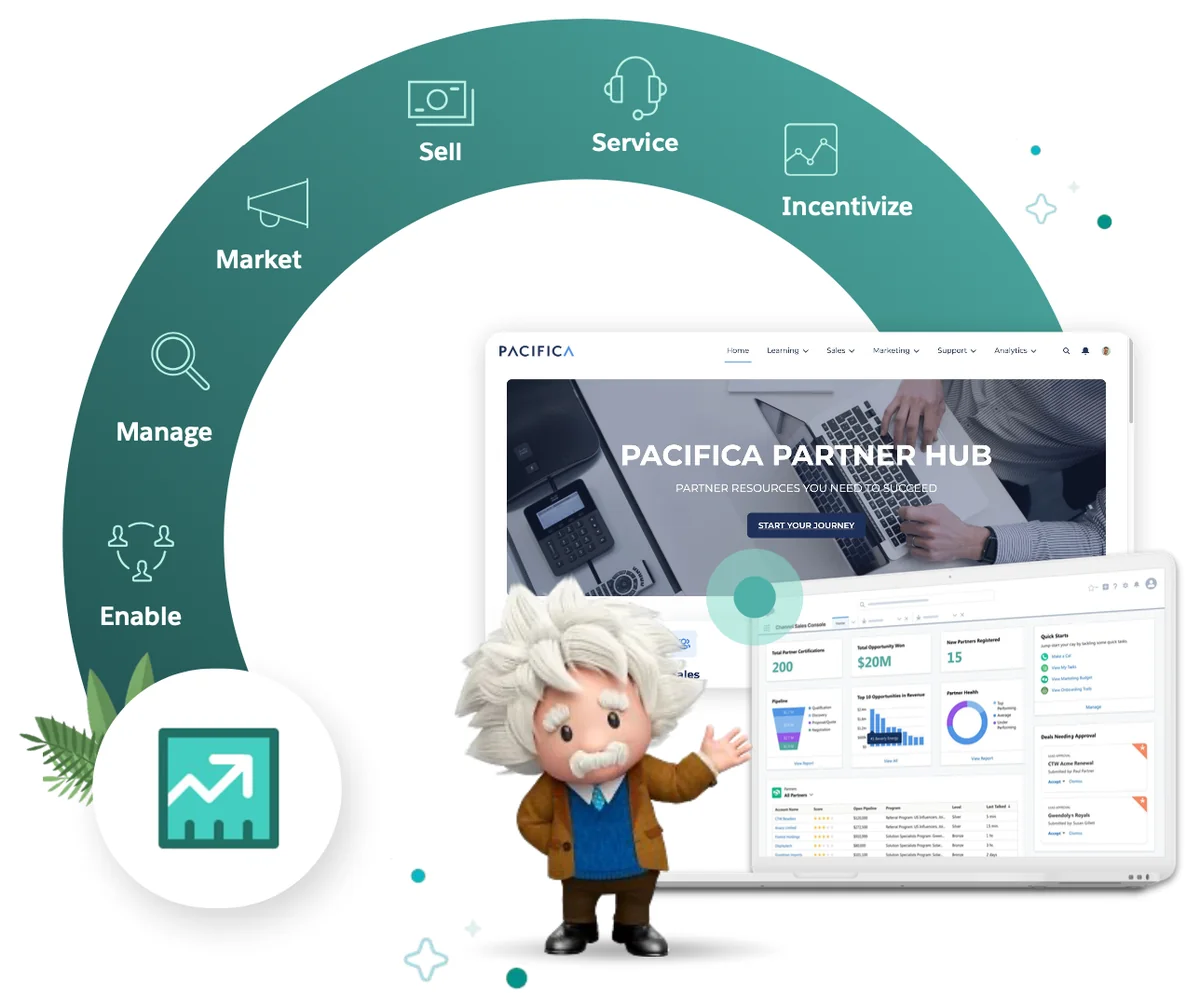
Use partner relationship management when partners need repeat access to leads, opportunities, cases, campaigns, training, or channel reports. Treat a partner relationship management implementation as an external-user security project as much as a sales project. Do not use it for anonymous lead capture or one-time document sharing.
How does SFDC PRM fit into Experience Cloud?
SFDC PRM is not a separate CRM. It is a Salesforce implementation pattern where partner contacts become external users and authenticate into an Experience Cloud site. Standard objects such as Account, Contact, Lead, Opportunity, Campaign, Case, Quote, Task, and custom objects still live in your Salesforce org.
SFDC PRM architecture checklist
| Area | Configuration | Reason |
|---|---|---|
| Identity | Partner users, profiles, permission sets, login policy, MFA | Controls who can access the site |
| Experience | Experience Cloud pages, navigation, audiences, components | Controls what partners see |
| Data access | External OWD, partner roles, sharing rules, account relationship data sharing | Controls which records each partner account can see |
| Sales process | Lead record types, deal registration, assignment, approval, duplicate rules | Keeps partner-submitted pipeline governed |
| Operations | Reports, dashboards, Channel Management Console, license review | Lets channel managers monitor adoption and revenue |
In enterprise orgs, define the sharing model before page design. The partner relationship management architecture should match partner account boundaries. A partner relationship management site is only safe when each partner account has a clear boundary.
PRM Salesforce vs a standard partner portal
PRM Salesforce work differs from a basic portal because it becomes part of the revenue process. A static portal publishes documents. A Salesforce PRM site lets partners submit deals, accept leads, update opportunities, request support, review scoped reports, and use licensed enablement features.
PRM Salesforce capabilities to plan
- Partner onboarding: create partner users from contacts and assign the right license, role, profile, and permission sets.
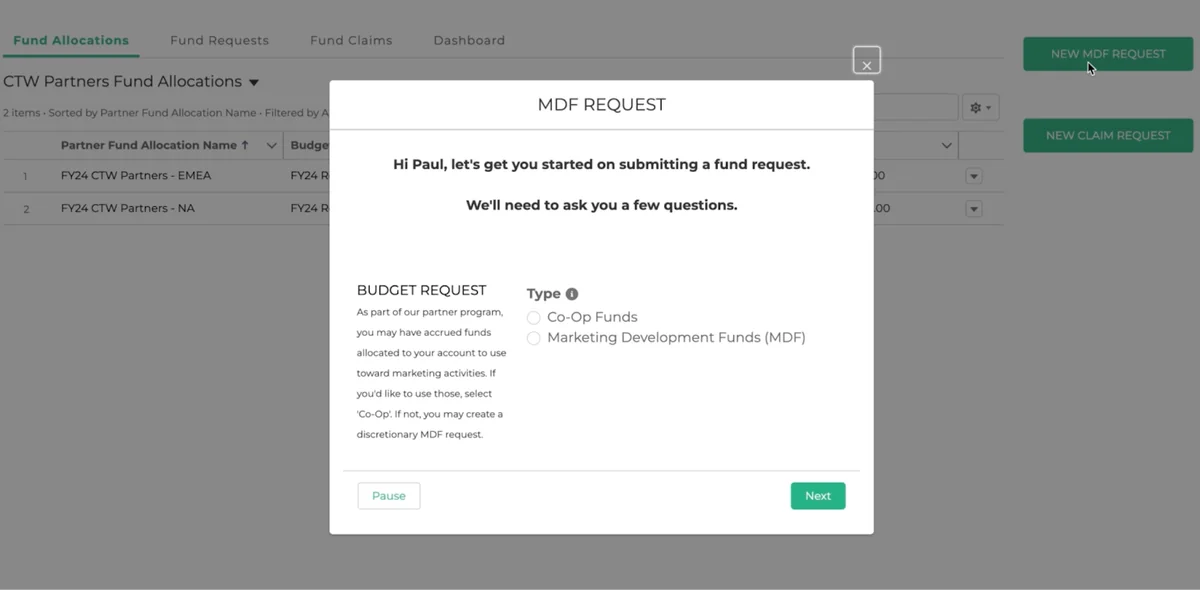
- Deal registration: capture partner-submitted leads or opportunities, route review, check duplicates, and share accepted deals back to the partner.
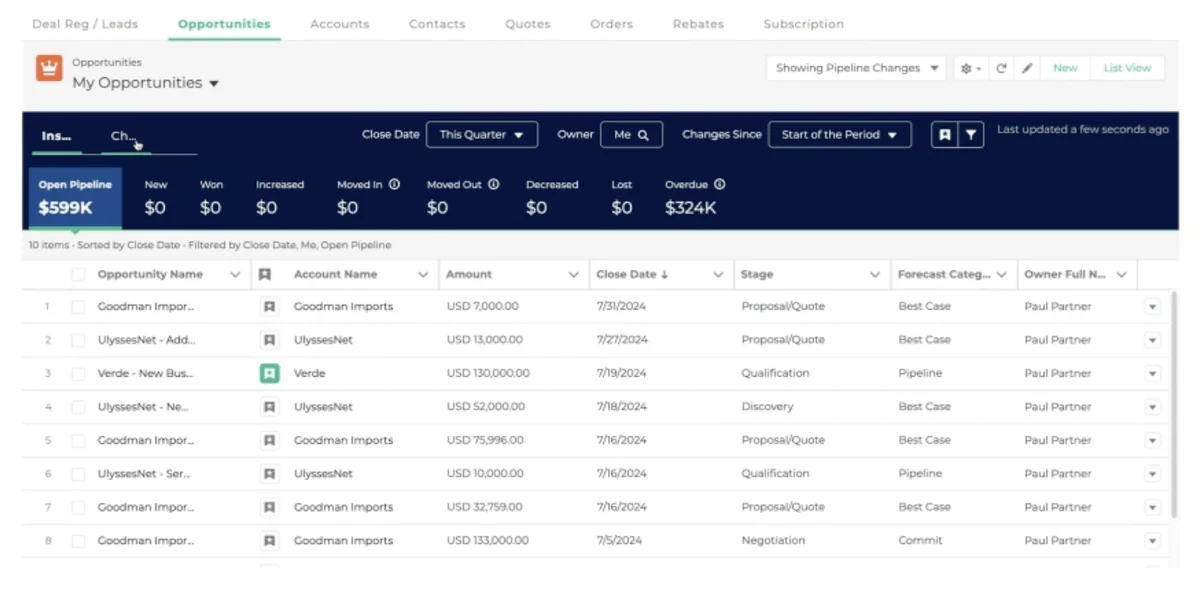
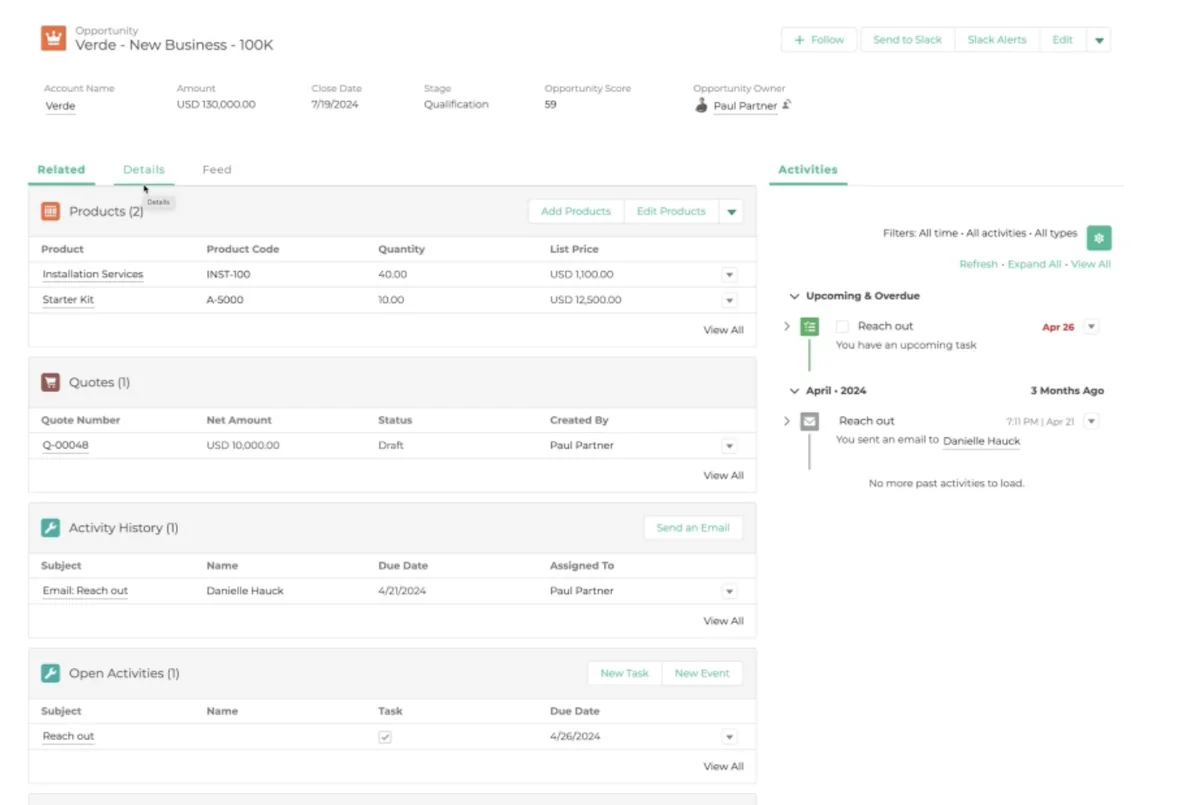
- Pipeline collaboration: expose list views, Kanban, record pages, and quick actions that match the partner role.
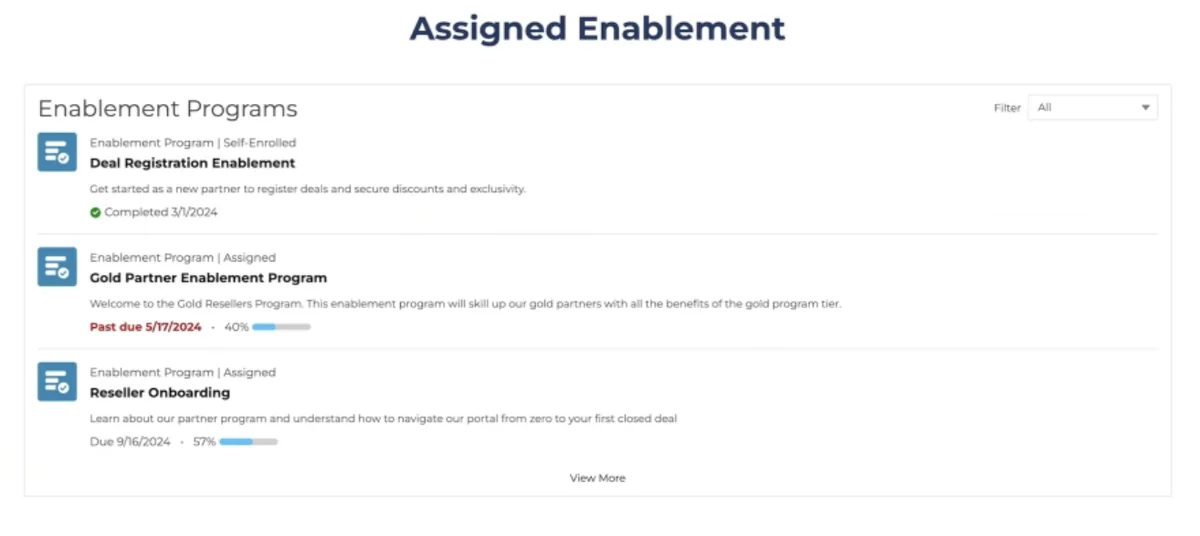
- Enablement: show supported training and content based on partner program, level, geography, or product line.
- Analytics: provide internal channel dashboards and scoped partner reports where permissions allow it.
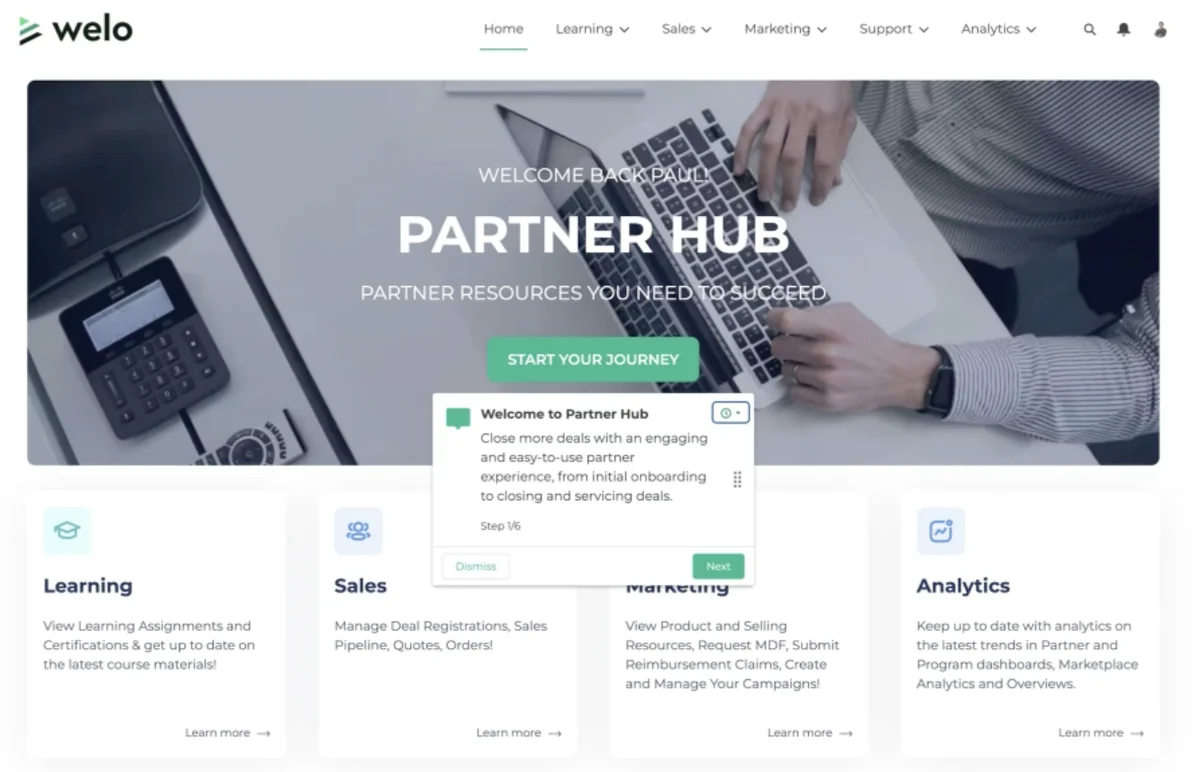
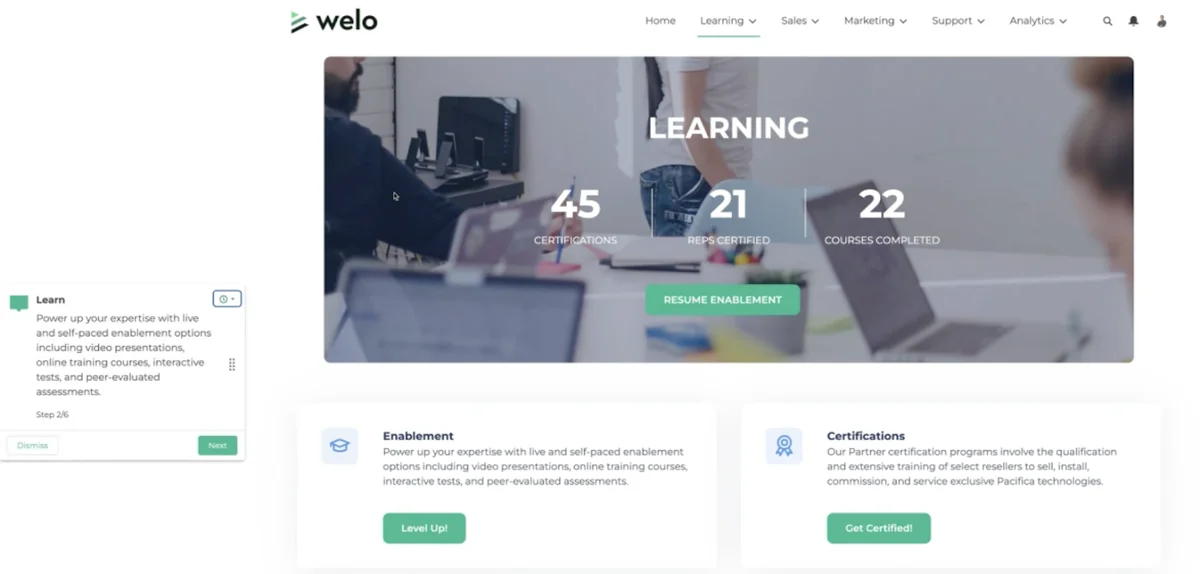
For related platform setup, see Salesforce Experience Cloud configuration.
How to design Salesforce partner management safely
Salesforce partner management starts with the Account and Contact model. Each partner company should be an Account. Each partner login should be a Contact on that Account. When you enable the Contact as a partner user, Salesforce creates an external User tied to that account relationship.
Salesforce partner management data access
Partner users can use a partner role hierarchy, but object permissions, field-level security, external organization-wide defaults, and sharing rules still matter. Use the least access needed. For example, a reseller seller may create deal registrations and edit owned opportunities, while a reseller manager may need visibility into the seller team below them.
Use external organization-wide defaults where supported to keep external access separate from internal access. Use account relationship data sharing when records must be shared with external accounts based on relationship rules. Grant super user access only when a partner manager needs broader visibility inside the same partner account hierarchy.
Where Partner Cloud Salesforce terminology fits
Partner Cloud Salesforce is broader than PRM. Salesforce Help describes Partner Cloud as a partner operations area that unifies partner relationship management, Partner Ecosystem Management, and Channel Revenue Management. In practical architecture, partner relationship management handles the site, users, deal collaboration, enablement, and analytics foundation. Broader Partner Cloud Salesforce work can add partner programs, incentives, rebates, inventory, pricing, and ecosystem operations when those products are licensed.
Partner Cloud Salesforce planning questions
- Do partners only register deals, or do they also need incentives, tiers, rebates, or business planning?
- Will partners work only in your site, or also export records to their Salesforce org?
- Which partner data must stay private by partner account?
- Which Agentforce or Einstein features are licensed and safe for external users?
How to set up partner relationship management
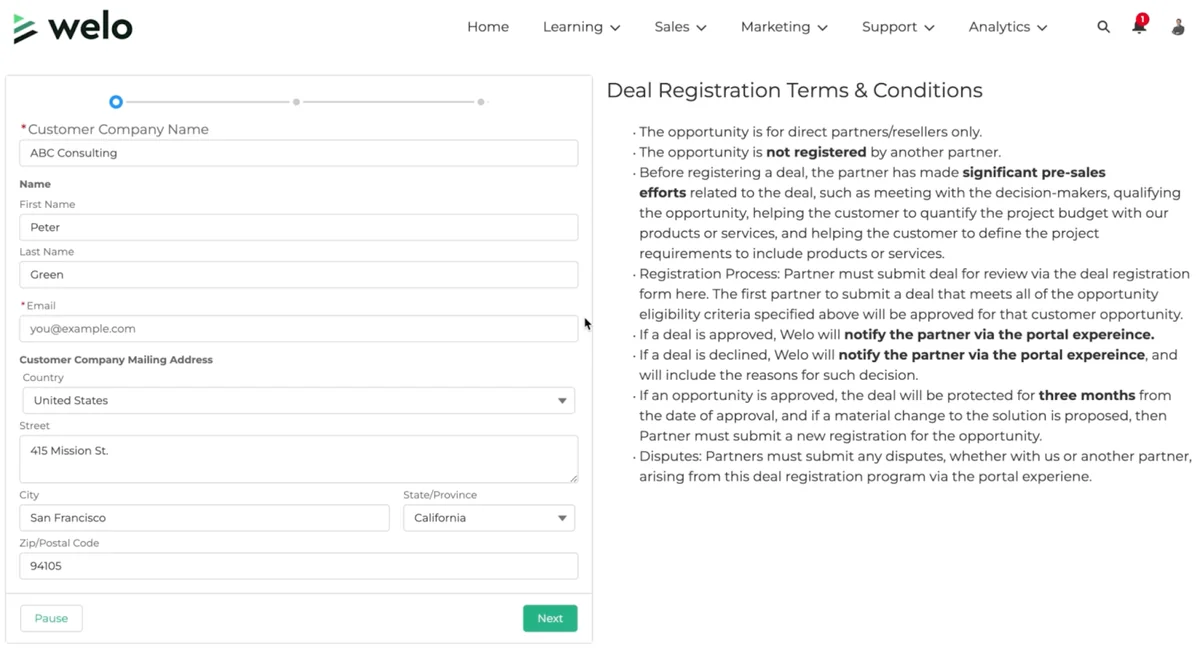
- Confirm licenses and templates. Review official PRM license and Experience Cloud template support before building.
- Enable Digital Experiences. Confirm My Domain, site naming, login policy, and domain governance.
- Set partner role count. Keep roles low unless the partner hierarchy needs more levels.
- Create the site. Add pages for home, deal registration, opportunities, cases, reports, enablement, and help.
- Add members. Add the partner profiles and permission sets that can access the site.
- Enable partner accounts and users. Enable the partner Account, then create external users from partner Contacts.
- Configure sharing. Set external OWD, sharing rules, account relationship data sharing, and report folder access.
- Test by persona. Test as partner seller, partner manager, internal channel manager, sales operations, and support agent.
This partner relationship management checklist should be validated in a sandbox. Trailhead shows the baseline flow for building a partner portal: enable Digital Experiences, configure partner roles, create the site, enable a partner account, and create partner users. Production partner relationship management adds governance, testing, and release controls around those steps.
How to configure deal registration in PRM Salesforce
Deal registration is usually the first production workflow in PRM Salesforce. A partner submits a potential deal, Salesforce checks ownership and duplicates, channel operations approves or rejects it, and an accepted deal becomes a lead or opportunity that the partner can track.
| Decision | Recommended pattern | Reason |
|---|---|---|
| Object | Lead for early registration | Supports qualification, assignment, duplicate rules, and conversion |
| Record type | Partner Deal Registration | Separates partner deals from web leads and internal leads |
| Review | Flow or approval process | Gives channel operations an auditable decision |
| Visibility | Share accepted deals to the submitting partner account | Prevents cross-partner exposure |
Apex example for secure partner deal submission
Use Flow and standard configuration first. Use Apex when a custom Lightning Web Component or integration requires server-side validation. The following API v58.0+ example uses user-mode SOQL and DML so partner permissions, sharing, CRUD, and field-level security are enforced.
public inherited sharing class PartnerDealRegistrationService {
    public class DealRequest {
        @AuraEnabled public String companyName;
        @AuraEnabled public String contactLastName;
        @AuraEnabled public String email;
        @AuraEnabled public String productInterest;
    }

    @AuraEnabled
    public static Id registerDeal(DealRequest request) {
        validateRequest(request);

        RecordType rt = [
            SELECT Id
            FROM RecordType
            WHERE SObjectType = 'Lead'
            AND DeveloperName = 'Partner_Deal_Registration'
            LIMIT 1
            WITH USER_MODE
        ];

        Lead leadToCreate = new Lead(
            Company = request.companyName.trim(),
            LastName = request.contactLastName.trim(),
            Email = request.email,
            LeadSource = 'Partner Referral',
            Status = 'Open - Not Contacted',
            RecordTypeId = rt.Id,
            Description = 'Product interest: ' + request.productInterest
        );

        Database.SaveResult sr = Database.insert(leadToCreate, false, AccessLevel.USER_MODE);
        if (!sr.isSuccess()) {
            throw new AuraHandledException(sr.getErrors()[0].getMessage());
        }
        return sr.getId();
    }

    private static void validateRequest(DealRequest request) {
        if (request == null || String.isBlank(request.companyName) || String.isBlank(request.contactLastName) || String.isBlank(request.email)) {
            throw new AuraHandledException('Company, contact last name, and email are required.');
        }
    }
}
Governor limit notes: the method uses one SOQL query and one DML statement. Do not call it in a loop. For bulk imports, accept a list, query the record type once, insert a list once, and write tests with partner and internal users. Replace the record type developer name and Lead Status value with active values in your org.
For secure code patterns, read Salesforce security model guide and Lightning Web Components tutorial.
Reports, dashboards, and Partner Connect
Salesforce includes PRM reports, dashboards, custom report types, and Channel Management Console features where the required PRM features are licensed. Start with curated dashboards for channel managers and partners. Allow partner report editing only after testing object permissions, field-level security, report types, and folder sharing.
Partner Connect lets partner users export a vendor’s leads or opportunities from the vendor Experience Cloud partner site into the partner Salesforce org. Salesforce Help documents an important limit: Partner Connect supports Lead and Opportunity for this cross-org flow, not every object. Use APIs or middleware for Accounts, Cases, Quotes, Orders, or custom objects.
Common errors with partner relationship management
| Error | Likely cause | Fix |
|---|---|---|
| Partner cannot see a submitted deal | Record was created but not shared back | Check external OWD, owner, role hierarchy, sharing rule, and record type access |
| Partner sees another partner’s opportunity | Sharing is too broad | Rebuild sharing around partner account boundaries |
| Form works for admins but fails for partners | Apex, Flow, or validation uses inaccessible fields | Test with partner users and enforce CRUD/FLS with user mode or stripInaccessible |
| Report returns no rows | Folder, report type, object permission, or record sharing is missing | Validate report access with the exact partner profile and permission set |
Best practices for Salesforce partner management rollout
- Start with one partner type and one deal process.
- Use least privilege for objects, fields, actions, reports, and records.
- Separate partner-submitted records with record types and validation rules.
- Review inactive partner users monthly to control partner relationship management license cost.
- Keep Apex small and bulk-safe. Prefer configuration when it is easier to audit.
- Do not expose AI summaries, prompts, or recommendations unless the partner can access the underlying records and fields.
Frequently Asked Questions
What is partner relationship management in Salesforce?
Partner relationship management in Salesforce is a controlled partner CRM experience built with Experience Cloud, Sales Cloud, external users, sharing, automation, reports, and enablement features.
Is SFDC PRM the same as Experience Cloud?
No. SFDC PRM usually uses Experience Cloud as the site framework, but PRM adds partner sales processes, deal registration, record sharing, enablement, and analytics.
What objects are used in PRM Salesforce?
PRM Salesforce implementations commonly use Account, Contact, User, Lead, Opportunity, Campaign, Case, Quote, Task, ContentDocument, and custom objects. The exact set depends on partner type and license.
What is the difference between PRM and Partner Cloud Salesforce?
PRM handles partner sales collaboration and the site foundation. Partner Cloud Salesforce is broader and can include Partner Ecosystem Management and Channel Revenue Management for incentives, rebates, pricing, inventory, and partner program operations.
Official Salesforce documentation referenced