Salesforce Sales Cloud is the world’s leading customer relationship management (CRM) platform designed specifically for sales organizations. This comprehensive platform provides sales teams with lead management, opportunity tracking, forecasting capabilities, and AI-powered insights to accelerate deal closure and exceed revenue targets.
Sales Cloud serves as the foundation for most organizations’ Salesforce implementation, offering scalable solutions from small businesses to enterprise-level sales operations. The platform integrates seamlessly with marketing automation, customer service, and analytics tools to create a unified customer experience.
What is Salesforce Sales Cloud?
Sales Cloud in Salesforce is a comprehensive suite of sales automation tools built on the Salesforce Lightning Platform. The platform centralizes customer data, automates sales processes, and provides real-time visibility into sales performance across your entire organization.
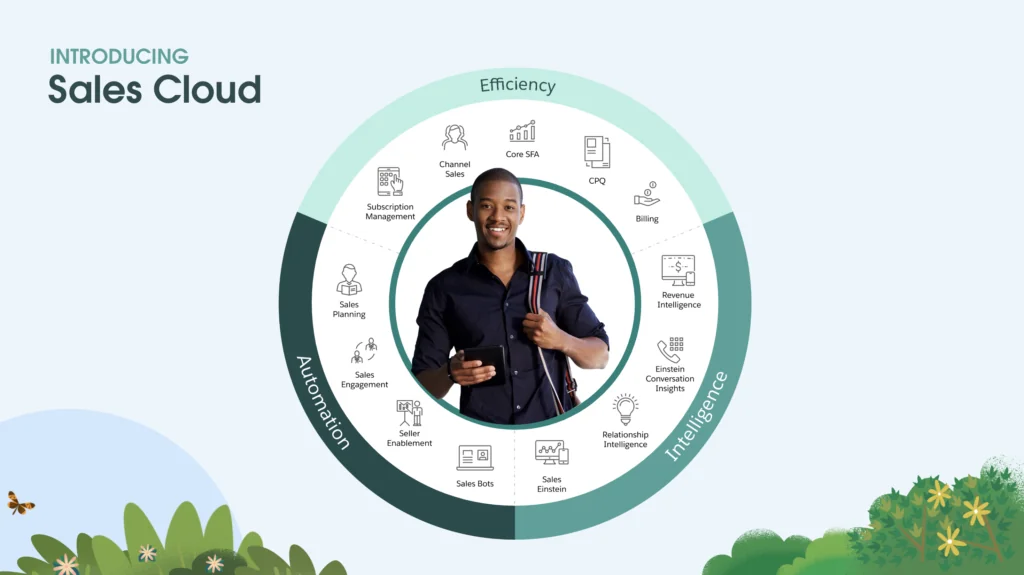
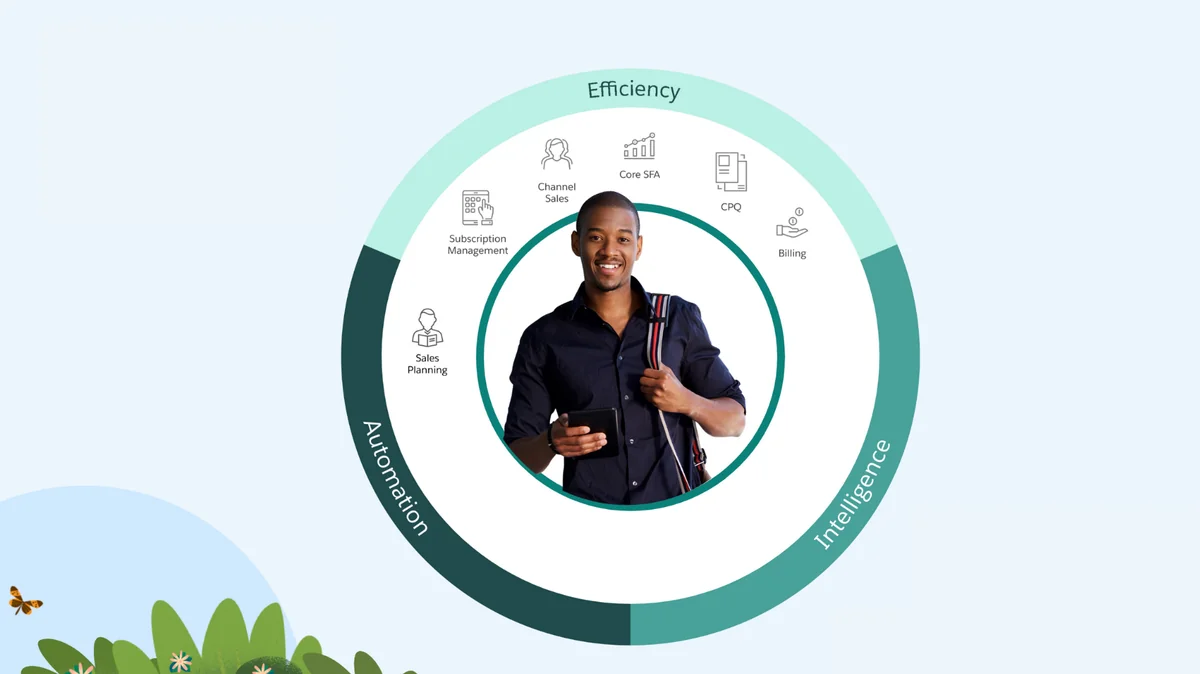
The platform operates on three core pillars:
- Efficiency: Streamlined sales processes and productivity tools
- Intelligence: AI-powered insights and predictive analytics
- Automation: Workflow automation and process optimization
Core Sales Cloud Features
Lead and Opportunity Management
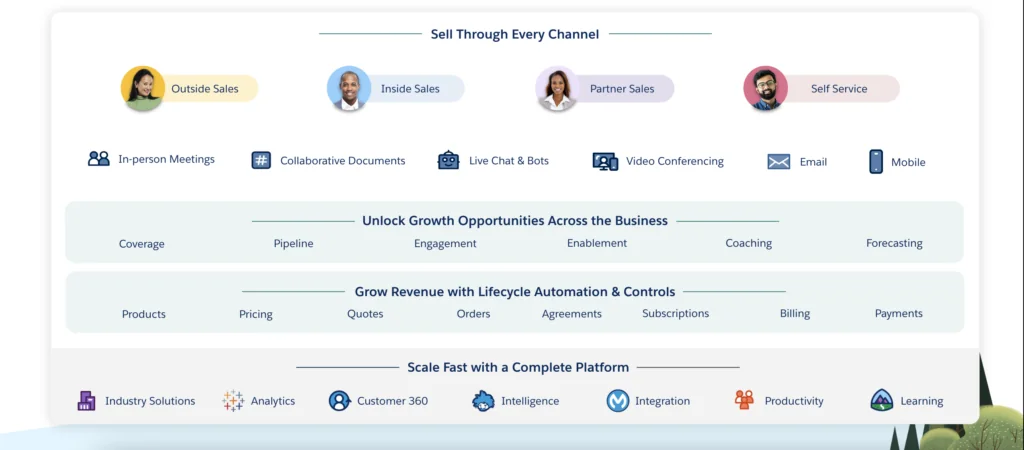
Sales Cloud provides robust lead qualification and opportunity tracking capabilities. The platform captures leads from multiple sources including web forms, email campaigns, and partner referrals. Lead scoring algorithms help prioritize prospects based on engagement and demographic data.
Opportunity management includes:
- Stage-based sales process tracking
- Probability-weighted forecasting
- Collaborative selling with team members
- Document and proposal management
- Competitive intelligence tracking
Account and Contact Management
The platform maintains comprehensive customer profiles with interaction history, communication preferences, and relationship mapping. Account hierarchies support complex organizational structures, while contact roles define decision-making authority within accounts.
Sales Cloud Intelligence and Analytics
Einstein AI Integration
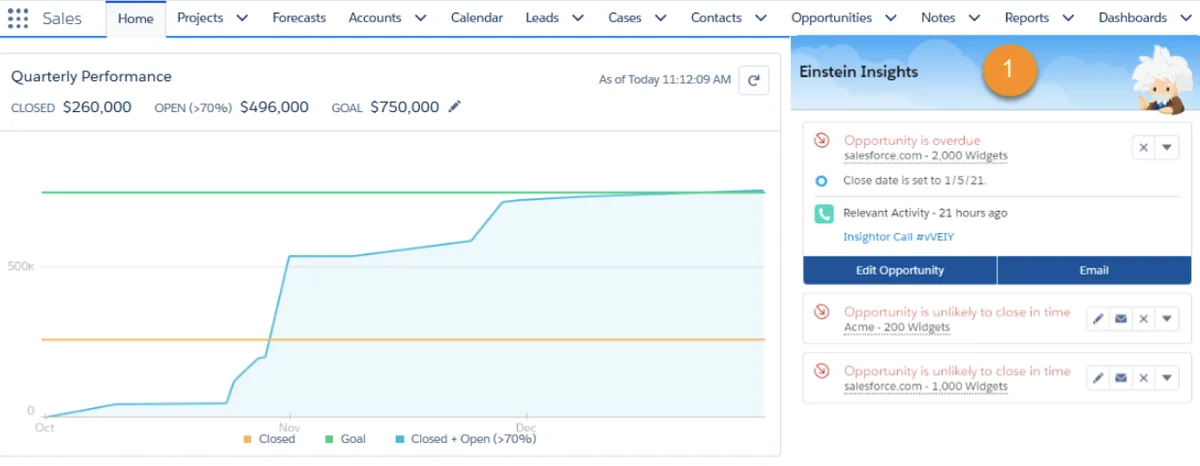
Sales Cloud Einstein provides AI-powered insights directly within the CRM interface. Key Einstein features include:
- Lead Scoring: Predictive scoring based on historical conversion data
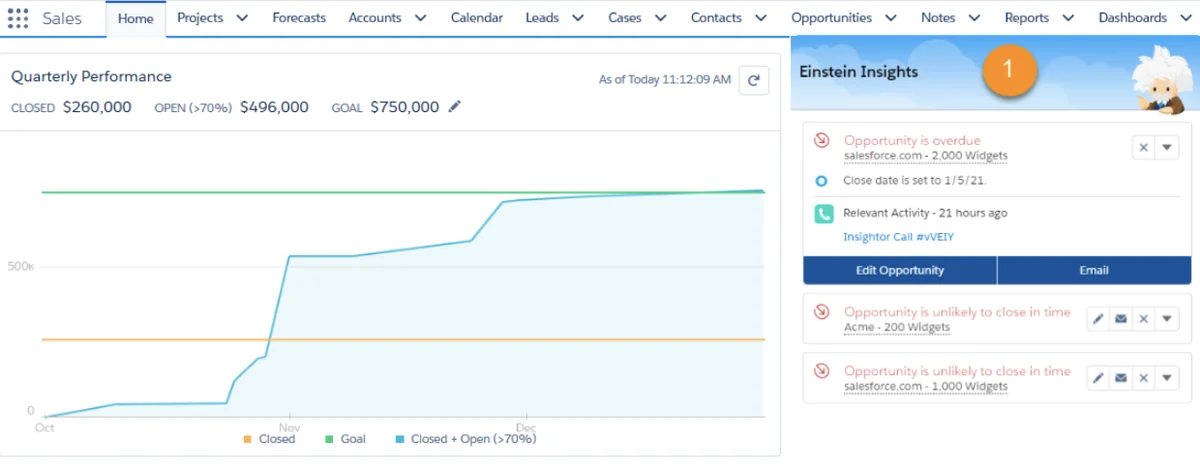
- Opportunity Insights: Deal risk assessment and next best actions
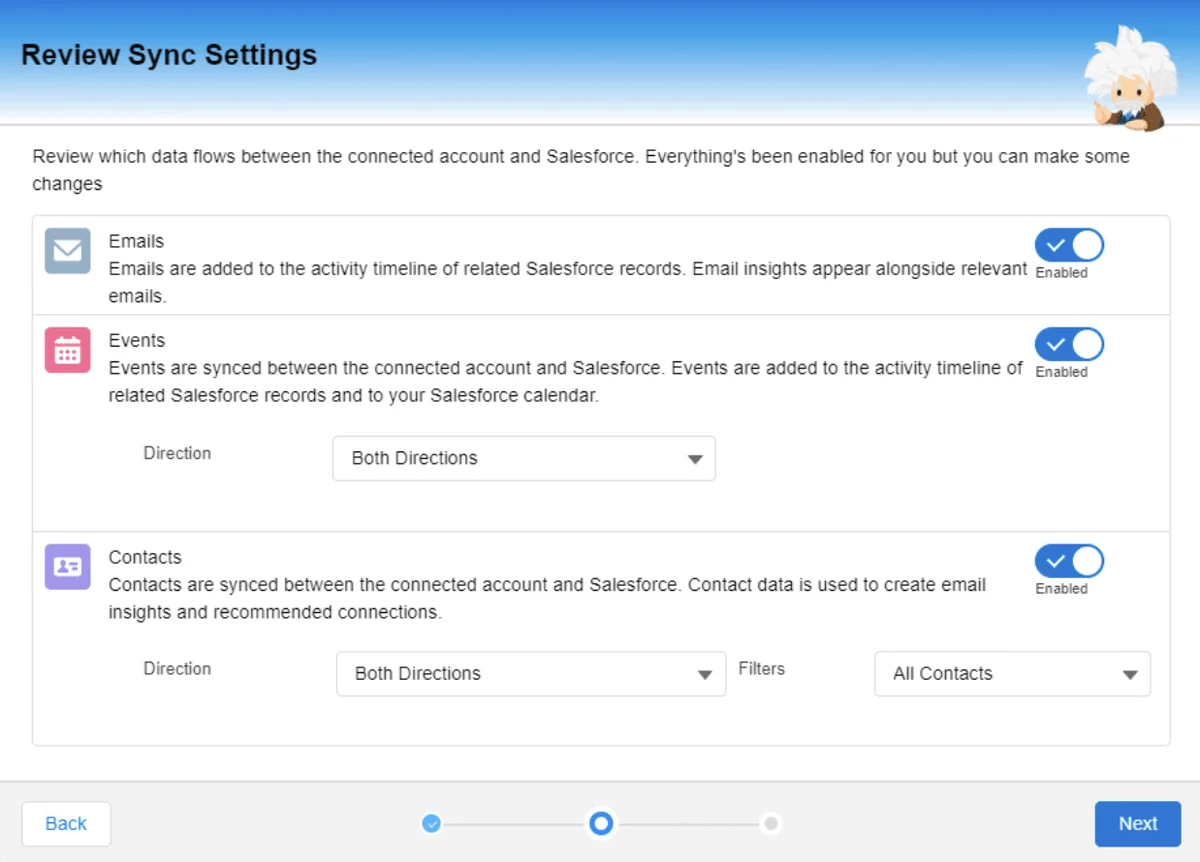
- Activity Capture: Automatic email and calendar synchronization
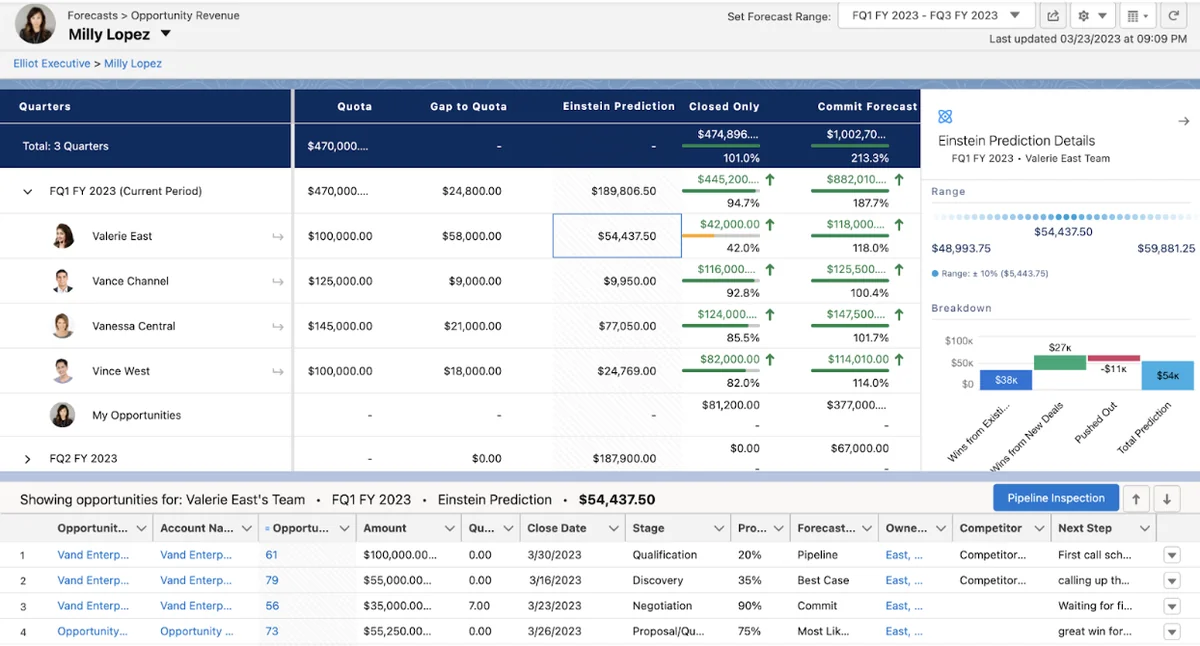
- Forecasting: AI-enhanced sales predictions
Sales Forecasting and Pipeline Management
The forecasting engine provides multiple forecast types including Opportunity, Product Family, and Territory-based predictions. Pipeline inspection tools highlight deal risks and recommend corrective actions based on historical patterns.
Forecast categories map to sales stages:
| Forecast Category | Typical Sales Stages | Probability Range |
|---|---|---|
| Pipeline | Qualification, Needs Analysis | 10-25% |
| Best Case | Proposal, Negotiation | 50-75% |
| Commit | Verbal Commitment | 90-95% |
| Closed | Closed Won | 100% |
Sales vs Service Cloud: Key Differences
While both platforms share the Salesforce Lightning foundation, they serve distinct business functions:
| Aspect | Sales Cloud | Service Cloud |
|---|---|---|
| Primary Focus | Revenue generation and deal closure | Customer support and case resolution |
| Key Objects | Leads, Opportunities, Quotes | Cases, Knowledge Articles, Entitlements |
| User Types | Sales reps, managers, operations | Support agents, supervisors, specialists |
| Success Metrics | Revenue, quota attainment, deal velocity | Case resolution time, customer satisfaction |
Sales Cloud Automation Capabilities
Sales Engagement and Cadences
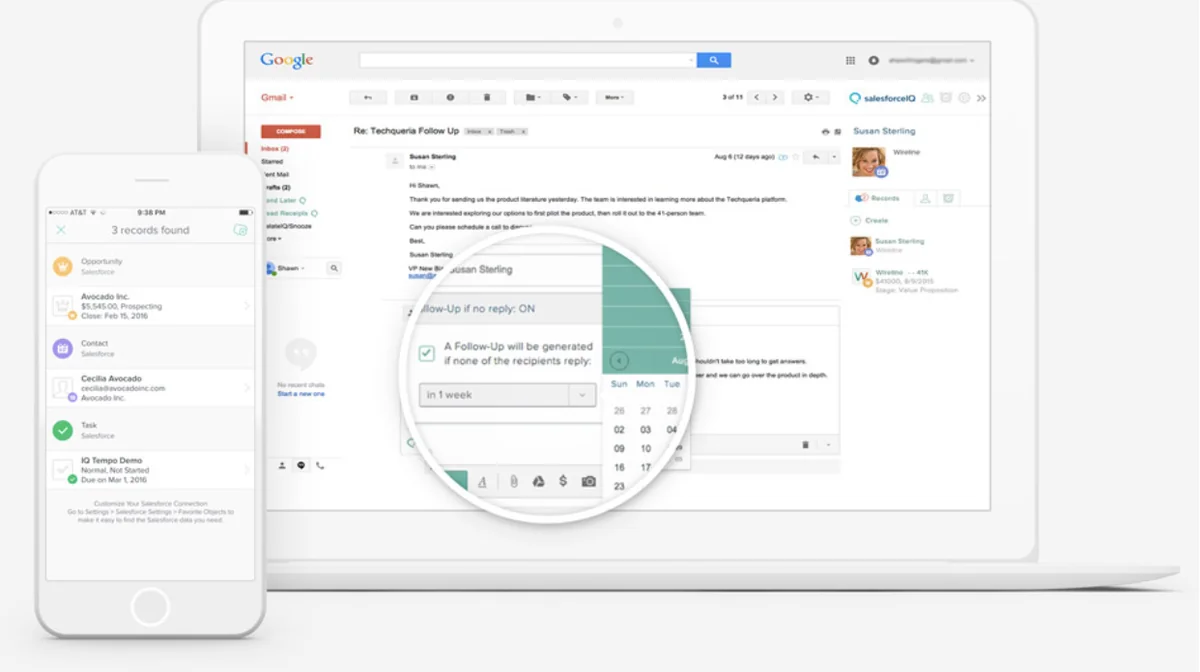
Sales Engagement (formerly High Velocity Sales) automates prospect outreach through multi-channel cadences. Sales reps can create sequences combining emails, phone calls, and social touches to maintain consistent prospect engagement.
Cadence features include:
- Template-based email sequences
- Task automation and reminders
- A/B testing for message optimization
- Exit criteria based on prospect responses
- Performance analytics and optimization
Configure Price Quote (CPQ)
Salesforce CPQ streamlines complex quoting processes with product configuration rules, pricing calculations, and approval workflows. The system ensures quote accuracy while reducing sales cycle time for complex product bundles.
CPQ capabilities include:
- Guided selling with product recommendations
- Dynamic pricing based on volume and discounts
- Approval workflows for discount authorization
- Contract generation and e-signature integration
- Subscription and usage-based pricing models
Sales Cloud Editions and Pricing
Edition Comparison
Salesforce offers multiple Sales Cloud editions to accommodate different organizational needs:
| Edition | Key Features | Best For |
|---|---|---|
| Starter | Basic CRM, email integration | Small teams (up to 10 users) |
| Professional | Advanced CRM, reports, API access | Growing sales teams |
| Enterprise | Customization, automation, integrations | Large organizations |
| Unlimited | Advanced features, premier support | Enterprise deployments |
Add-On Products
Sales Cloud integrates with numerous add-on products to extend functionality:
- Pardot (Marketing Cloud Account Engagement): B2B marketing automation
- Revenue Intelligence: Advanced analytics and AI insights
- Salesforce Maps: Territory planning and route optimization
- Digital Engagement: Conversational AI and chatbots
- Salesforce Billing: Subscription and usage billing
Implementation Best Practices
Data Migration and Setup
Successful Sales Cloud implementations require careful data planning and migration strategies. Key considerations include:
- Data quality assessment and cleansing
- Field mapping and validation rules
- Duplicate management strategies
- User access and security configuration
- Integration with existing systems
User Adoption Strategies
Driving user adoption requires comprehensive training and change management:
- Role-based training programs
- Customized dashboards and reports
- Mobile app configuration
- Ongoing support and optimization
- Success metrics and feedback loops
Integration and Customization
API and Platform Integration
Sales Cloud provides robust API access for system integration and custom development. The platform supports REST and SOAP APIs, enabling seamless data exchange with ERP systems, marketing platforms, and third-party applications.
Common integration patterns include:
- ERP synchronization for order and billing data
- Marketing automation platform connectivity
- Business intelligence and reporting tools
- Communication platform integration (phone, email, chat)
- Document management and e-signature solutions
Custom Development
The Salesforce Lightning Platform enables extensive customization through:
- Custom Objects and Fields: Tailored data models
- Process Builder and Flow: Visual workflow automation
- Apex Code: Custom business logic and triggers
- Lightning Web Components: Modern UI development
- AppExchange: Third-party application marketplace
Security and Compliance
Data Protection
Sales Cloud implements enterprise-grade security controls including:
- Role-based access control and permission sets
- Field-level security and data encryption
- IP restrictions and login hours
- Two-factor authentication requirements
- Audit trails and monitoring capabilities
Compliance Features
The platform supports various compliance requirements:
- GDPR data protection and privacy controls
- HIPAA compliance for healthcare organizations
- SOX controls for financial reporting
- Industry-specific compliance frameworks
- Data residency and sovereignty options
Performance Optimization
System Performance
Maintaining optimal Sales Cloud performance requires attention to:
- Data volume management and archiving strategies
- Report and dashboard optimization
- Workflow and process automation efficiency
- Integration performance monitoring
- User interface customization impact
Governor Limits and Best Practices
Salesforce enforces governor limits to ensure platform stability. Key limits include:
- API call limits per 24-hour period
- SOQL query row limits (50,000 per transaction)
- DML operation limits (10,000 per transaction)
- CPU timeout limits for Apex execution
- Storage limits for data and files
Frequently Asked Questions
What is the difference between Salesforce and Sales Cloud?
Salesforce is the company and platform, while Sales Cloud is a specific product within the Salesforce ecosystem focused on sales automation and CRM functionality. Sales Cloud runs on the Salesforce Lightning Platform alongside other products like Service Cloud, Marketing Cloud, and Commerce Cloud.
How much does Salesforce Sales Cloud cost per user?
Sales Cloud pricing varies by edition: Starter ($25/user/month), Professional ($80/user/month), Enterprise ($165/user/month), and Unlimited ($330/user/month). Prices are for annual subscriptions and may vary by region and contract terms.
Can Sales Cloud integrate with other CRM systems?
Yes, Sales Cloud provides robust API capabilities for integration with other systems. Common integration patterns include data synchronization, single sign-on, and workflow automation. The platform supports REST, SOAP, and Bulk APIs for different integration needs.
What training is required for Sales Cloud users?
Sales Cloud training varies by user role and organizational complexity. Salesforce provides Trailhead learning paths, administrator certification programs, and implementation partner training. Most organizations require 8-16 hours of initial training plus ongoing education for new features.
How does Sales Cloud handle data security and privacy?
Sales Cloud implements enterprise-grade security including encryption at rest and in transit, role-based access controls, field-level security, and comprehensive audit trails. The platform supports GDPR, HIPAA, and other compliance frameworks with configurable privacy controls.