Salesforce Service Cloud is a customer service automation platform that helps organizations manage support cases, knowledge bases, and customer interactions. This tutorial covers Service Cloud features and compares all available editions to help you choose the right solution for your organization.
What is Salesforce Service Cloud?
Salesforce Service Cloud automates customer service support processes by centralizing customer complaints, solutions, and interactions in one platform. This streamlines business operations and improves response times for support teams.
Example: Service Cloud is commonly deployed in call centers to manage customer inquiries, track case resolution, and maintain service level agreements (SLAs).
Core Service Cloud Features
Service Cloud includes these essential capabilities:
- Knowledge base articles for self-service support
- Article management and content lifecycle
- Entitlements and service contract management
- Work tracking and productivity monitoring
- Call center setup and telephony integration
- Case management with automated routing
- Mobile access from any device worldwide
- Multi-device support (desktop, tablet, mobile)
- Computer telephony integration (CTI)
- Salesforce Communities for customer portals
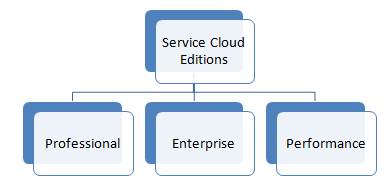
Salesforce Service Cloud Editions Comparison
Salesforce offers three Service Cloud editions, each designed for different organizational needs and complexity levels. Here’s a detailed comparison:
Professional Edition
Professional Edition targets small to medium-scale organizations with basic service requirements:
- Designed for teams up to 100 agents
- Core case management functionality
- Basic knowledge base
- Email-to-case and web-to-case
- Standard reporting and dashboards
- Pricing: $75 USD per user per month (as of 2026)
Enterprise Edition
Enterprise Edition serves large organizations with complex business processes:
- Unlimited customization capabilities
- Advanced workflow and approval processes
- Territory management
- Advanced analytics and custom reporting
- API access for integrations
- Sandbox environments for testing
- Pricing: $150 USD per user per month (as of 2026)
Performance Edition (Unlimited)
Performance Edition provides the most comprehensive feature set:
- All Enterprise features plus:
- Unlimited custom apps
- Advanced data management tools
- Enhanced security controls
- Premier support included
- Unlimited storage (within reasonable limits)
- Advanced integration capabilities
- Pricing: $300 USD per user per month (as of 2026)
Service Cloud Integration Patterns
Service Cloud supports multiple integration patterns for connecting with external systems:
- REST API: Real-time data synchronization with external applications
- SOAP API: Enterprise-grade integrations with legacy systems
- Bulk API: Large-scale data imports and exports
- Streaming API: Real-time notifications for case updates
- Connect API: Social media and community integrations
Service Cloud Security Features
Service Cloud includes comprehensive security controls:
- Field-level security for sensitive customer data
- Role-based access controls
- IP restrictions and login hours
- Two-factor authentication
- Data encryption at rest and in transit
- Audit trails for compliance requirements
Quick Deploy Considerations for Service Cloud
When implementing Service Cloud quickly, consider these factors:
- Start with out-of-the-box case management
- Configure basic email-to-case first
- Set up essential queues and assignment rules
- Create basic knowledge articles
- Configure standard reports before custom ones
- Train users on core functionality before advanced features
Service Cloud Admin Interview Questions
Common interview topics for Service Cloud administrators include:
- Case escalation rules and processes
- Entitlement management and milestones
- Knowledge base setup and maintenance
- Omni-Channel configuration
- Service console customization
- CTI integration requirements
Frequently Asked Questions
What’s the difference between Sales Cloud and Service Cloud?
Sales Cloud focuses on lead generation, opportunity management, and sales processes. Service Cloud specializes in customer support, case management, and post-sale service activities. Organizations often use both clouds together.
Can I upgrade from Professional to Enterprise Edition later?
Yes, you can upgrade Service Cloud editions at any time. Your existing data, customizations, and configurations will be preserved. Additional features become available immediately after the upgrade.
How does Service Cloud handle case assignment?
Service Cloud uses assignment rules to automatically route cases to appropriate queues or users based on criteria like case origin, product, or priority. You can also use Omni-Channel for real-time work distribution.
What integration options are available with Service Cloud?
Service Cloud supports REST API, SOAP API, Bulk API, and Streaming API for custom integrations. Pre-built connectors are available for popular telephony systems, chat platforms, and social media channels.
Is Service Cloud suitable for small businesses?
Yes, Service Cloud Professional Edition is designed for small to medium businesses. It includes essential case management, knowledge base, and basic reporting features at a lower price point.