Salesforce B2B Commerce is an eCommerce platform built on the Salesforce Platform for businesses selling to other businesses. It handles complex B2B requirements including bulk ordering, account-specific pricing, and contract-based purchases. The platform enables companies to build secure, personalized online storefronts while providing tools to optimize B2B sales operations.
What is Salesforce B2B Commerce?
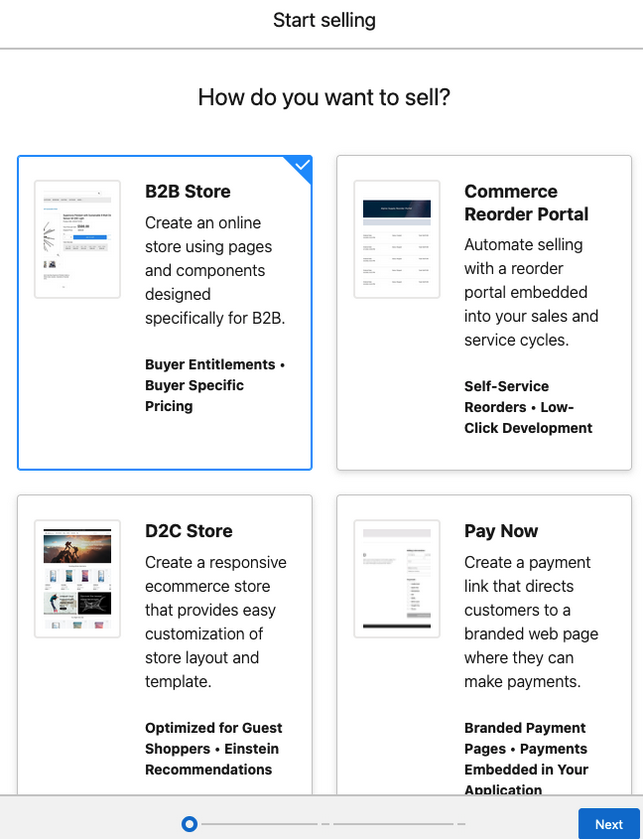
Salesforce B2B Commerce (formerly B2B Commerce Cloud) is a native Salesforce application that runs on the Lightning Platform. Unlike B2C eCommerce, B2B Commerce addresses specific business buyer needs:
- Account-based catalogs: Different product visibility per customer account
- Negotiated pricing: Contract-specific pricing rules and volume discounts
- Complex approval workflows: Multi-step purchase approvals within buyer organizations
- Bulk ordering capabilities: CSV upload, quick order forms, and reorder functionality
- Integration with CRM data: Unified customer view across sales and commerce
The platform is built on Experience Cloud (formerly Community Cloud) and integrates natively with Sales Cloud, Service Cloud, and other Salesforce products. This integration provides a complete customer lifecycle view from lead to purchase to support.
Key Features of Salesforce B2B Commerce
| Feature | Description | Technical Notes |
|---|---|---|
| Authenticated Sites | Secure access ensures only approved buyers view account-specific catalogs and pricing | Uses Salesforce Identity and permission sets for access control |
| Bulk Ordering | CSV upload, quick order forms, and shopping list functionality | Supports up to 1,000 line items per order (governor limit) |
| Account-Specific Pricing | Contract pricing, volume discounts, and promotional pricing per account | Uses Price Books and custom pricing logic via Apex |
| Reordering Tools | One-click reorder from order history and saved shopping lists | Integrates with Order object and custom order line items |
| Custom Storefronts | Branded experiences with account-specific product catalogs | Built on Experience Cloud with Lightning Web Components |
| Order Management | Order tracking, approval workflows, and order history | Uses Salesforce Flow for approval processes and notifications |
| CRM Integration | Native integration with Sales Cloud accounts, contacts, and opportunities | Real-time data sync via platform events and triggers |
Salesforce B2B Commerce Architecture and Integration Patterns
B2B Commerce follows standard Salesforce integration patterns for connecting with external systems:
Core Data Model
The platform uses standard Salesforce objects with B2B-specific extensions:
- Account: Buyer organizations with hierarchical relationships
- Contact: Individual buyers with role-based permissions
- Product2: Product catalog with B2B-specific fields
- PricebookEntry: Account-specific pricing rules
- Order: Purchase orders with approval workflows
- WebStore: Storefront configuration and branding
Integration Patterns
Common Salesforce integration patterns for B2B Commerce include:
- REST API integration: Real-time product and pricing updates from ERP systems
- Bulk API: Large-scale product catalog imports and updates
- Platform Events: Real-time order notifications to fulfillment systems
- MuleSoft Anypoint: Enterprise integration for complex system landscapes
- Salesforce Connect: External data integration without data replication
How Salesforce B2B Commerce Works
The platform streamlines complex B2B purchasing through several key workflows:
Buyer Experience Workflow
- Authentication: Buyers log in through Salesforce Identity or SSO integration
- Catalog Access: System displays account-specific products and pricing
- Order Creation: Bulk ordering via CSV upload or manual selection
- Approval Process: Internal approval workflows based on order value or product type
- Order Fulfillment: Integration with ERP or fulfillment systems
- Order Tracking: Real-time status updates through the commerce portal
Admin Configuration
Salesforce admins configure B2B Commerce through several key areas:
- Store Setup: WebStore configuration, payment methods, and shipping options
- Product Catalog: Product2 records with B2B-specific fields and categories
- Pricing Rules: Price Books, volume discounts, and contract pricing
- User Management: Contact records with buyer permissions and account associations
- Approval Processes: Salesforce Flow for order approval workflows
Benefits of Salesforce B2B Commerce
| Benefit | Description | Implementation Notes |
|---|---|---|
| Enhanced Sales Productivity | Self-service ordering reduces sales rep involvement in routine transactions | Requires proper user training and change management |
| Accelerated Time-to-Market | Pre-built Lightning components and templates speed deployment | Typical implementation: 3-6 months for standard requirements |
| Personalized Buyer Experiences | Account-specific catalogs, pricing, and promotional content | Uses Salesforce personalization rules and audience targeting |
| Operational Efficiency | Automated order processing and approval workflows | Integrates with Salesforce Flow and Process Builder |
| Global Scalability | Multi-currency, multi-language support for international expansion | Requires Translation Workbench and currency management setup |
| AI-Driven Growth | Einstein recommendations and search optimization | Requires Einstein Analytics license and data setup |
| Seamless CRM Integration | Unified customer data across sales, service, and commerce | Native platform integration with real-time data sync |
| Mobile-Responsive Design | Optimized experience across desktop, tablet, and mobile devices | Built on Lightning Design System for consistent UI |
Salesforce B2B Commerce Implementation Considerations
Technical Requirements
- Licenses: B2B Commerce requires specific user licenses and may need additional platform licenses
- Experience Cloud: B2B Commerce sites run on Experience Cloud infrastructure
- API Limits: Consider API call limits for integrations with external systems
- Data Storage: Product catalogs and order history impact data storage limits
- Security: Implement proper sharing rules and field-level security for sensitive pricing data
Common Implementation Challenges
- Complex Pricing Logic: Account-specific pricing may require custom Apex development
- ERP Integration: Real-time inventory and pricing updates require robust integration architecture
- User Adoption: B2B buyers may resist change from existing ordering processes
- Performance: Large product catalogs require optimization for search and browsing performance
- Mobile Experience: B2B buyers increasingly expect mobile-optimized experiences
Salesforce Admin Interview Questions for B2B Commerce
Common Salesforce admin interview questions related to B2B Commerce include:
- How do you configure account-specific pricing in B2B Commerce?
- What are the key differences between B2B and B2C commerce requirements?
- How do you set up approval workflows for B2B orders?
- What integration patterns work best for connecting B2B Commerce with ERP systems?
- How do you manage user permissions and access control in B2B Commerce?
- What are the governor limits that affect B2B Commerce implementations?
What is the difference between Salesforce B2B Commerce and B2C Commerce?
B2B Commerce focuses on business buyer needs like account-specific pricing, bulk ordering, and approval workflows. B2C Commerce targets individual consumers with features like wish lists, reviews, and social commerce. B2B Commerce integrates more deeply with CRM data and supports complex organizational buying processes.
How does Salesforce B2B Commerce integrate with existing CRM data?
B2B Commerce runs natively on the Salesforce Platform, providing real-time access to Account, Contact, and Opportunity data. Orders automatically create or update CRM records, and sales reps can view commerce activity in Sales Cloud. This integration enables personalized experiences based on complete customer history.
What are the key integration patterns for Salesforce B2B Commerce?
Common integration patterns include REST API for real-time data sync, Bulk API for large catalog updates, Platform Events for order notifications, and MuleSoft for complex enterprise integrations. Salesforce Connect enables external data access without replication, while custom Apex can handle specialized business logic.
What licenses are required for Salesforce B2B Commerce?
B2B Commerce requires specific user licenses for buyers and administrators. Internal users need appropriate Salesforce licenses (Sales Cloud, Service Cloud, or Platform), while external buyers need B2B Commerce user licenses. Additional licenses may be required for Einstein features or advanced integrations.
How do you handle complex pricing in Salesforce B2B Commerce?
Complex pricing uses Salesforce Price Books for base pricing, with custom Apex classes for advanced logic like volume discounts, contract pricing, and promotional rules. The platform supports multiple price books per account and can calculate pricing in real-time based on order quantity, customer tier, and contract terms.
Conclusion
Salesforce B2B Commerce provides a comprehensive platform for businesses managing complex buyer relationships and large-scale transactions. Its native integration with Salesforce CRM ensures unified customer data and personalized experiences. Success requires careful planning around pricing logic, system integrations, and user adoption strategies. The platform’s flexibility supports diverse B2B requirements while maintaining the scalability and security of the Salesforce Platform.