Salesforce Inspector for Admins and Developers
Salesforce inspector is a browser extension that helps Salesforce admins and developers inspect records, query data, verify field API names, and move through Setup faster. It is useful for debugging, access checks, data repair, and metadata review, but it is not a Salesforce product and should be governed like any tool that can read or change org data.
In enterprise orgs, the extension does not replace Salesforce Setup, Data Loader, Bulk API, or change management. It gives a signed-in user a faster view of records, fields, users, and queries that their permissions allow. Object permissions, field-level security, sharing, API access policy, and production controls still matter.
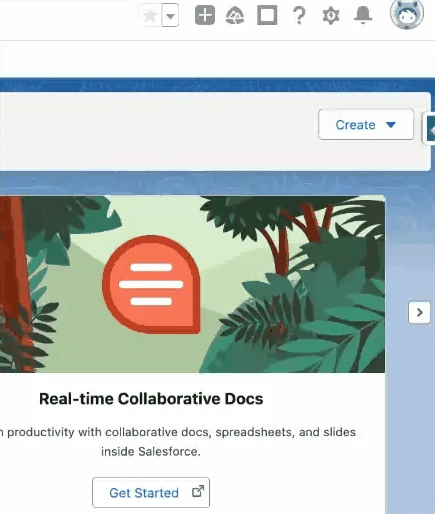
What is Salesforce Inspector?
Salesforce Inspector is an inspection layer that opens from the browser while you work in Salesforce. It can help with SOQL export, object metadata lookup, user lookup, record detail review, record Id copying, and Setup navigation. Use it when you need to answer a specific question quickly, such as which record type is active, which field API name belongs in a query, or which permission set assignment a user has.
For custom Apex, integrations, and Lightning Web Components that use similar data access patterns, enforce sharing, CRUD, and FLS rather than relying on UI visibility alone. Salesforce explains this in Secure Apex Programming Techniques.
Salesforce Inspector Reloaded Chrome Extension: when to use it
The salesforce inspector reloaded chrome extension is a community-maintained extension based on the same inspection workflow. Teams use it for side-panel navigation, data export, object lookup, user checks, and API version control. Since extension features can change outside Salesforce seasonal releases, test the installed version in a sandbox before using it for production updates.
Salesforce inspector reloaded chrome extension setup checklist
- Confirm the extension source, maintainer, requested browser permissions, and update history.
- Install first in a sandbox or non-production browser profile.
- Decide who may export or update production data.
- Document approved use cases such as metadata lookup, SOQL checks, and access troubleshooting.
- Review API access controls if your org limits API use to approved connected apps.
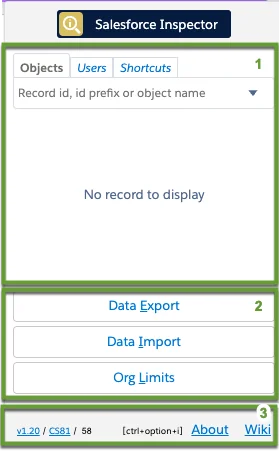
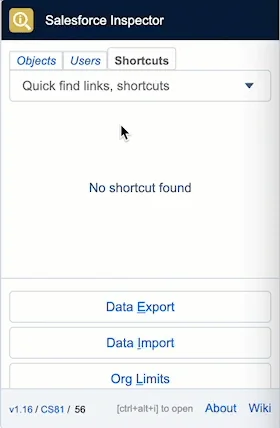
Inspector reloaded side panel layout
inspector reloaded organizes common actions in a side panel. The panel can include Objects, Users, Shortcuts, data export, data import, record inspection, and API version settings. Treat the screenshots as workflow examples because installed versions and browser policies can change the visible options.
How to use Salesforce Inspector for Setup navigation
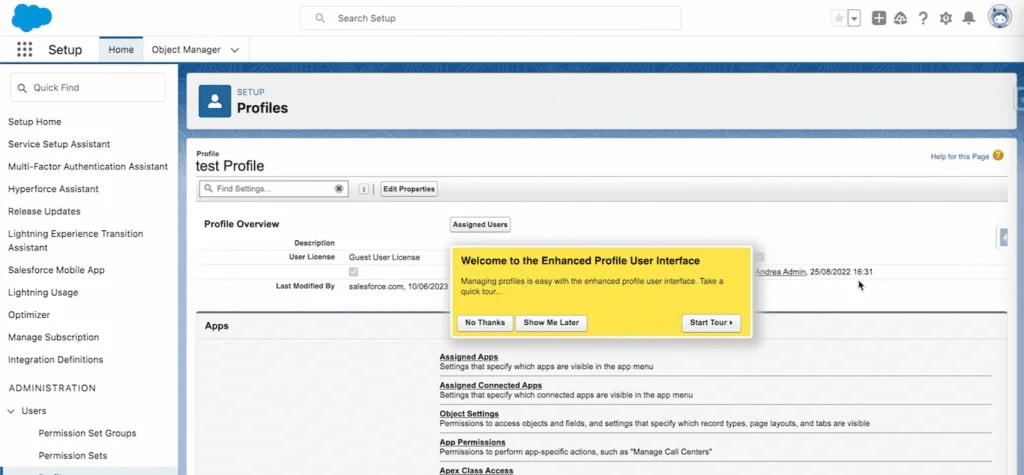
salesforce inspector helps admins move from the current page to the right Setup area without losing context. This saves time during support calls where you need to inspect a record, then open Object Manager, Flow, Permission Sets, Profiles, or Deployment Status.
Shortcuts for Setup, flows, profiles, and permission sets
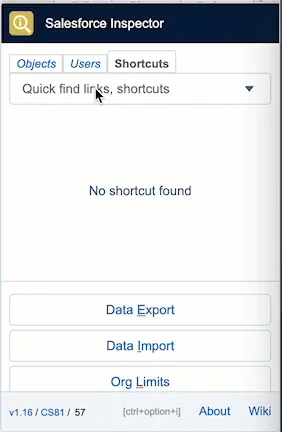
Use shortcut search when you know the target item but do not want to click through Setup. This is useful for opening a flow, profile, permission set, permission set group, or common Setup page. It does not replace deployment review or approval; it only reduces navigation time.
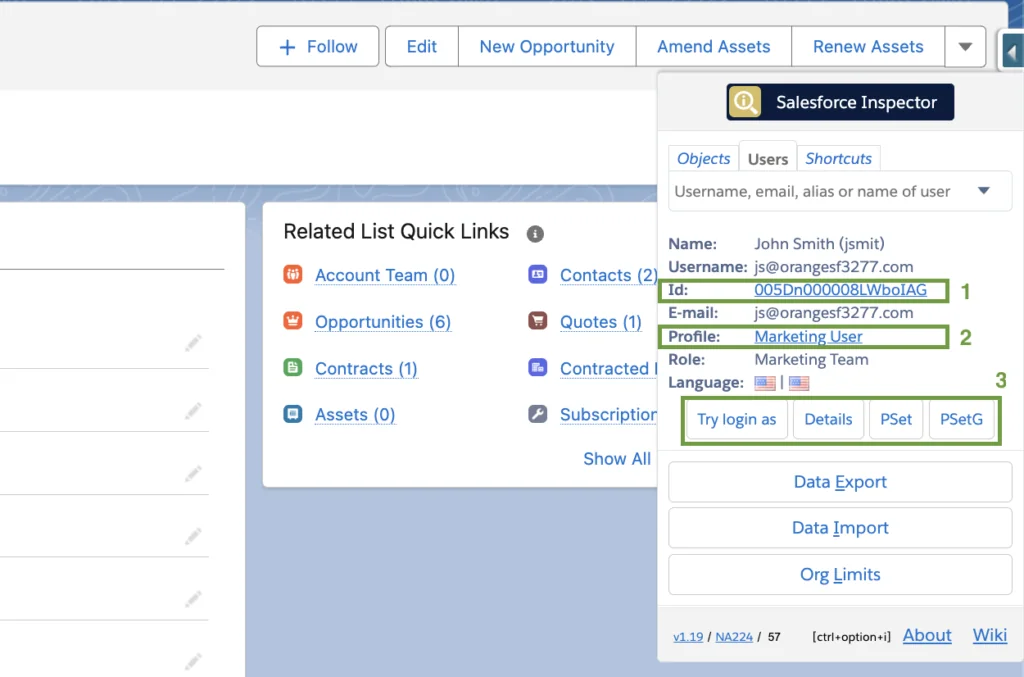
Users tab for profile and permission set checks
The Users tab helps you move from a username to the user record, profile, permission set assignments, and permission set group assignments. Use it when one user can access a field or action and another cannot. Compare assigned access, then verify object permissions, FLS, sharing, role hierarchy, and record ownership in Salesforce.
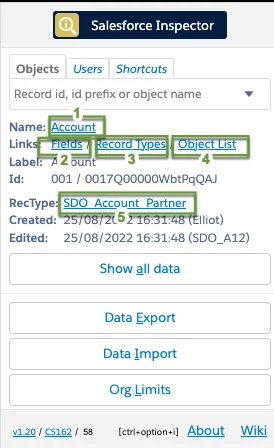
Objects tab for fields, record types, and metadata
The Objects tab helps confirm object API names, field API names, record types, and object setup links. This matters because labels can change or repeat across objects, while API names are used by SOQL, Apex, integrations, and metadata deployments.
How to fix check for typos in the field names. error in salesforce
The search phrase check for typos in the field names. error in salesforce usually points to an invalid field reference in SOQL, API calls, reports, formulas, or automation. Common causes include using a field label instead of an API name, missing a managed-package namespace, using __c where a relationship needs __r, querying the wrong object, or missing field access.
- Open Object Manager or the Objects tab.
- Copy the exact field API name.
- Check whether the field belongs to the object in the
FROMclause. - Check namespace prefixes and relationship names.
- Run a small query with
LIMIT 10before export or update.
You can also confirm metadata through the Salesforce sObject Describe REST API resource.
SELECT Id, Name, Industry, LastModifiedDate
FROM Account
WHERE LastModifiedDate = LAST_N_DAYS:30
ORDER BY LastModifiedDate DESC
LIMIT 200
How to export data safely with Salesforce Inspector
Data export is a common salesforce inspector use case. Salesforce documents SOQL as the query language for selecting fields from objects, and the REST API Query resource as a way to execute SOQL through the API. Use WHERE, ORDER BY, and LIMIT while building queries, then expand only when the result set is verified. See SOQL SELECT syntax and REST API Query resource.
| Need | Use | Reason |
|---|---|---|
| Check one record | Show all data or filtered SOQL | Low data volume |
| Export recent records | SOQL with filters | Clear review path |
| Load large files | Data Loader or Bulk API 2.0 | Better monitoring and retries |
| Debug access | Users tab, Objects tab, and Setup | Shows metadata and user context |
SELECT Id, Name,
    (SELECT Id, Subject, ActivityDate
     FROM Tasks
     ORDER BY ActivityDate DESC
     LIMIT 5)
FROM Account
WHERE Id = '001000000000000AAA'
LIMIT 1
How to import or update data without breaking production
Use extension-based data updates only for small, controlled repairs. For larger work, use official tools and APIs. Salesforce documents the Data Import Wizard for supported objects and Bulk API 2.0 for large CSV-based insert, update, upsert, and delete jobs.
- Export the before-state with record Ids.
- Test the file in a sandbox.
- Update a small production sample before the full set.
- Check validation rules, flows, triggers, duplicate rules, and assignment rules.
- Keep the query and input file with the support ticket or change record.
How to set the API version in Inspector Reloaded
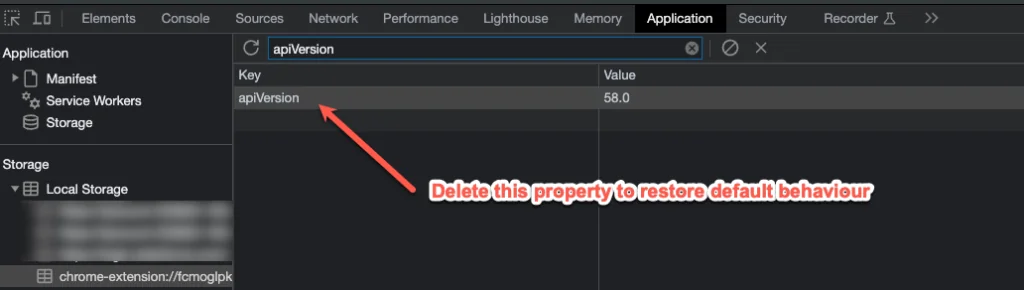
API version selection matters when a Salesforce release changes metadata visibility, object support, or API behavior. inspector reloaded may expose an API version setting in the panel. Use it only when you know why a specific version is needed, and document the change before using it for production troubleshooting.
Inspector Reloaded API version setting and local storage
Some versions store an API version override in browser local storage. That setting can affect more than one org in the same browser profile. If two admins see different query behavior, compare user permissions, browser profile, extension version, org login, and stored API version values.
Security and governance for Salesforce Inspector
salesforce inspector should be reviewed as a browser tool with access to Salesforce data. The risk depends on the user permissions, export policy, browser management, and API access settings. Salesforce provides API Access Control options to restrict API access to approved connected apps. Review Restrict Access to APIs with Connected Apps and confirm how the policy applies to your extension model.
- Use permission sets to limit export and data modification rights.
- Use different browser profiles for sandbox and production.
- Review Setup Audit Trail, field history tracking, and Event Monitoring where licensed.
- Allow only reviewed extensions in managed browsers.
- Require a backup export before production data repair.
Image repository on salesforce: what Inspector can and cannot do
An image repository on salesforce usually means Salesforce Files, Salesforce CMS, Static Resources, or an external digital asset manager connected to Salesforce. salesforce inspector can query file metadata, but it does not define the repository, sharing model, versioning process, or delivery path.
Salesforce Files use objects such as ContentDocument, ContentVersion, and ContentDocumentLink.
SELECT Id, Title, FileType, ContentSize, LatestPublishedVersionId
FROM ContentDocument
WHERE FileType IN ('PNG', 'JPG', 'JPEG', 'GIF')
ORDER BY LastModifiedDate DESC
LIMIT 50
Best practices for Salesforce Inspector in production orgs
- Use the extension for inspection first and data changes second.
- Keep production updates small unless a governed bulk process exists.
- Never paste a spreadsheet into an update tool until field mappings and record Ids are checked.
- Do not use admin-only visibility to make design decisions for standard users.
- Use official Salesforce documentation when behavior looks like an API or metadata rule.
Related SalesforceTutorial resources
- SOQL query examples for Salesforce admins
- Salesforce Data Loader import and export guide
- Permission sets in Salesforce
- Salesforce Flow automation basics
- Field-level security in Salesforce
Frequently Asked Questions
Is Salesforce Inspector an official Salesforce product?
No. salesforce inspector and Inspector Reloaded are third-party browser extensions, not Salesforce-owned platform features. Review them through your security process before use.
What is the difference between Salesforce Inspector and Inspector Reloaded?
The original extension and inspector reloaded use the same side-panel idea for records, objects, fields, users, and data. Inspector Reloaded is a community-maintained fork, so confirm current behavior in the installed extension version.
Can Salesforce Inspector update production data?
Yes, if the signed-in user has enough object and field permissions. Treat salesforce inspector data changes like any production update: test in a sandbox, export a backup, update a small sample, and validate automation side effects.
How do I fix the check for typos in the field names error in Salesforce?
Verify the exact API name in Object Manager, Describe metadata, or the Objects tab in salesforce inspector. Check namespace prefixes, __c suffixes, relationship names, and field-level security.
Can Salesforce Inspector find an image repository on Salesforce?
salesforce inspector can query Salesforce Files metadata such as ContentDocument and ContentVersion if the user has access. It does not create an image repository on salesforce; use Files, CMS, Static Resources, or an external DAM based on delivery needs.