Are Change Sets Always Created in a Sandbox?
Are change sets always created in a sandbox? No. An outbound change set is created in the Salesforce org where you are logged in and want to send metadata from; in most production release paths, that source org is a sandbox. The target org receives the upload as an inbound change set, where an authorized user validates and deploys it.
This distinction matters when a team says the outbound change set missing in dev sandbox problem is blocking a release. The issue is usually a permissions, deployment connection, org relationship, or source-versus-target confusion problem.
Are change sets always created in a sandbox?
In daily admin work, the answer is usually “yes” because teams build and test in a sandbox before sending metadata to production. Technically, are change sets always created in a sandbox is the wrong mental model. A change set has a direction: the outbound package starts in the source org, and the inbound package appears in the destination org after upload.
Salesforce Help defines an outbound change set as a change set created in the org you are logged in to and want to send to another org. Salesforce also says teams typically use outbound change sets for customizations created and tested in a sandbox before sending them to production. See the official Salesforce Help page on outbound change sets.
| Question | Correct answer | Where to check |
|---|---|---|
| Where do I create the outbound change set? | In the source org that contains the metadata you want to move. | Setup > Outbound Change Sets |
| Where do I deploy it? | In the destination org after the upload arrives as an inbound change set. | Setup > Inbound Change Sets |
| Can I send it to any Salesforce org? | No. Change sets require a deployment connection between related orgs. | Setup > Deployment Settings |
| Does a change set include business records? | No. Change sets move supported metadata and configuration, not Account, Contact, Opportunity, or Case records. | Use data migration tools for records. |
In enterprise orgs, admins often use developer, integration, UAT, staging, and production environments. In that model, are change sets always created in a sandbox depends on the release hop. A developer sandbox can upload to an integration sandbox if the deployment connection allows it; a UAT sandbox can upload to production; production can have deployment connections with sandboxes, but teams should avoid starting untested work in production.
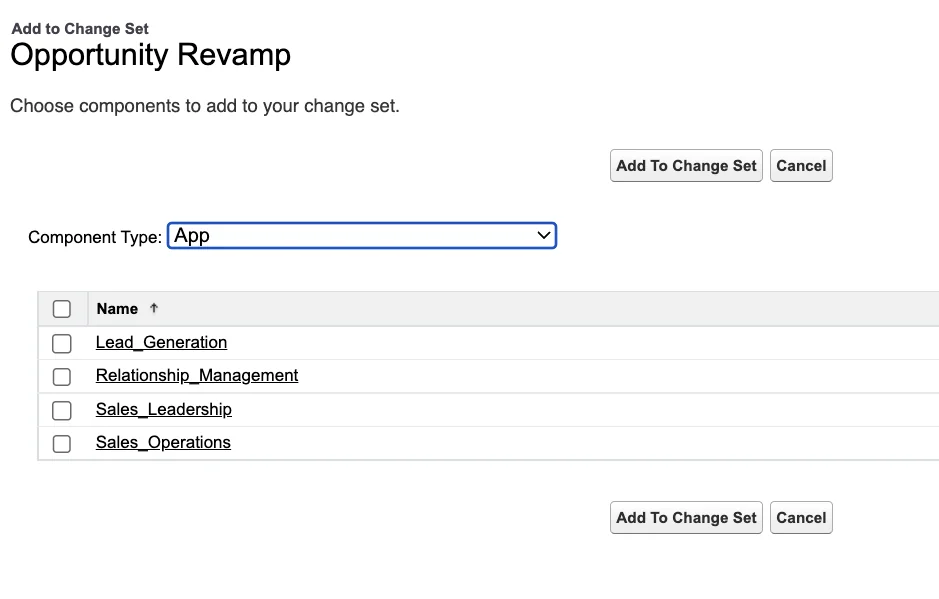
How do change sets Salesforce deployments work?
Change sets Salesforce deployments are point-and-click metadata deployments between connected Salesforce orgs. They are useful for admin-owned changes such as custom fields, page layouts, record-triggered flows, email templates, permission sets, validation rules, and some Apex components when the release is small and documented.
Salesforce requires a deployment connection between the two orgs before a change set can be sent. The deployment connection list is populated from the production org and its sandboxes, and an admin must authorize the direction from the target side. See Salesforce Help for deployment connections for change sets.
Change sets salesforce: outbound vs inbound
| Change set type | Where it appears | Who uses it | Main action |
|---|---|---|---|
| Outbound change set | Source org | Admin or release owner preparing metadata | Add components, add dependencies, upload to target |
| Inbound change set | Target org | Admin or release owner deploying metadata | Validate, run tests, deploy, or delete |
The main limit is that a change set is not source control. It does not show a clean diff of every change made since the last release. The component picker shows supported metadata types, but the admin still decides what belongs in the package. For larger work, keep a release inventory outside Setup or use a source-driven process.
Why is an outbound change set missing in a dev sandbox?
The phrase outbound change set missing in dev sandbox can mean two things: the Outbound Change Sets page is missing, or the target org is missing when you upload. The fix depends on the symptom.
Outbound change set missing in dev sandbox: checks to run
- Confirm you are in the source org. If you are logged in to UAT or production and expecting to see a change set built in a developer sandbox, you are in the wrong org. Uploaded packages appear under Inbound Change Sets in the target org.
- Check user permissions. To use outbound change sets, Salesforce requires Create and Upload Change Sets. To deploy inbound change sets, the target user needs Deploy Change Sets and Modify Metadata Through Metadata API Functions.
- Check the org relationship. Change sets work between related orgs with a deployment connection. They are not a deployment transport between unrelated production orgs.
- Authorize the deployment direction. In the destination org, go to Setup > Deployment Settings, edit the connection for the source org, and allow inbound changes from that source.
- Search Setup with the exact label. In Lightning Setup, search for Outbound Change Sets. Searching only for deployment can send you to Deployment Settings, which is a different page.
- Check seasonal release mismatch. If source and target are on different Salesforce releases during preview windows, validation can fail with cross-version errors.
If the target org is missing from the upload dialog, start in the destination org and authorize the deployment connection first. If the entire Outbound Change Sets page is missing for one user, compare that user’s permissions with a working System Administrator user.
How to create an outbound change set from a sandbox
Use this path when the answer to are change sets always created in a sandbox is “yes for this release path,” such as Dev Sandbox → UAT or UAT → Production. Do the work in the source sandbox first, test it there, and then create the outbound change set from that same source org.
- Log in to the source sandbox.
- Go to Setup and enter Outbound Change Sets in Quick Find.
- Click New, enter a release name such as
REL-2026-06-Opportunity-Flow-UAT, and save. - Add metadata components by type: Flow, custom fields, page layout, custom permission, permission set, and any Apex class that belongs to the release.
- Click View/Add Dependencies for selected components, then add required dependencies that are not already in the target org.
- Upload the change set to the authorized target org.
- In the target org, open Inbound Change Sets, validate first, review test results, and deploy after validation passes.
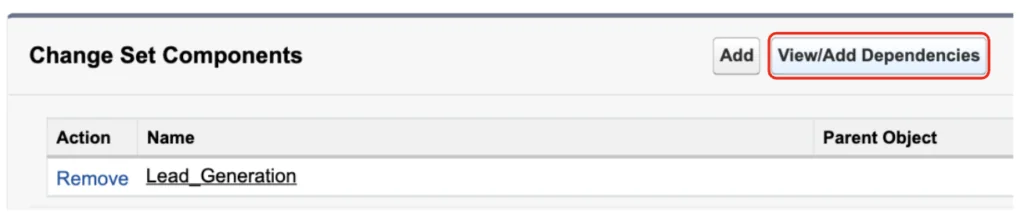
The dependency button helps, but it does not replace release review. Salesforce change set best practices tell teams to include interdependent components that do not exist in the target org. Flow deployments need care because subflows, referenced Apex actions, custom permissions, email alerts, record types, and field references can span several metadata types.
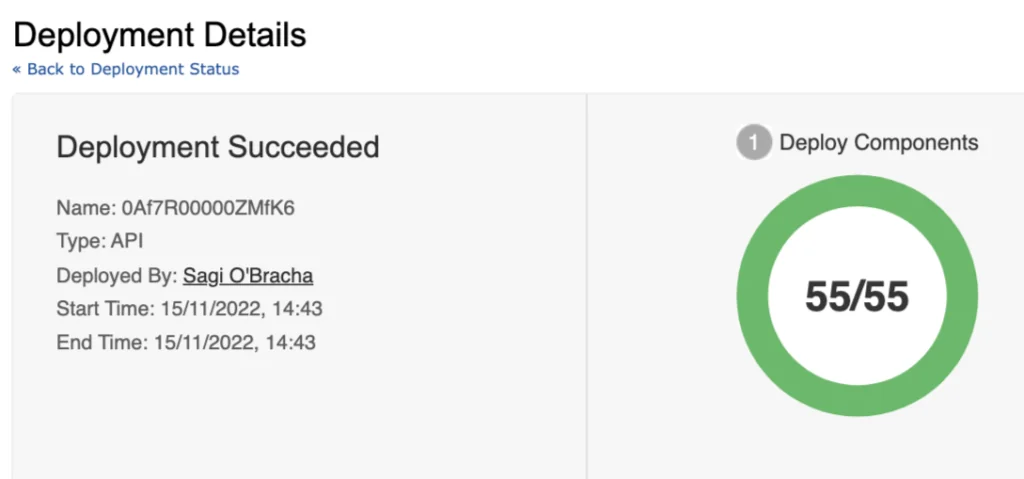
How to troubleshoot change set deployment errors
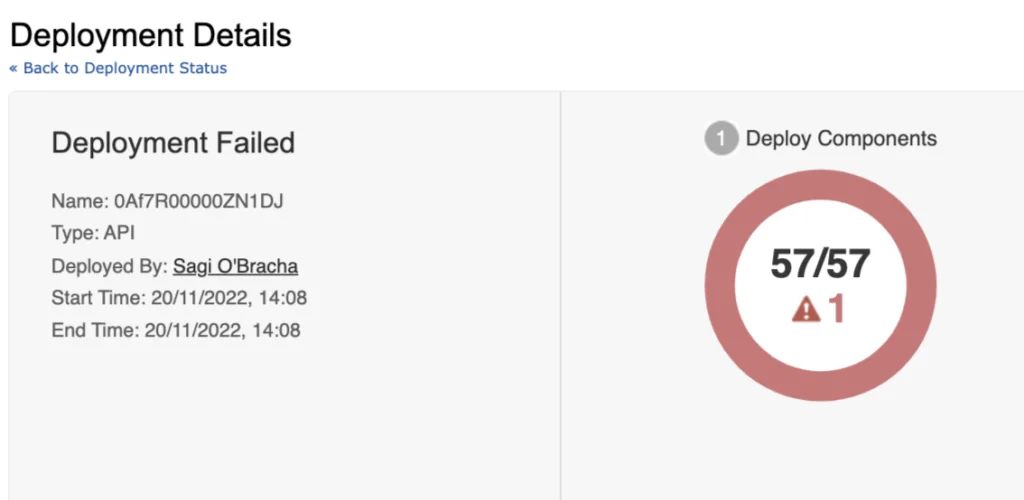
Most change set failures come from a small group of causes: missing metadata, Apex test failures, field-level security gaps, feature differences between orgs, or version mismatches during release preview. Start with the error message in the target org, then trace it back to the missing or failing component in the source org.
| Error pattern | Likely cause | Fix |
|---|---|---|
| Missing reference to a field, flow, or custom permission | The change set does not include a required dependency, or the dependency exists only in the source org. | Add the missing metadata and upload a new or cloned change set. |
| Apex tests fail in production | Test data, validation rules, required fields, or code coverage differ in the target org. | Run the failing test class in the target org and fix the test or metadata gap before deploying. |
| Profile or field access not applied as expected | Security metadata was omitted, or profile settings were not reviewed with the related component. | Prefer permission sets for new access and include the correct permissions in the release package. |
| Cross-version validation error | Source and destination orgs are on different Salesforce seasonal releases. | Wait for both orgs to align or deploy through a compatible release path. |
| Component type not available in the picker | The metadata type is unsupported by change sets or a feature is not enabled in the target org. | Check Metadata API support and target org feature enablement. |
For Apex deployments, Salesforce requires unit tests to pass and at least 75% Apex code coverage for deployment to production. The Apex Developer Guide documents the testing and code coverage requirement. Do not rely on sandbox coverage alone; run validation against the target org because production automation and required fields can differ.
Validation workflow for admins
- Validate the inbound change set before the release window.
- Save the deployment error text and component name.
- Check whether the referenced component exists in the target org.
- Check whether the source component has hidden references, such as a flow subflow, custom permission, queue, email alert, or invocable Apex action.
- Clone the outbound change set, add the missing component, upload again, and validate again.
How do profiles and permission sets behave in change sets?
Security metadata needs a separate review. A field can deploy successfully while users still cannot see it, edit it, or use it in a flow screen. Salesforce supports profile settings and permission sets in change sets, but the behavior depends on the component relationship and the settings included.
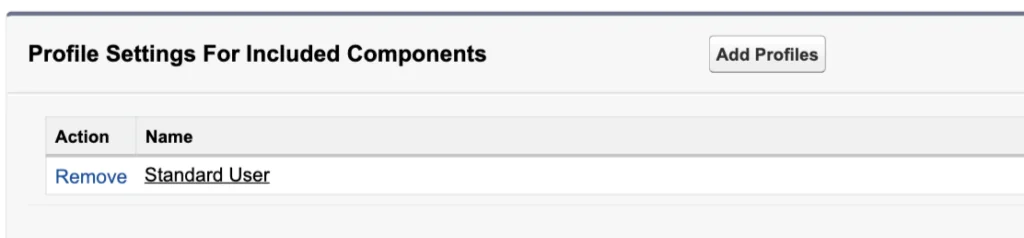
For new access, use permission sets where practical. Permission sets are easier to review, assign, and roll back than profile-wide changes. Profiles still matter for baseline access, page layout assignments, login hours, IP restrictions, default record types, and legacy org designs, but release teams should avoid packaging a profile without reviewing every setting that can affect the target org.
| Requirement | Safer release approach | Reason |
|---|---|---|
| Grant users access to a new custom field | Add field permissions to a permission set and include the permission set. | The access change is scoped to assigned users. |
| Move a page layout change | Include the page layout and verify profile layout assignments separately. | The layout can deploy while assignments still need review. |
| Deploy an Apex class used by Flow | Include the Apex class, test class, and related permissions. | Validation can pass only when tests and access dependencies are satisfied. |
| Deploy lead conversion access changes | Review profile and permission set settings before deployment. | System permissions can affect unrelated business processes if packaged carelessly. |
Salesforce Help provides guidance for permission sets and profile settings in change sets. In a production implementation, make a reviewer compare the intended access change against the target org before upload.
When should teams move beyond change sets Salesforce releases?
Change sets Salesforce releases work for small, low-conflict changes. They become difficult when multiple admins change the same flow, when developers and admins work in parallel, or when the release contains many metadata types. If the release owner cannot answer “what changed, who changed it, and what will be overwritten,” change sets are no longer enough for that release.
Salesforce DevOps Center gives teams a Salesforce-managed release workflow built around projects, work items, pipelines, and source control. Salesforce developer documentation explains that DevOps Center tracks user changes with source tracking and the Tooling API Source Member object. Salesforce Help also says DevOps Center uses source control as the single source of truth for project changes.
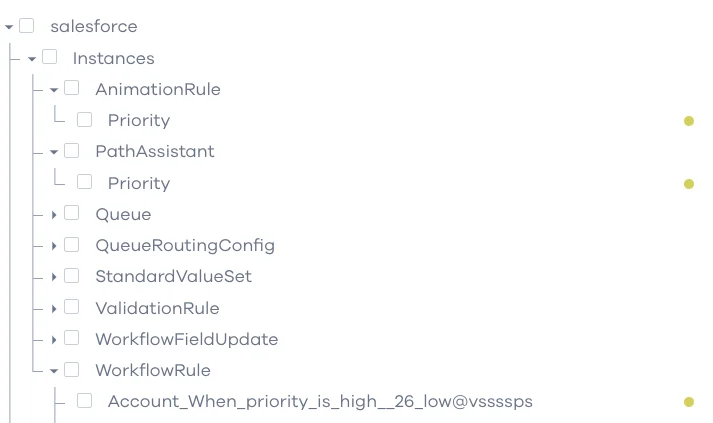
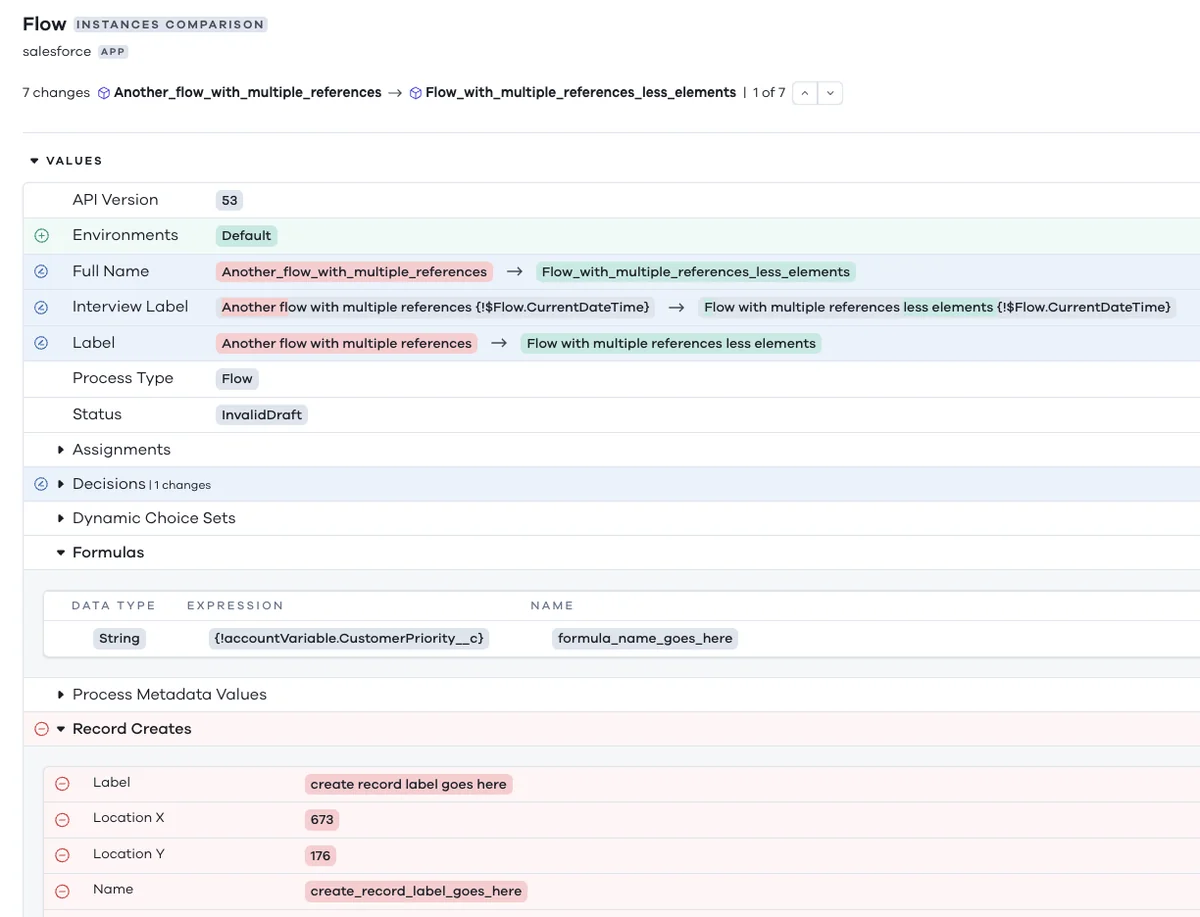
For developer-led teams, the Metadata API and Salesforce CLI give more repeatable deployments than manually selecting components in Setup. The sample below is not a change set; it is a package manifest that documents the same release inventory in source form. Use the API version approved for your org and release branch. The example uses 66.0, matching Spring ’26 API version references in Salesforce release documentation.
<?xml version='1.0' encoding='UTF-8'?>
<Package xmlns='http://soap.sforce.com/2006/04/metadata'>
  <types>
    <members>Opportunity.Intake_Status__c</members>
    <name>CustomField</name>
  </types>
  <types>
    <members>Opportunity_Intake_Guide</members>
    <name>Flow</name>
  </types>
  <types>
    <members>Sales_Ops_Opportunity_Access</members>
    <name>PermissionSet</name>
  </types>
  <types>
    <members>OpportunityService</members>
    <members>OpportunityServiceTest</members>
    <name>ApexClass</name>
  </types>
  <version>66.0</version>
</Package>
The Salesforce CLI can validate a metadata deployment before the release owner deploys it. Always run validation in the target org, not only in the source sandbox.
sf project deploy validate --target-org uat --manifest manifest/package.xml --test-level RunSpecifiedTests --tests OpportunityServiceTest
sf project deploy quick --target-org production --job-id 0AfXXXXXXXXXXXX
The Metadata API deploy call creates, updates, or deletes metadata components from file representations. That makes it a better fit when your team needs peer review, version history, rollback planning, and automated validation.
Best practices for sandbox change sets
If your team still uses change sets, make the process explicit. A good change set process answers are change sets always created in a sandbox for each release path and names the exact source and target orgs.
- Use one release ticket per change set. Include the source org, target org, business reason, component list, test plan, and rollback notes.
- Name components in the description. The change set UI does not replace a release inventory.
- Validate before the release window. Do not discover validation errors while users are waiting for production access.
- Package security deliberately. Review object access, field permissions, system permissions, and assignments.
- Use separate change sets for unrelated work. Do not mix a Sales Cloud flow fix with a Service Cloud page layout change unless they must deploy together.
- Run post-deployment checks. Open the changed app as a business user, test the path that changed, and verify field visibility with a non-admin profile.
- Move to source control for multi-person releases. Change sets do not give conflict detection, branch history, or pull request review.
For related reading on SalesforceTutorial.com, review Salesforce change sets deployment basics, Salesforce sandbox types and release paths, Salesforce permission sets for secure access, and Salesforce DevOps Center release management.
Frequently Asked Questions
Are change sets always created in a sandbox?
No. An outbound change set is created in the source org. In most production release paths that source org is a sandbox, but the real rule is source org to authorized target org through a deployment connection.
Why is outbound change set missing in dev sandbox?
The outbound change set missing in dev sandbox issue usually points to missing Create and Upload Change Sets permission, an unauthorized deployment connection, checking the wrong org, or expecting a target org to appear before the destination has allowed inbound changes from the sandbox.
Can I create a change set directly in production?
You can see change set options in production when deployment connections exist, but production should not be the place where untested configuration starts. Build and test in a sandbox, then upload an outbound change set toward the next org in the release path.
Do change sets Salesforce deployments include data records?
No. Change sets Salesforce deployments move supported metadata and configuration, not business records such as Accounts, Contacts, Cases, or Opportunities. Use Data Loader, Data Import Wizard, Bulk API, or an integration process for record migration.
Do change sets automatically include all dependencies?
No. The dependency tool helps identify related metadata, but the release owner must still review interdependent components. This matters for flows, permission sets, custom fields, Apex actions, record types, email alerts, and custom permissions.
Should I use change sets or DevOps Center?
Use change sets for small admin releases with a short component list and a simple sandbox path. Use DevOps Center, Metadata API, Salesforce CLI, and source control when several people work in parallel, when you need review history, or when deployments must be repeatable.